
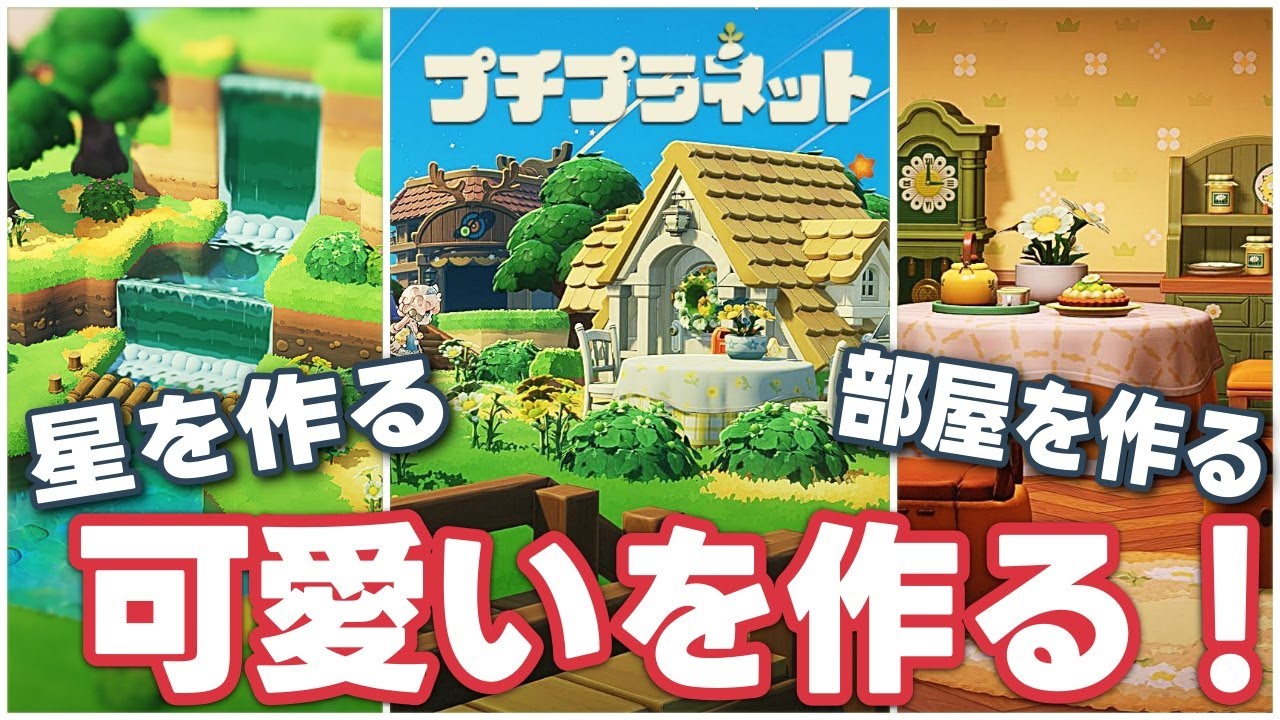
In Petit Planet, the creative power to shape your own environment is one of the game's most rewarding systems. Whether you are aiming for a minimalist sanctuary or a maximalist celestial retreat, interior design is not just about aesthetics—it is about mastering the mechanical tools provided by HoYoverse to ensure your space is both beautiful and functional.
To achieve a professional-grade layout, you must balance the game's grid-based placement system with an understanding of character navigation and environmental lighting. This guide provides the expert strategies needed to elevate your Petit Planet creations from basic rooms to masterfully curated living spaces.
Mastering the Grid-Based Placement System
The foundation of any great Petit Planet interior is the grid-based placement system. While the game’s interface is intuitive, there is a significant difference between "placing items" and "designing a space."
To maintain a clean, high-end look, start by anchoring your largest assets first. Beds, storage units, and workbenches act as the "anchor points" for any room. By placing these against flat walls or in corners, you establish the boundaries of your living area before introducing smaller decor.
Expert Placement Tips:
- The Nudge Technique: Avoid dragging objects across the floor, as this often leads to imprecise alignment. Instead, use the fine-tune edit mode to nudge items one grid unit at a time. This keeps your furniture perfectly square relative to the room’s architecture.
- Collision Management: Always account for the character’s "hitbox." If you place a chair too close to a table, your character may struggle to interact with the table’s UI. Leave at least one half-grid space between interactive items.
- Camera Perspective: Always toggle to a top-down, orthographic view when finalizing your layout. This perspective removes the optical illusions created by 3D depth, allowing you to see if your items are perfectly aligned with the floor tiles.
Selecting Thematic Furniture Sets for Synergy
Visual clutter is the primary enemy of good design. In Petit Planet, the game provides various themed furniture sets that are designed to look cohesive when used together. Mixing too many styles—such as futuristic metallic tech with rustic cottage-core wood—can make a room feel chaotic.
How to Build a Thematic Palette:
- Define a Dominant Texture: Choose one primary material (e.g., polished wood, brushed steel, or soft textiles) and make it the focal point of the room.
- The 60-30-10 Rule: Use your primary theme for 60% of the room, a secondary complementary style for 30%, and use 10% for "accent" pieces that provide a pop of color or contrast.
- Environmental Interaction: Prioritize furniture that offers utility. A beautiful room that lacks storage or crafting stations is ultimately less efficient. Select items that bridge the gap between form and function, such as decorative chests that double as seating or tables that hold crafting materials.
Balancing Space and Character Navigation
A common mistake new players make in Petit Planet is filling every available tile with decorative items. While it is tempting to maximize your item limit, your character needs "breathing room" to move, jump, and interact with the environment.
Strategies for Flow:
- The Perimeter Strategy: Keep the center of your floor plan relatively open. By layering furniture and decor along the walls, you create a natural pathway for your character to traverse the room without clipping into objects.
- Utilize Verticality: If your floor space is limited, look to the walls. Wall-mounted shelves, hanging lanterns, and art pieces add depth and visual complexity to a room without obstructing your path. This is the most effective way to make a small room feel larger.
- Scale Awareness: Use your character as a literal ruler. If an item looks awkward or takes up too much physical space in a narrow corridor, replace it with a smaller alternative to maintain a natural scale.
Leveraging Lighting for Aesthetic Depth
Lighting in Petit Planet is dynamic and reacts to the time of day, making it the most powerful tool in your design arsenal. Properly placed light sources can hide imperfections in your layout, highlight your favorite decorative pieces, and drastically change the "vibe" of a room.
Pro-Level Lighting Techniques:
- Layered Lighting: Never rely on a single light source. Combine ambient lighting (like a ceiling pendant) with accent lighting (like a desk lamp or a floor-based spotlight). This creates a warm, layered look that eliminates harsh shadows.
- Focal Point Highlighting: If you have a specific item or area you are proud of, place a light source directly above or to the side of it. This draws the player's eye immediately, effectively creating a "centerpiece" in your room.
- Day-Night Transitions: Test your room at different in-game times. Some lamps may look great during the day but be too dim at night. If a room feels "cold" at night, add warmer-toned lights to counteract the darkness.
Troubleshooting Common Layout Challenges
Even the most experienced designers will run into technical hurdles in Petit Planet, particularly when working on unique planetary terrain. If you find your furniture floating or clipping into geometry, use these troubleshooting steps:
- The Rotation Reset: If an item refuses to snap to the grid, pick it up, rotate it 90 degrees, and attempt to place it again. This often forces the game engine to recalculate the collision logic, allowing it to snap into the correct position.
- The "Flush" Check: When placing items on uneven ground, always check the bottom of the asset. If there is a gap between the furniture and the ground, it will look like it is floating. Use the "snap to surface" toggle in the editor to ensure the object rests flush against the terrain.
- Clearing Cache/Refresh: If you have moved an item multiple times and it continues to glitch, exit the edit mode entirely and re-enter. This clears the temporary placement memory and often resolves persistent clipping issues.
By adhering to these principles of spatial design, thematic synergy, and technical precision, you will find that Petit Planet becomes a much more immersive experience. Focus on creating a space that feels intentional, and you will find that the gameplay loop—whether you are crafting, resting, or just exploring—becomes significantly more enjoyable.

Free Petit Planet Codes
Current active codes and how to redeem them.

Sarah Williams
Sarah specializes in RPG and collection games, explaining team building, character growth, and beginner-friendly ways to avoid expensive early mistakes.
COMMUNITY
Player Comments
144 players commented on this guide.
This helped me understand strategy much better.
I wish I had read this before upgrading the wrong thing.
This saved me time in the early game.
Good guide for Petit Planet players. The strategy part was useful.