
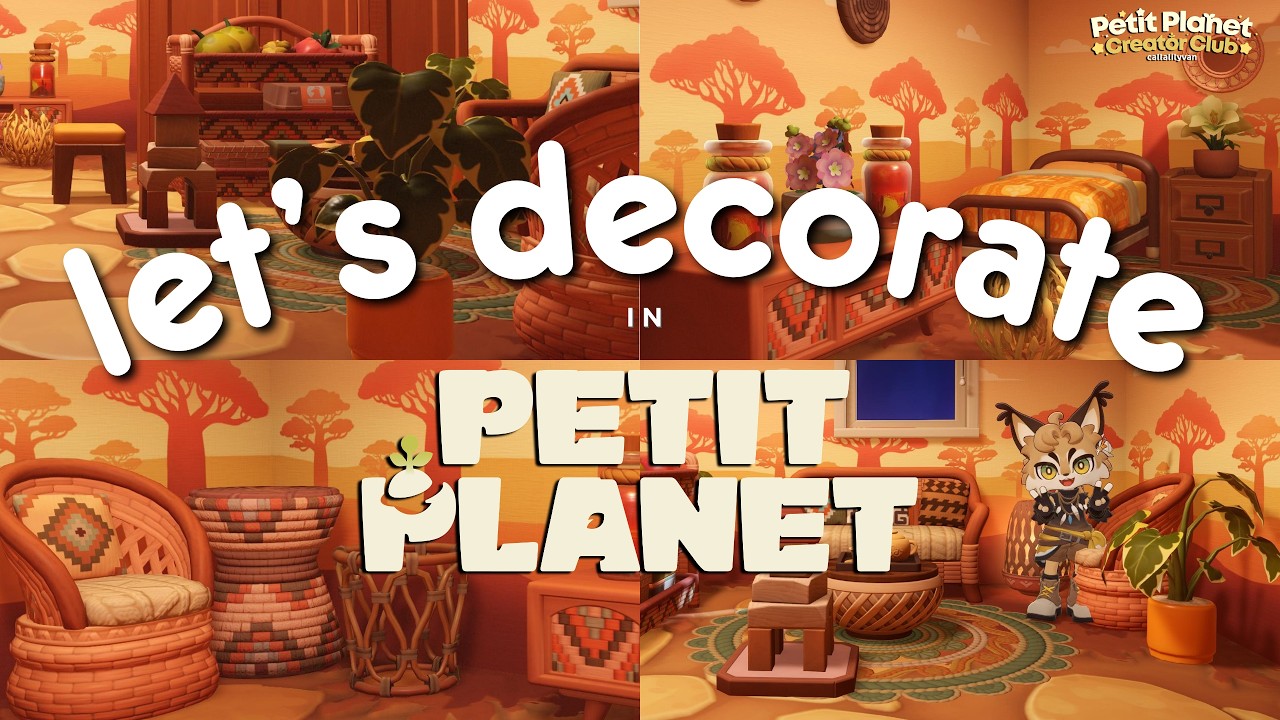
In Petit Planet, the ability to decorate a neighbor’s home is one of the most rewarding social mechanics, allowing players to transcend the boundaries of their own property to foster a vibrant community. By utilizing the Homi Decor app—a feature prominently showcased during the Stardrift test—players can transform interior spaces, experiment with new furniture sets, and master the art of collaborative design. Whether you are aiming to create a cohesive savanna-inspired sanctuary or simply want to assist a friend in refreshing their layout, understanding the technical and social nuances of this system is essential for any aspiring designer in Petit Planet.
How to Access and Use the Homi Decor App
The Homi Decor app is your primary interface for all collaborative interior design tasks in Petit Planet. It is not a passive feature; it is an active design mode that grants you temporary editing permissions within a neighbor’s home instance.
Step-by-Step Activation
- Establish Social Progress: Ensure you have unlocked the social features of the Stardrift test. These are typically gated behind the initial tutorial quests that introduce you to the core movement and interaction systems of Petit Planet.
- Visit a Neighbor: You must be physically located within your neighbor's property bounds. The Homi Decor app icon will remain grayed out or inaccessible if you are on your own land or in public exploration areas.
- Launch the Interface: Open your primary device menu and select the Homi Decor app icon. This will switch your camera to a top-down or isometric "build mode" view, which is better suited for precise furniture placement.
- Confirm Permissions: Some instances may require the host player to grant you "Decorator" status. Always verify that your neighbor has enabled these permissions before you begin moving their belongings.
Strategies for Savanna-Inspired Aesthetics
During the Stardrift test, the savanna aesthetic has become a popular design challenge. This theme relies on a specific visual language that emphasizes warmth, texture, and natural integration.
Palette Selection
The savanna look is defined by its "earthy" spectrum. When using the Homi Decor app, filter your furniture catalog for items featuring:
- Warm Tones: Ochre, burnt orange, and deep, sun-baked browns.
- Natural Materials: Woven fibers, light-colored woods, and weathered stone textures.
- Accents: Use muted greens or dusty yellows to represent dried grasses and resilient flora.
Spatial Flow and Composition
The secret to a successful savanna-inspired home is avoiding the "clutter trap." Because the aesthetic is meant to evoke the vastness of the plains, prioritize open floor plans. Place larger, heavier items (like wooden shelving or woven loungers) against the perimeter of the room to keep the center of the space clear. Use smaller, decorative assets like potted succulents or clay pottery as "cluster points" on side tables or corners, rather than scattering them randomly across the room.
Navigating Furniture Placement Limitations
While the Homi Decor app is powerful, it operates under specific technical constraints designed to maintain the integrity of the Petit Planet physics engine and server stability.
The Beta Catalog Constraint
In the current Stardrift test version, you do not use your own personal furniture inventory. Instead, you are limited to the items provided within the Homi Decor interface. This is a deliberate design choice that ensures all participants—regardless of their personal progression—have access to the same aesthetic tools while visiting a friend.
Technical Troubleshooting
- Snapping Issues: If an item refuses to place, check for collision boxes. Some furniture items in Petit Planet have larger "ghost" hitboxes than their visual models suggest. Try rotating the item 90 degrees; often, the orientation is the culprit.
- Clipping: Avoid placing items halfway into walls or other furniture. If you notice flickering textures, the item is likely clipping. Adjust the position slightly away from the wall until the texture stabilizes.
- Item Limits: Every home has a "Decor Density" limit. If the app stops allowing you to place items, you have reached the maximum object count for that specific instance. You will need to remove an existing item before adding a new one.
Strengthening Social Bonds Through Design
In Petit Planet, home decorating is a social currency. It serves as a non-verbal way to communicate, celebrate, and support your neighbors.
Best Practices for Collaborative Design
- Communication First: Always communicate with the host via the chat system before making drastic changes. Some players have specific layouts they are attached to, and unauthorized changes can lead to frustration.
- The "Surprise" Factor: If your neighbor has asked for a redesign, try to leave one "signature" area untouched—such as their main bed or a favorite display piece—to ensure the home still feels like theirs after you are finished.
- Reciprocity: View every decorating session as an opportunity to learn. Ask your neighbor what they think of your placement techniques. Often, observing how others arrange their space will reveal shortcuts or design tricks you hadn't considered for your own home.
Summary Checklist for Effective Decorating
To ensure your time spent in the Homi Decor app is productive and appreciated, keep this checklist in mind:
- Define the Scope: Are you doing a full room overhaul or just adding a few themed accents?
- Verify the Theme: Confirm the color palette (e.g., Savanna, Modern, Coastal) before spending time browsing the catalog.
- Check for Functionality: Ensure that all doors, pathways, and interactive objects (like chairs or stoves) remain accessible after you finish placing furniture.
- Final Walkthrough: Always perform a quick "navigation test" after finishing. If your character can walk through the space without getting stuck on geometry, your layout is successful.
By mastering these techniques, you become more than just a player in Petit Planet; you become a key contributor to your community’s creative ecosystem. The Homi Decor app is a powerful tool, and with a bit of patience and spatial awareness, you can ensure that every home you touch becomes a landmark of design within the Stardrift test.

Free Petit Planet Codes
Current active codes and how to redeem them.

James Brown
James focuses on Android gaming on PC, emulator setup, controls, performance tuning, and practical troubleshooting for longer play sessions.
COMMUNITY
Player Comments
73 players commented on this guide.
The explanation is clear, especially for beginners.
I tried this today and it worked better than my old setup.
This helped me understand strategy much better.
Can you add more details about strategy in a future update?