
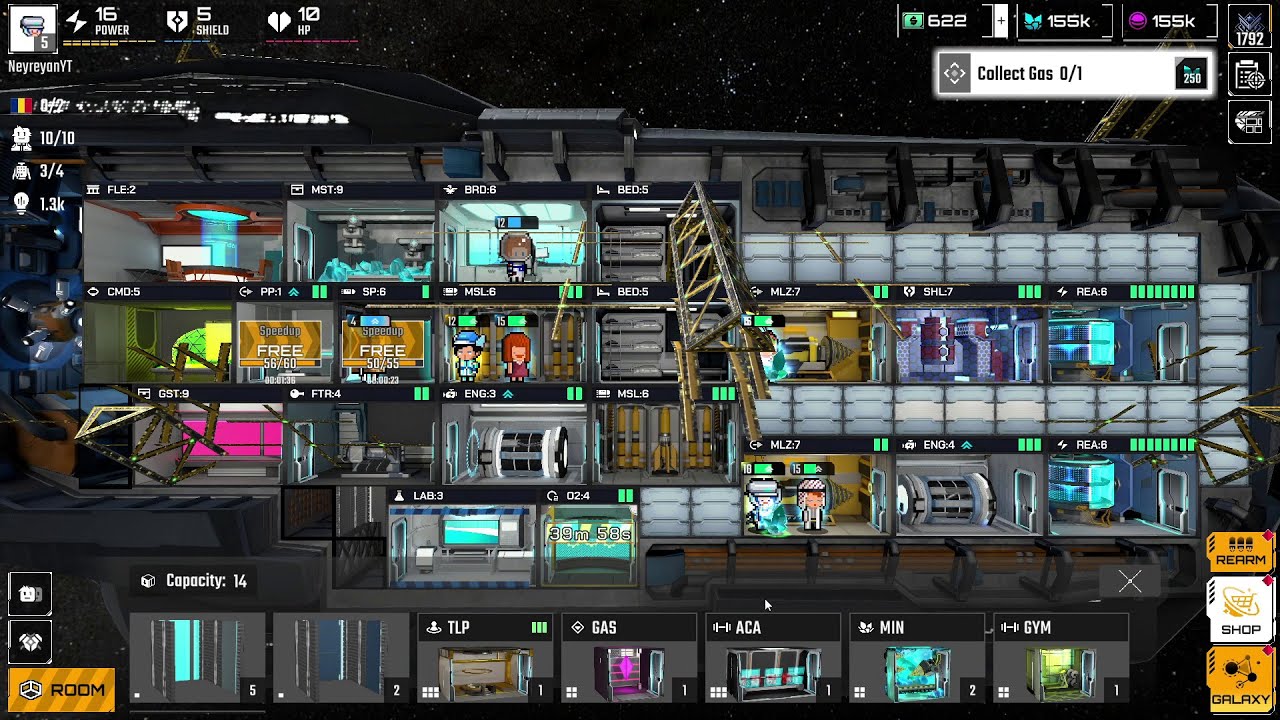
To travel between star systems in Pixel Starships 2, open the galaxy navigation map from your interior ship view, pick an adjacent destination connected by a hyperlane, and allocate sufficient reactor power to both your Bridge and Engine room before confirming the jump. Interstellar transit also requires managing your energy grid so defensive shields and weapons are powered before you drop into potentially hostile sectors.
Navigating the Galaxy Map and Route Planning
Interstellar movement in Pixel Starships 2 relies on network nodes rather than freeform open-space flight. Access the galaxy navigation map from your tactical view to display nearby star systems linked by orbital hyperlanes. Selecting an adjacent system provides critical sector intelligence:
- Travel Distance: The number of hyperlane links required to reach the destination. Early vessels cannot skip intermediate systems and must travel node by node.
- Threat Rating: The danger level of the destination, marked by color codes and icons indicating hostile or pirate activity.
- Points of Interest: Detectable orbital features such as mining belts, derelicts, allied starbases, or faction-controlled facilities.
Never plot a route through red or high-threat sectors if your ship is already carrying hull damage from a prior battle. If an objective lies in dangerous space, take a detour through neutral, low-risk systems to ensure your vessel arrives fully repaired.
Essential Room and Crew Prerequisites
A starship cannot initiate hyperspace travel without three functioning, energized compartments:
- Reactor: Supplies the total power bar pool required to energize your systems.
- Bridge: Calculates jump vectors and maintains navigation telemetry. If the Bridge is destroyed or unpowered, the navigation controls lock down. Stationing a crew member at the Bridge console speeds up the coordinate lock.
- Engine Room: Generates the sub-light and warp thrust required to break orbit and enter hyperspace. If the Engine room loses power or sustains crippling damage, the warp drive cannot spool.
Secondary facilities like storage bays and crew quarters can operate without active oversight during transit, but the Bridge, Engine, and Reactor must remain operational to complete any jump.
Managing Power Allocation and Combat Transitions
Because your Reactor outputs a finite amount of power, dedicating full energy to hyperspace propulsion requires temporarily starving other systems. Leaving weapons or shields unpowered upon sector exit, however, leaves you vulnerable to arrival ambushes. Adjust your power distribution depending on whether your ship is actively spooling engines or preparing to exit warp:
| Room System | In-Transit Priority | Arrival Priority | Operational Purpose |
|---|---|---|---|
| Bridge | High | Medium | Maintains navigational lock and jump telemetry. |
| Engine Room | Maximum | Low to Medium | Generates warp propulsion; lower priority after drop-out. |
| Shield Generator | Low | Maximum | Absorbs incoming projectile and beam fire upon arrival. |
| Weapons & Lasers | Off | High | Powers offensive arrays to engage hostiles at destination. |
Divert power back into your Shield Generator shortly before your hyperspace transit finishes. This ensures shields are already actively recharging the second your hull drops into the destination sector.
Surviving System Ambushes and Using Starbases
Hostile AI fleets and defense patrols frequently linger near orbital arrival beacons. If your ship drops out of warp with offline shields, unpowered weapons, and crew trapped away from their battle stations, incoming fire can destroy key modules in the opening seconds of combat.
Before initiating a jump, position your crew so that individuals boosting the Bridge or Engine room have short, unobstructed movement paths back to combat stations like shield rooms or damage control bays.
When planning long-distance voyages across multiple star systems, schedule stops at friendly starbases along your hyperlane route. Docking at an orbital starbase allows you to repair room damage, restore hull integrity, and resupply. If a destination sector proves too dangerous upon arrival, retreat along the hyperlane to the nearest friendly station to preserve your crew and ship components.

Free Pixel Starships 2 Codes
Current active codes and how to redeem them.

Emily Johnson
Emily writes practical mobile strategy guides with a focus on resource planning, base progression, and the early decisions that shape a long-term account.
COMMUNITY
Player Comments
73 players commented on this guide.
This helped me understand strategy much better.
The tips are practical and easy to follow.
I wish I had read this before upgrading the wrong thing.
Nice guide. I am checking the other Pixel Starships 2 articles next.