
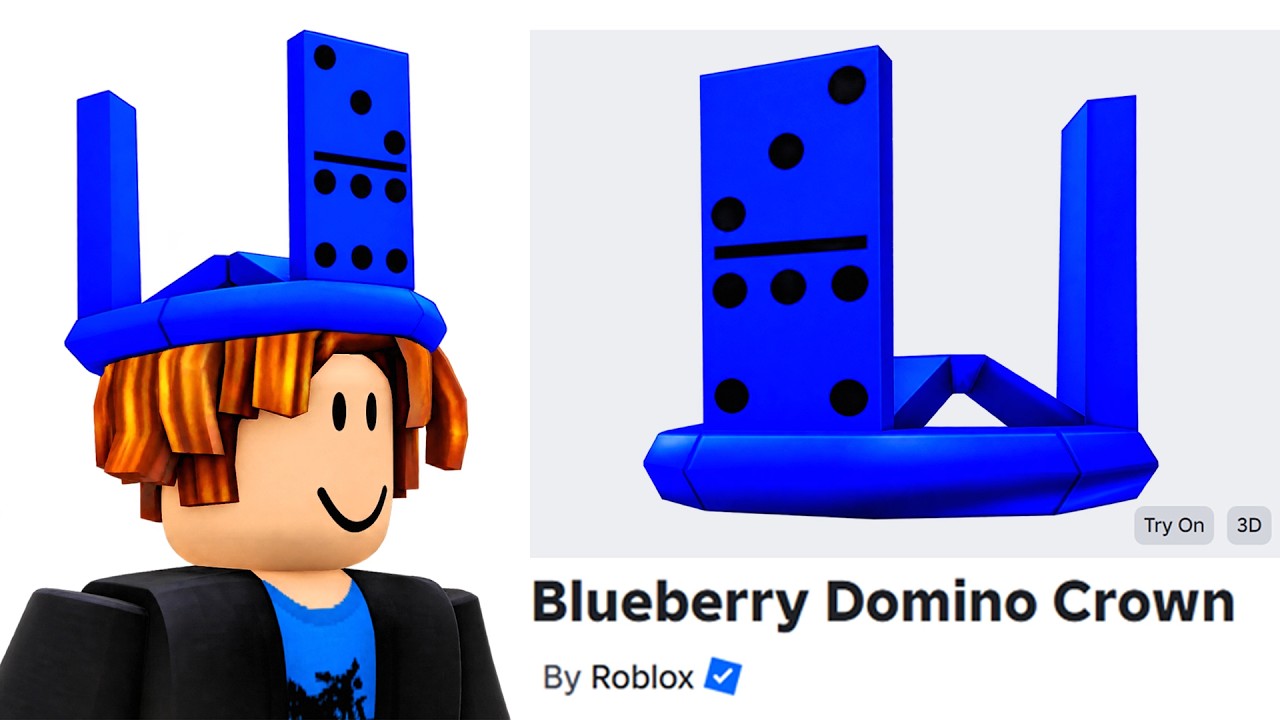
To collect the ten free avatar accessories available in Roblox—including the featured Blue Domino Crown—search for and join The Block experience. You do not need to spend Robux to earn these items, but you must complete specific interaction and navigation objectives throughout the map rather than relying on automatic login bonuses.
Steps to Claim Free Items in The Block
Follow these steps upon entering the event map to start unlocking rewards:
- Open Roblox and join The Block experience.
- Open the experience's built-in navigation UI from the main lobby to see which of the ten free items remain unclaimed.
- Travel to the event zone corresponding to your target item.
- Perform the designated task and stay in the area until the system displays an on-screen item confirmation.
Objective Types and Unlock Requirements
The ten cosmetics are spread across different sections of the event map. Each type of item requires a specific interaction:
- Blue Domino Crown Area: Locate the crown's central display zone. Stand inside the capture prompt or hold position during the progress bar sequence until the prompt confirms acquisition.
- Social Interaction Zones: Position your avatar near marked social clusters or trigger dialogues with designated event NPCs.
- Navigation Challenges: Climb structures and complete basic platforming sequences to reach hidden or elevated reward tokens.
- Time-Gated Rewards: Remain connected and active inside the server for the required duration to trigger time-based grants.
Verifying Items and Fixing Claim Issues
Items unlocked during the event register directly to your account for global use across Roblox experiences. If an accessory fails to grant after you complete an objective, use the following checks:
- Check Inventory Notifications: Wait for the in-game notification before exiting the zone. Server lag can create a delay between completing a task and receiving the reward.
- Rejoin the Server: Exit to the main Roblox menu and re-enter "The Block" to force a profile synchronization if an item shows as completed in the event UI but missing from your inventory.
- Check Developer Status Updates: If a claim zone fails to register progress entirely, check official community channels or developer announcements for temporary server caps or maintenance windows.

Free Roblox Codes
Current active codes and how to redeem them.

Sarah Williams
Sarah specializes in RPG and collection games, explaining team building, character growth, and beginner-friendly ways to avoid expensive early mistakes.
COMMUNITY
Player Comments
60 players commented on this guide.
Good guide for Roblox players. The updates part was useful.
The explanation is clear, especially for beginners.
Can you add more details about updates in a future update?
The tips are practical and easy to follow.