
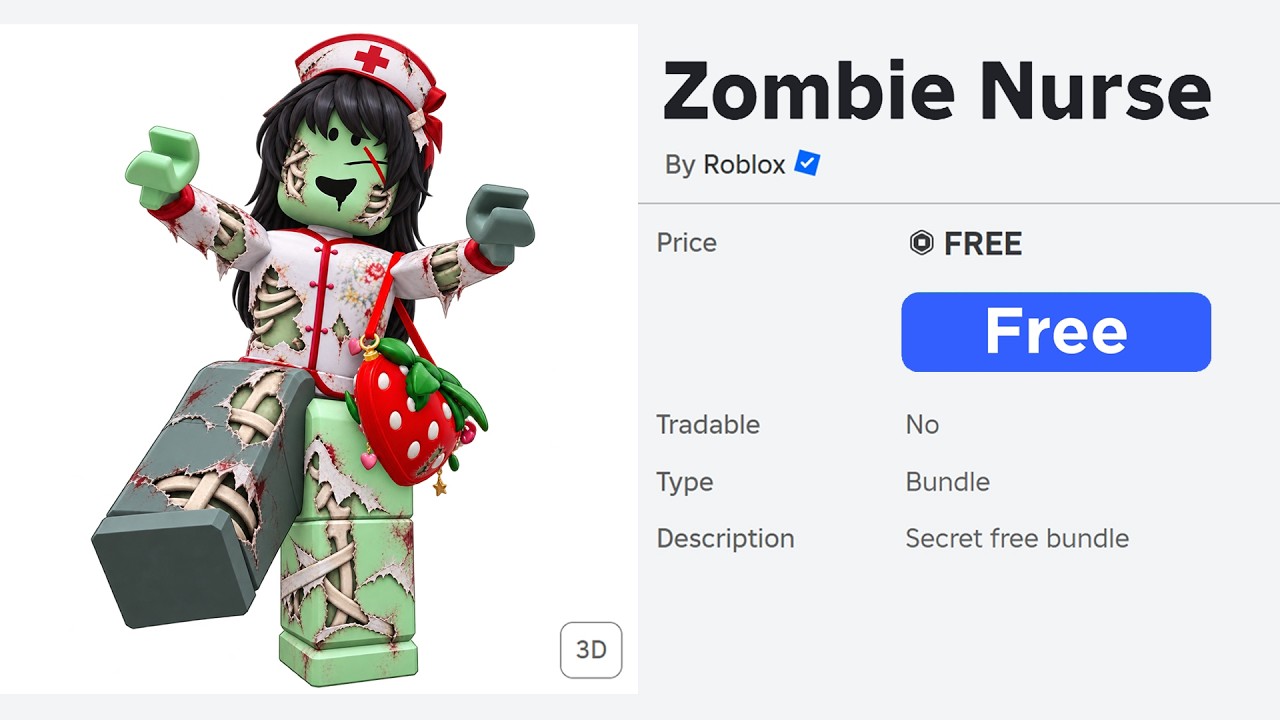
To create a free Halloween avatar in Roblox without spending Robux, combine zero-cost items from the Marketplace, multi-color body painting via the Advanced Skin Tone menu, and free 2D classic graphic decals. By altering individual limb colors and stacking free accessories, you can assemble complete monster silhouettes—such as pumpkin demons, zombies, and phantoms—at no cost.
Finding Free Spooky Items in the Marketplace
The default Marketplace view displays paid cosmetics first, but applying search filters isolates every permanent and seasonal free asset:
- Open the Marketplace in the Roblox desktop client, mobile app, or browser.
- Open the filter menu and set both the minimum and maximum price values to 0.
- Sort results by relevance or recently updated.
- Browse categories including Accessories, Heads, and Classic Clothing.
This filter reveals zero-cost Roblox-created assets such as basic fedoras, medieval hoods, dark caps, and gothic hairstyles. Collect these items into your inventory so they are accessible when assembling costumes in the Avatar Customizer.
Coloring Body Parts with the Advanced Skin Tone Menu
Painting individual body parts different colors provides the base for costumes without requiring 3D clothing.
To open the palette, go to the Avatar Customizer in a web browser, select Head & Body, choose Skin Tone, and click the Advanced button in the lower-right corner of the color palette. This tool allows independent recoloring of the head, torso, left arm, right arm, left leg, and right leg.
| Costume Style | Target Body Parts | Recommended Color Palette |
|---|---|---|
| Pumpkin Fiend | Head | Bright Orange or Rust |
| Torso and Limbs | Dark Green, Black, or Brown | |
| Shadow Ghoul | All Body Parts | Pitch Black or Charcoal Grey |
| Toxic Zombie | Head and Arms | Slime Green or Pale Olive |
| Torso and Legs | Tattered Blue, Grey, or Tan |
A solid jet-black skin tone lets dark hats and accessories blend into your avatar's frame, creating a shadowy silhouette in dark environments. An orange head paired with a dark torso and dark green limbs creates an instant jack-o'-lantern color scheme.
Layering Free Classic T-Shirts Over Colored Torsos
Classic 2D T-Shirts place transparent or colored graphic decals over your avatar's chest. When paired with a matching torso skin tone, these decals simulate detailed anatomy or faces:
- Unequip any 3D layered jackets, sweaters, or shirts so your torso surface is flat.
- In the Marketplace, search for free Classic T-Shirts using keywords like "skeleton ribs," "pumpkin face," "creepy smile," or "spider web."
- Equip the graphic decal over your custom-colored torso.
A skeletal ribcage decal equipped over a black torso creates the appearance of exposed bone without a paid layered shirt. Similarly, placing an evil smile graphic over an orange torso turns the character's upper body into a large, illuminated jack-o'-lantern face.
Adjusting Proportions and Avatar Rigs
Altering body dimensions through free bundle parts and scale sliders gives your character an eerie, non-human silhouette:
- Mix bundle limbs: Equip arms or legs from free packages like Robloxian 2.0, Boy, or Girl to create mismatched, spindly proportions.
- Adjust scale sliders: In the Avatar Customizer's Scale tab, maximize body height and minimize body width to create an emaciated frame. Lower head size to make broad hats or torso decals appear larger.
- Choose the right rig: Select R6 for classic, blocky limb alignment, or switch to R15 to allow elongated limbs to bend and sway through fifteen individual articulation joints.
Completing the Look with Free Expressions and Emotes
Finish your Halloween avatar by adjusting your face and accessories:
- Conceal standard faces: If you lack a Halloween-themed face, unequip your current face or wear a default neutral expression under a dark hood or beanie. The shadow hides facial details, leaving a blank appearance.
- Layer head accessories: Combine dark caps, beanies, and free hairstyles to cover exposed skin seams around the neck and crown.
- Equip free animations: Under the Animation tab, set default emotes with sudden movements, dramatic tilts, or pointing gestures to complement your horror theme in game lobbies.

Free Roblox Codes
Current active codes and how to redeem them.

James Brown
James focuses on Android gaming on PC, emulator setup, controls, performance tuning, and practical troubleshooting for longer play sessions.
COMMUNITY
Player Comments
90 players commented on this guide.
I tried this today and it worked better than my old setup.
The tips are practical and easy to follow.
This guide answered the exact question I had.
Can you add more details about strategy in a future update?