
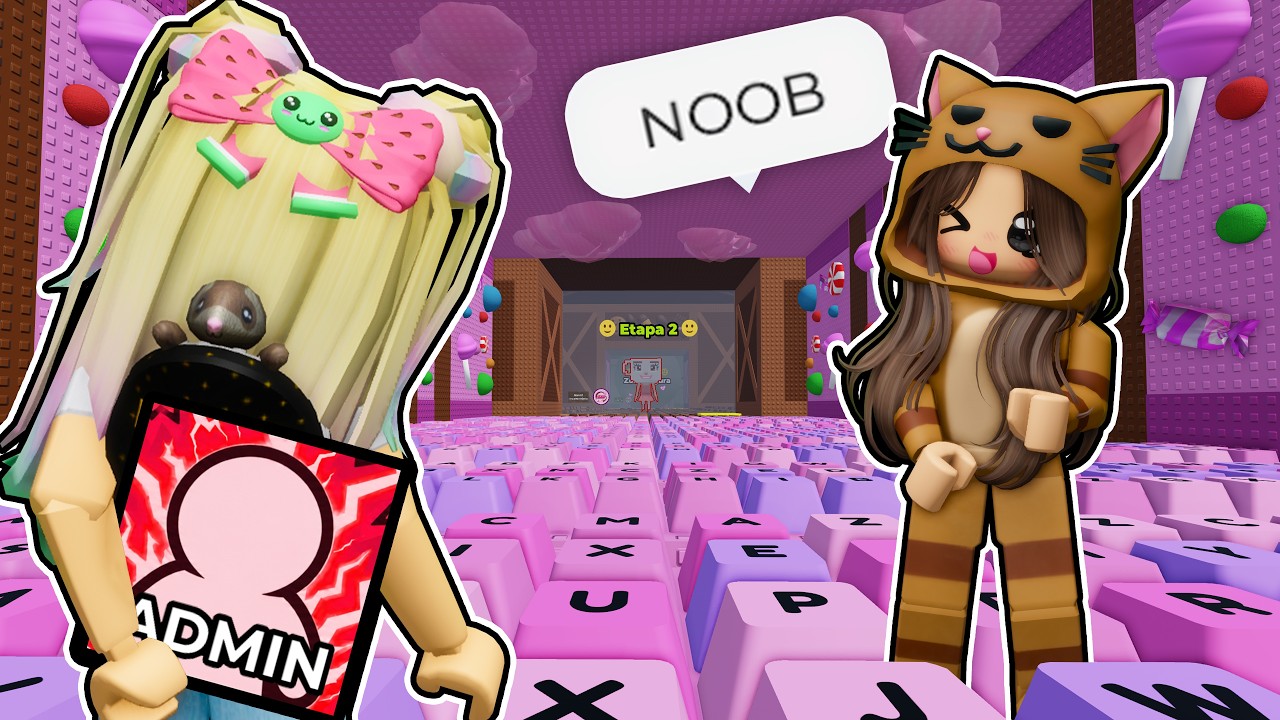
The "Keyboard Escape" experience in Roblox is a quintessential example of a themed obstacle course (obby) that relies on visual deception and precise spatial navigation. Unlike standard parkour maps, this experience utilizes oversized, unconventional assets—such as mechanical keyboards, mouse cables, and floating screens—to distort your depth perception. To conquer the course, you must move beyond reactive jumping and adopt a disciplined, rhythm-based approach to platforming.
Mastering Precision Platforming Mechanics
Precision is the absolute foundation of a successful run in Keyboard Escape. Because the map uses custom-modeled assets rather than standard Roblox parts, the "feel" of the hitboxes can be deceptive. A common trap for newer players is assuming the visual edge of a keycap is the actual ledge of the platform.
In reality, hitboxes in this experience often favor the center of the asset. To improve your success rate:
- The Apex Rule: Do not jump at the very edge of a platform. Wait until your character’s feet are firmly at the center of the surface, then initiate the jump.
- Micro-Adjustments: If you are nearing the end of a long jump, you can "short-hop" by tapping the spacebar lightly. This is essential for landing on smaller "keys" without overshooting into the void.
- Edge Slipping Prevention: If you frequently fall after landing, you are likely hitting the sloped or rounded edges of the keyboard assets. Aim your character’s landing zone toward the flat, top-center of every obstacle.
Strategic Camera Management and Perspective
The developers of Keyboard Escape intentionally use camera-shifting zones and vertical layouts to disorient the player. When you enter a section where the camera suddenly pulls back or zooms in, do not panic.
Pro-tip: For the most difficult vertical climbs, switch to First-Person view. While third-person is excellent for general navigation, the "fish-eye" distortion created by the game’s custom camera triggers can make platforms appear closer or further than they are. By forcing First-Person view, you remove the distortion and gain a clear, mathematical line of sight to your next jump. If the game prevents First-Person mode, keep your camera as tight to your character as possible to minimize the "empty space" that causes depth perception errors.
Analyzing Environmental Patterns
The "troll" element of this obby comes from its visual clutter. You will encounter bright, flashing lights and neon colors that are specifically placed to draw your eyes away from the actual path.
To clear these sections efficiently:
- Ignore the Background: Treat the map as a grayscale wireframe. The aesthetic "keyboard" theme is a distraction. Focus only on the colors that indicate solid platforms.
- Rhythm Recognition: Many sections feature moving platforms or disappearing obstacles. Instead of jumping the moment you see a clear path, watch the cycle twice. Most sequences repeat on a 4-to-8-second loop. Identifying the rhythm allows you to "time" your run rather than "chasing" the platforms.
- The "Follower" Fallacy: It is tempting to watch other players, but their jump timing is often based on their own specific ping and movement speed. Following them usually leads to synchronization errors. Always set your own pace.
Optimizing Checkpoint Progression
Checkpoints are your primary resource for efficiency. If you are struggling with a specific sequence, stop trying to rush through it. The "reset" penalty is high, but the "checkpoint pause" is your greatest advantage.
When you land on a checkpoint:
- Survey the environment: Before attempting the next jump, rotate your camera 360 degrees. Check if there are hidden platforms or if the path takes an unexpected turn (e.g., dropping down rather than jumping up).
- Analyze your deaths: If you die three times at the same spot, change your approach. Are you jumping too early? Are you holding the spacebar for too long? Most deaths in this obby are not due to difficulty, but due to repeating the same incorrect movement pattern.
Advanced Movement Strategies
To truly master the Roblox engine within this specific obby, you need to understand how jump physics interact with different surfaces.
- Momentum Conservation: Jumping continuously without stopping builds momentum. Use this for flat, wide sections where the platforms are close together.
- The "Stop-and-Go" Method: For narrow platforms (like the edges of a keyboard or thin cables), come to a complete stop after every landing. This resets your character’s momentum and makes the next jump significantly easier to aim.
- Falling Recovery: If you miss a jump and land on a lower section of the map, don’t immediately hit "Reset Character." Look around; many obbies include "secret paths" or shortcuts that allow you to climb back up to a previous checkpoint without having to restart the entire stage.
Common Mistakes to Avoid
Many players fail this obby simply by overcomplicating their movement. Here are the most common pitfalls:
- The "Speedrun" Mentality: Unless you are a professional speedrunner, trying to clear the map quickly is the fastest way to fail. The physics of the Keyboard Escape map are not designed for rapid-fire movement.
- Ignoring Peripheral Vision: Players often lock their view forward. Use your mouse to constantly shift your view to the sides. Often, the path forward isn't in front of you—it’s slightly off to the side or behind a large decorative object.
- Ignoring Ping: If you are playing on a server with high latency (high ping), your character will be "behind" where the game thinks they are. If you find yourself consistently missing jumps despite landing in the center, compensate by jumping slightly earlier than you think you need to.
Conclusion: Developing Muscle Memory
Mastering Keyboard Escape in Roblox is less about reflexes and more about developing a mental map of the obstacles. By treating the environment as a series of geometry puzzles rather than a chaotic obstacle course, you can bypass the "troll" mechanics designed to slow you down. Focus on the landing center, maintain a steady rhythm, and utilize First-Person perspective when the verticality becomes overwhelming. With these techniques, you will find that even the most frustrating sections of the keyboard become predictable and manageable.

Free Roblox Codes
Current active codes and how to redeem them.

Michael Smith
Michael covers live-service games, events, reward systems, and efficient daily routines, turning frequent updates into clear actions for players.
COMMUNITY
Player Comments
37 players commented on this guide.
I wish I had read this before upgrading the wrong thing.
This helped me understand strategy much better.
Good guide for Roblox players. The strategy part was useful.
This guide answered the exact question I had.