
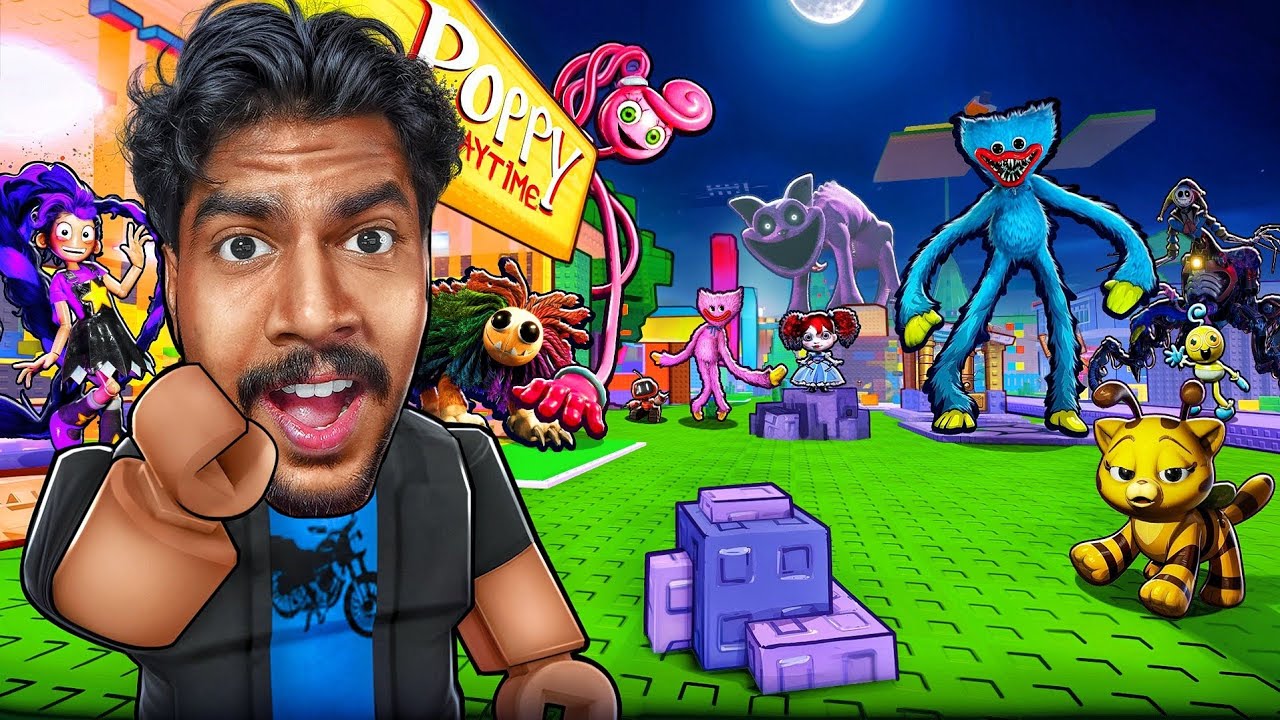
Finding and equipping Poppy Playtime characters in Roblox is a straightforward process, provided you are playing the correct experience. Because Roblox is a massive platform of user-created content, these characters are not "unlocked" on your account globally; rather, they are accessed via "Morphs" within specific Poppy Playtime-themed games. To change your appearance into characters like Huggy Wuggy or Mommy Long Legs, you must locate the in-game character selection interface, often found in the lobby or spawn area of the experience.
Understanding the Morph System in Roblox
In the context of Roblox, a "Morph" is a script that replaces your current character model with a pre-designed asset. Unlike standard avatar customization, which uses your inventory items, a Morph temporarily overrides your avatar's physical appearance, animations, and occasionally your movement speed or scale.
When you join a Poppy Playtime-themed Roblox game, the developer has likely imported custom models that mimic the horror aesthetics of the original franchise. These are almost always accessible through a GUI (Graphical User Interface) button on your screen or a physical "Morph Pad" located on the floor of the game's spawn lobby.
Step-by-Step: How to Access and Equip Characters
Follow these steps to find and equip your desired character:
- Launch the Experience: Search for "Poppy Playtime" in the Roblox search bar and select a highly-rated, active experience. Ensure the thumbnail displays the characters you want to use.
- Locate the Morph Menu: Once you spawn, scan the screen for a button labeled "Morphs," "Characters," or "Skin Shop." If there is no button, look for a dedicated area in the lobby with NPC models of the characters.
- Browse the Selection: Clicking the button will open a scrollable list. Each entry will typically show an icon or name of the character (e.g., "Huggy Wuggy," "Kissy Missy," "Mommy Long Legs").
- Apply the Morph: Click the character icon. Your avatar will instantly reset and reload as the selected model.
- Reset if Necessary: If the model doesn't appear correctly or you get stuck, use the "Reset Character" button in the standard Roblox ESC menu to force the game to re-render your avatar.
Iconic Poppy Playtime Characters Available
While different games feature different rosters, most high-quality Poppy Playtime experiences include these fan-favorite entities:
- Huggy Wuggy: The flagship character. These models are usually scaled to be taller than the average player to maintain the sense of dread from the original game.
- Mommy Long Legs: Known for her flexible, long limbs. Note that these models often have a larger "hitbox," which can make navigating tight corridors in the game more difficult.
- Kissy Missy: Usually a palette swap of the Huggy Wuggy model, offering a pink, slightly less aggressive-looking version of the series’ mascot.
- Mini Huggies: Smaller, faster models that are often used in "Tag" or "Hide and Seek" modes within the game to make the player harder to catch.
Strategic Tips for Using Morph Models
Selecting a character isn't just about the look; it impacts your gameplay experience in several practical ways.
Hitbox Considerations
Some Poppy Playtime models are intentionally oversized. If you are playing a game mode that requires parkour or navigating complex obstacles, choosing a character like Mommy Long Legs might cause you to clip into walls or fall off platforms due to the wider limb reach. For precision movement, stick to smaller, more compact models.
Animation and Immersion
Many creators include custom "Idle" animations. If you are participating in roleplay servers, stand still for a few seconds to let your character perform their unique animations. Using these effectively can make your character look much more realistic during screenshots or social interactions.
Performance Impact
Loading high-detail 3D models requires more processing power from your device. If you find your game lagging significantly after choosing a character, your device may be struggling to render the custom textures of the Poppy Playtime model. Switching back to a default avatar or a lower-detail character can help restore your frame rate.
Troubleshooting Common Issues
- Morph Not Loading: If you click a character and nothing happens, the script might be broken or the game might be experiencing a server-side error. Try re-joining the server or choosing a different character.
- Invisible Morphs: This often happens when your internet connection is slow. Wait a few moments for the assets to load, or move away from the morph area and return to it.
- Stuck in an Object: If you morph and find yourself stuck in a wall, use the "Reset" feature immediately. Because these custom models are often larger than standard Roblox avatars, they can sometimes trigger collision issues with the game environment.
Why These Morphs Matter for Roleplay
The primary reason players seek out these characters is to engage in roleplay (RP). By using the morph menu, you can take on the identity of the antagonist in a "Huggy Wuggy vs. Survivors" scenario. These experiences are best enjoyed in community-driven servers where players follow unspoken rules of conduct. When using a character morph, try to stay in character—use the in-game chat to enhance the narrative, and respect the playstyles of others.
Remember, these models are created by independent users within the Roblox ecosystem. They are not official Playtime Co. products. Always verify that you are playing a reputable, well-reviewed version of a Poppy Playtime game to ensure the models are high-quality and the experience is secure. By mastering the morph menu, you can fully immerse yourself in the world of Poppy Playtime and bring your favorite characters to life.

Free Roblox Codes
Current active codes and how to redeem them.

Michael Smith
Michael covers live-service games, events, reward systems, and efficient daily routines, turning frequent updates into clear actions for players.
COMMUNITY
Player Comments
43 players commented on this guide.
The explanation is clear, especially for beginners.
I wish I had read this before upgrading the wrong thing.
Good guide for Roblox players. The heroes part was useful.
This guide answered the exact question I had.