
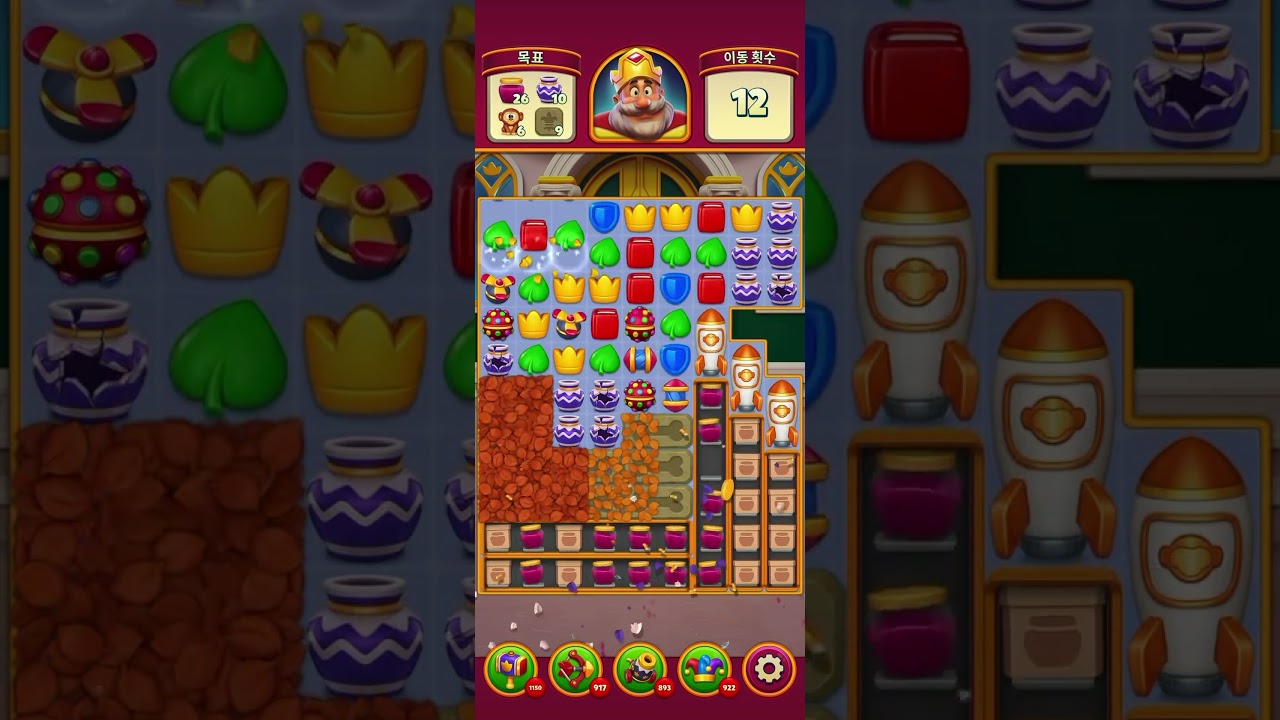
To create a Super Light Ball using simultaneous insertion in Royal Match, drag an outside matching tile into an incomplete four-tile alignment at the exact moment you slide the closing piece into position. Performing both swipes at the same time bypasses the game’s standard sequential turn resolution, preventing premature three-piece clears or unintended Rocket spawns. This multi-touch method locks all five tiles together in a single animation cycle, producing a Super Light Ball from layouts that would otherwise collapse under sequential moves.
How Simultaneous Insertion Bypasses Turn Resolution
Under standard play, Royal Match resolves player actions sequentially. Moving a single tile into a partial line immediately checks for three-tile or four-tile matches. When that intermediate match clears, it triggers cascades that drop neighboring pieces, displace the remaining matching tiles, and spawn a standard Rocket or Propeller instead of a five-tile booster.
Simultaneous insertion overrides this sequence through multi-touch input. When two matching pieces enter the target alignment within the same movement window, the game engine registers both inputs before triggering an intermediate clear. The engine then evaluates the completed five-tile arrangement in a single resolution tick, merging all five pieces into a Super Light Ball on the target convergence square.
Board Formations That Require Simultaneous Swipes
Use simultaneous insertion whenever five matching pieces are positioned around an unstable opening that would trigger a premature clear if shifted one piece at a time.
| Board Configuration | Standard Sequential Move Result | Simultaneous Insertion Move Result |
|---|---|---|
| Split Gap Line (Two pairs separated by an open space, fifth tile outside) | Triggers an immediate 3-match, displacing the outer pair and spawning a Rocket | Unites all five tiles instantly to form a Super Light Ball |
| Flanking L-Junction (Three tiles in a row, one in a column, one outside) | Clears the three-tile row first, dropping the column pieces out of reach | Merges all five tiles simultaneously into a corner Super Light Ball |
| Parallel Dual Pairs (A 2x2 cluster requiring a central linking tile) | Clears one pair early, scattering the remaining pieces through cascades | Slides the central link into place alongside the final piece for a 5-match |
Before moving any piece, check whether shifting either tile independently triggers an isolated three-piece match. If an independent move leaves the fifth piece behind, sequential play will fail, making a simultaneous swipe necessary.
Step-by-Step Dual-Finger Execution
Perform simultaneous insertion only when the board is completely static. Falling tiles or active cascades will disrupt touch registration.
- Identify the primary axis and pivot: Locate the line forming your base four tiles and find the external fifth piece. Determine the exact cell where both moving pieces must meet.
- Set two touch contact points: Rest your device on a flat surface. Place one index finger on the sliding alignment tile and a second index finger on the external insertion tile. Ensure both touches register before moving.
- Swipe both pieces concurrently: Drag both fingers toward the target convergence cell in one fluid, synchronized motion. The external piece must enter the slot at the exact moment the base line closes.
- Hold through the match animation: Keep both fingers against the screen until the visual match effect starts. Lifting a finger early can cause the engine to register two separate sequential turns.
Touch latency from screen protectors or low device responsiveness can cause the engine to read the inputs sequentially. Keep swipes deliberate and steady to ensure both vectors register together.
Risks and Board Recovery
Mistimed simultaneous swipes consume a move and resolve the earlier finger input as a standard turn. This premature move can trigger an unwanted three-piece clear, spawn an unintended Rocket, or cause cascades that detonate nearby TNT and destroy adjacent boosters.
If a simultaneous swipe fails and leaves an unintended booster:
- Stop immediately and avoid making a rushed recovery swipe.
- Check whether the newly spawned booster can be detonated to clear remaining level goals rather than forcing another five-match setup.
- Wait for all cascade animations to fully settle before attempting another multi-touch setup.
Next Actions After Spawning the Super Light Ball
Once the Super Light Ball is on the board, avoid detonating it alone unless you are out of moves. A solo Super Light Ball clears only one color and strips a single layer from adjacent obstacles.
To maximize its value, look for adjacent boosters:
- Pair with a Bomb: Check if a Bomb can be shifted next to the Super Light Ball within one or two safe moves. This combination turns all matching colored tiles into active Bombs, clearing congested boards.
- Pair with a Rocket or Propeller: If a Bomb is unavailable, combine the Super Light Ball with a Rocket or Propeller to clear obstacle rows across the entire grid.
- Preserve Win Streaks: In competitive stages such as the Sky Race or Royal League, generating Super Light Balls from fragmented boards protects your active streak without spending coins or pre-stage boosters.
Free Royal Match Codes
Current active codes and how to redeem them.

Michael Smith
Michael covers live-service games, events, reward systems, and efficient daily routines, turning frequent updates into clear actions for players.
COMMUNITY
Player Comments
67 players commented on this guide.
This guide answered the exact question I had.
The tips are practical and easy to follow.
I wish I had read this before upgrading the wrong thing.
I tried this today and it worked better than my old setup.