
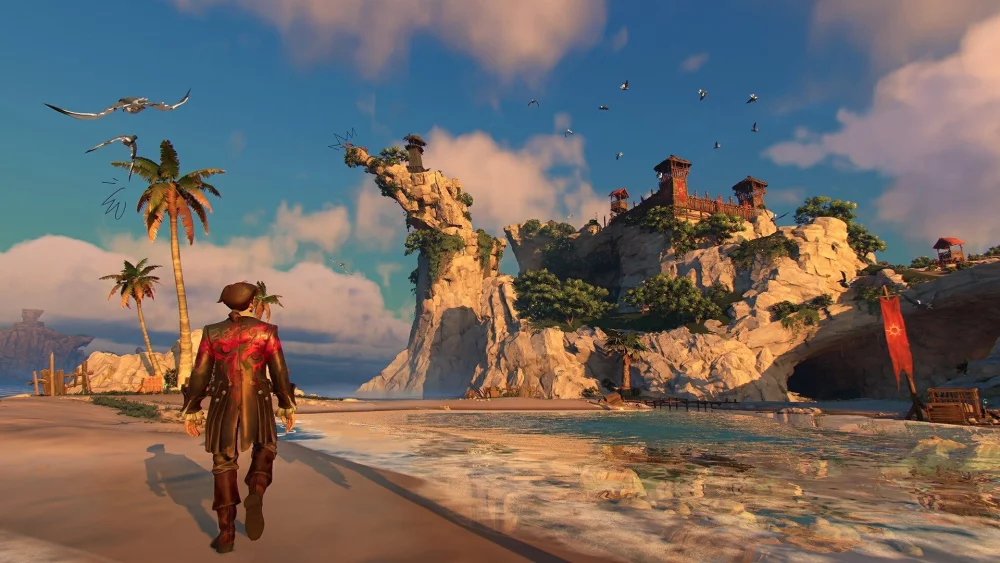
In Sea of Remnants, players are granted an unprecedented level of agency over their environment through a bold, core mechanic that allows for the permanent removal of NPCs. Unlike traditional RPGs where population density is static and unchangeable, Sea of Remnants treats NPCs as dynamic entities that can be "erased" from the world map. This system serves as a powerful utility for players looking to manipulate settlement layouts, declutter high-traffic areas, or exert total control over the atmosphere of their discovered territories.
By mastering this system, you can effectively curate your surroundings, streamline your movement loops, and transform bustling, crowded hubs into bespoke, efficient outposts. However, because this feature carries significant narrative and mechanical weight, it is vital to understand the nuances of when, why, and how to utilize it to avoid locking yourself out of essential game progress.
How the NPC Erasure Mechanic Works
The NPC erasure system in Sea of Remnants is not merely a "hide" or "disable" function; it is a fundamental world-state modification tool. When you engage with the interface to remove an NPC, the game permanently wipes that character from your current save instance.
This process is designed to be intentional. Developers have implemented this to ensure that players do not feel like passive observers in a static world, but rather active participants who can physically alter the fabric of the game’s settlements. Once an NPC is erased, they do not respawn, and their physical presence, collision data, and associated scripts are removed from the map. This provides a truly sandbox-style freedom, allowing you to "clean up" areas that feel overly congested or aesthetically distracting.
Strategic Benefits of Population Thinning
The primary advantage of thinning your population is the optimization of your gameplay loop. In many settlements within Sea of Remnants, high NPC density can create "friction"—making it difficult to navigate through narrow alleyways or reach crafting stations quickly. By removing non-essential NPCs, you can:
- Improve Navigation Efficiency: Create clear, unobstructed paths between vital infrastructure like storage, merchants, and quest hubs.
- Reduce Visual Clutter: If you are building a private base or a localized operation hub, removing decorative characters allows you to focus on the architecture and utility of your setup.
- Personalize Your World: Curating your environment transforms a generic, pre-populated village into a unique, player-defined settlement that reflects your personal playstyle and aesthetic preferences.
The Critical Risks: Why You Must Exercise Caution
While the power to delete NPCs is empowering, it is also a "double-edged sword" that requires careful decision-making. Before you decide to erase a character, you must weigh the immediate benefits against the potential long-term consequences:
1. Loss of Utility
Many NPCs in Sea of Remnants serve multiple purposes. They may act as ambient life while also functioning as a shopkeeper, quest-giver, or lore provider. If you erase an NPC, you may lose access to their inventory, their unique trade goods, or specific dialogue triggers that reveal hidden narrative threads. Always double-check if an NPC has a "functional" tag or provides a service before removing them.
2. Narrative and Quest Impact
Because Sea of Remnants tracks world-state changes, the erasure of certain NPCs can potentially lock you out of secondary quests or specific world events. If a character is tied to a chain of tasks, removing them might render that questline impossible to complete. The game world is designed to be reactive, and the absence of a key character may be noted by the remaining population or the world-state engine itself.
3. Irreversibility
This is a permanent change. There is no simple "undo" button for an erased NPC. Once they are gone, your save file reflects that absence indefinitely. If you find yourself in need of that character later, you may have to restart your progress or load a previous save, which makes planning essential.
Best Practices for World Pruning
To maximize the effectiveness of the erasure system without sabotaging your progression, we recommend the following approach:
- Map Before You Erase: Spend time in a new settlement observing the NPC routines. Identify who is useful (merchants, quest-givers) and who is purely decorative.
- The Mid-Game Rule: Avoid using the erasure system during your first visit to a new zone. Wait until you have established a routine and completed the initial exploration phase. By then, you will know exactly which NPCs provide value and which are just taking up space.
- Create a "Removal Log": Keep a physical note or a digital list of the NPCs you have removed. This helps you keep track of your changes if you ever need to troubleshoot why a certain quest or trade option is unavailable.
- Prioritize Performance: If you are playing on hardware that struggles with high NPC density, use the erasure tool to prioritize performance. By reducing the number of active entities in high-traffic hubs, you can often gain a more stable frame rate, which is invaluable during intense gameplay.
Conclusion: Shaping Your Own Remnant
The NPC erasure system in Sea of Remnants is a testament to the game's commitment to player agency. By allowing you to curate your world, the developers have provided a tool that turns the environment into a canvas for your personal goals. Whether you are optimizing for speed, aesthetics, or a cleaner UI, this system is an essential part of the Sea of Remnants experience.
Approach the population thinning process with a tactical mindset: identify, evaluate, and then decide. By doing so, you will transform the world from a crowded, overwhelming expanse into a highly efficient, custom-tailored environment that perfectly supports your journey through the Sea of Remnants.

Free Sea of Remnants Codes
Current active codes and how to redeem them.

James Brown
James focuses on Android gaming on PC, emulator setup, controls, performance tuning, and practical troubleshooting for longer play sessions.
COMMUNITY
Player Comments
135 players commented on this guide.
Nice guide. I am checking the other Sea of Remnants articles next.
I tried this today and it worked better than my old setup.
The tips are practical and easy to follow.
This guide answered the exact question I had.