
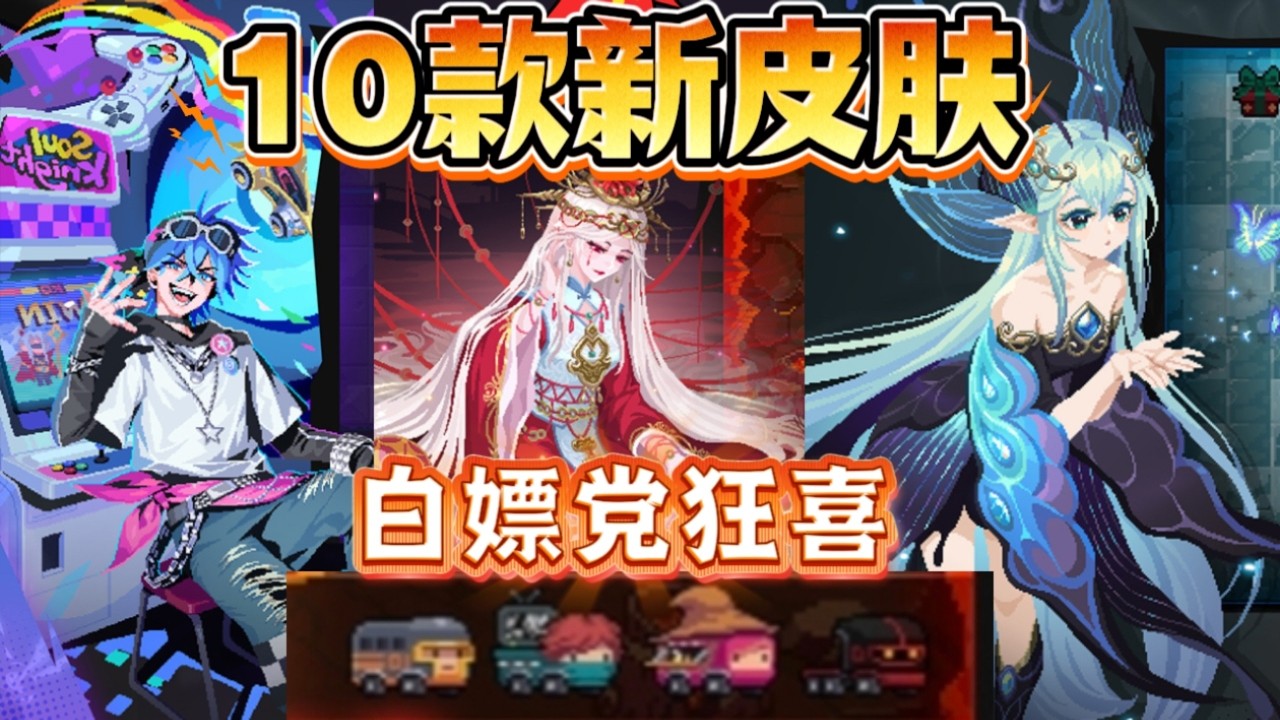
In Soul Knight version 8.8.0, you can claim free promotional Fish Chips through the lobby mailbox, acquire up to 10 new skins through gameplay and targeted currency trades, and unlock the newest hero skill using gems instead of real money.
How to Claim the Free Fish Chips
Update rewards are delivered straight to your in-game mailbox. Because Fish Chips normally serve as a paid currency for premium shop items, claiming and securing them before the distribution period ends is essential.
- Update your game: Patch your Soul Knight client to version 8.8.0 through your device app store. Outdated clients cannot fetch active promotional mail.
- Access the mailbox: Walk your hero to the mailbox located in the upper-left area of the Living Room lobby.
- Claim the attachment: Open the 8.8.0 update notice and tap claim to add the Fish Chips to your balance.
- Upload a cloud save: Return to the main title screen immediately and upload your progress to the cloud. This step locks the currency to your account and protects against local data corruption.
If the mail does not show up right away, verify your internet connection and restart the app to force a server refresh.
Little Fish Shop Spending Priorities
Fish Chips are rare for non-paying accounts, making it critical to avoid spending them on farmable items. Reserve this currency exclusively for cosmetics that cannot be unlocked through standard gameplay.
| Item Category | Priority | Recommended Action |
|---|---|---|
| Exclusive Hero Skins | High | Buy skins featuring unique models, audio effects, and custom skill animations. |
| Limited Event Pets | High | Purchase rare companion cosmetics usable across all game modes. |
| Weapon Reskins | Medium | Buy only if you already own preferred hero skins and main the specific weapon. |
| Gems and Materials | Avoid | Never spend chips here; materials and gems drop freely in standard dungeon runs. |
If the current Little Fish Shop rotation does not feature a cosmetic for a character you actively play, hold your Fish Chips. The shop refreshes periodically, allowing you to save for your preferred heroes.
How to Unlock the 10 New Update Skins
The 10 skins introduced in the 8.8.0 cycle are distributed across three distinct unlock paths. Categorizing them ensures you do not waste premium currency on designs available through routine play.
- Lobby Gem Skins: Check the character selection screen first. Several skins can be purchased directly with standard gems accumulated from daily officer bounties and dungeon runs.
- Event Milestone Skins: Clear seasonal tasks and arcade challenges to earn reward vouchers that unlock event-specific skins without spending currency.
- Little Fish Shop Exchanges: The remaining premium skins require Fish Chips. Combine your update gift with any saved balance to purchase these designs.
Always unlock the gem-based and milestone-based skins first before parting with any Fish Chips.
Testing and Unlocking the New Hero Skill
Do not purchase the new 8.8.0 skill blindly. Instead, use Free Trial Vouchers to run the ability through live dungeon floors before making a permanent purchase.
While testing the skill in combat, assess three key factors:
- Invulnerability frames: Check whether the skill negates incoming damage or wipes enemy bullets during its animation. Bullet-clearing utility is vital for surviving dense Badass rooms.
- Room clearing versus single-target burst: Determine whether the ability handles large minion packs quickly or focuses damage on dungeon bosses.
- Buff synergies: Observe how the cooldown aligns with lobby plants and statue triggers.
Once you confirm the skill suits your preferred playstyle, unlock it permanently using your stockpiled standard gems rather than paid vouchers.
Resource Traps to Avoid in 8.8.0
- Do not trade chips for crafting supplies: Timber, iron, and magic fragments are easily farmed in Matrix and Origin modes. Trading non-renewable promotional chips for basic supplies permanently lowers your cosmetic budget.
- Do not claim mail on unstable connections: A network drop during redemption can cause the game to flag the mail as read before the items register to your profile.
- Do not switch devices before syncing: Always perform a manual cloud upload immediately after claiming gifts to ensure your new balance transfers safely.

Free Soul Knight Codes
Current active codes and how to redeem them.

Emily Johnson
Emily writes practical mobile strategy guides with a focus on resource planning, base progression, and the early decisions that shape a long-term account.
COMMUNITY
Player Comments
114 players commented on this guide.
The explanation is clear, especially for beginners.
This helped me understand strategy much better.
I tried this today and it worked better than my old setup.
This guide answered the exact question I had.