
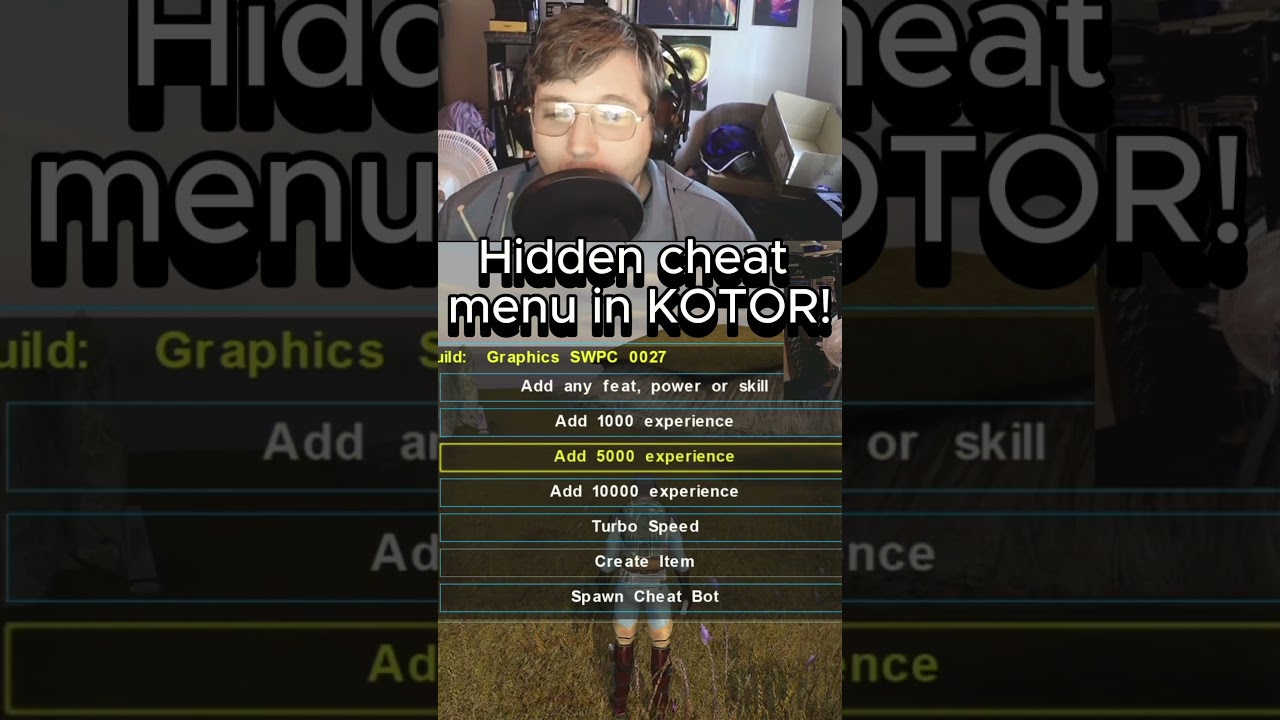
To open the integrated developer cheat menu in modern controller ports of Star Wars™: KOTOR, press down firmly on the left analog stick (L3) three times in rapid succession while your character is in active gameplay.
The cheat console appears as an overlay on the screen and pauses the game simulation. It does not require modifying game files or typing text-based console commands.
Requirements and Activation Steps
The cheat overlay only registers when you have direct control of your character. It cannot be opened during loading screens, pre-rendered cutscenes, or active dialogue trees.
- Clear active menus: Exit your inventory, character sheet, galaxy map, and any active conversation.
- Stand in free-roam: Ensure your party leader is stationary or moving under standard player control.
- Triple-click L3: Click the left analog stick three times quickly.
- Navigate the list: Use the directional pad (D-Pad) to highlight categories, confirm choices, or back out to the game.
If the overlay fails to appear, pause and unpause the game once to clear any lingering combat or movement inputs from the buffer, then perform the three clicks again.
Available Cheat Commands
The cheat menu contains several submenus that alter party attributes, movement, and inventory:
| Cheat Option | Function | Primary Effect |
|---|---|---|
| Add Experience | Leveling | Grants bulk XP to active party members, triggering level-up screens. |
| Add Feats / Add Powers | Abilities | Manually unlocks feats and Force powers without prerequisite checks. |
| Create Item | Spawning | Opens an alphabetical directory of all weapons, armor, parts, and quest items. |
| Turbo Speed | Utility | Multiplies party movement speed for rapid traversal in large zones. |
| Invulnerability / Max Stats | Survival | Prevents vitality from dropping to zero and raises defensive parameters. |
Recommended Workflow and Precautions
Because the cheat menu exposes raw developer tools, changing character data or spawning quest items out of order can permanently break game scripts. Use the following precautions to protect your campaign:
- Always make a manual hard save first: Create a distinct manual save slot before using any cheat command. Do not rely on autosaves or quicksaves, as they can overwrite automatically after a bug occurs.
- Avoid early quest items: Do not spawn critical plot triggers—such as Star Maps, base passcards, or Sith papers—before their associated story events occur naturally. Prematurely placing these in your inventory can cause progression scripts to fail.
- Delay Jedi feats on Taris: Adding Force powers or Jedi-exclusive class feats to your character before reaching the Dantooine Jedi training sequence can corrupt the class table and freeze future level-up screens.
- Use Turbo Speed for backtracking: Toggle Turbo Speed when revisiting large settlement hubs like the Upper City of Taris or crossing the Dune Sea on Tatooine to eliminate transit downtime without altering combat pacing.

Free Star Wars™: KOTOR Codes
Current active codes and how to redeem them.

Emily Johnson
Emily writes practical mobile strategy guides with a focus on resource planning, base progression, and the early decisions that shape a long-term account.
COMMUNITY
Player Comments
94 players commented on this guide.
This saved me time in the early game.
Can you add more details about strategy in a future update?
I wish I had read this before upgrading the wrong thing.
The explanation is clear, especially for beginners.