
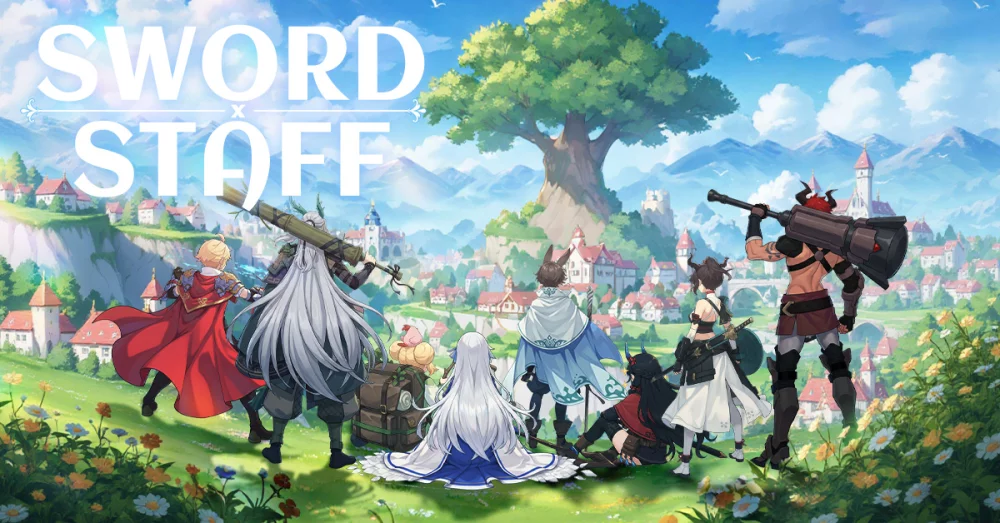
In Sword x Staff, cosmetic customization extends beyond mere aesthetics, allowing players to refine their character’s identity within the game’s distinct, stylized world. The "Bamboo Breeze" and "Ebony Bloom" outfit themes offer a specific visual aesthetic that resonates with the game's Eastern-inspired art direction. This guide outlines how to approach these thematic sets and integrate them into your character’s visual progression.
Understanding Thematic Outfit Sets
The Bamboo Breeze and Ebony Bloom sets are designed to provide a cohesive visual identity. Unlike standard gear, these outfits focus on color palettes and thematic motifs that differentiate your character in social hubs and competitive modes.
- Bamboo Breeze: Focuses on lighter, natural color palettes, often associated with agility and fluidity.
- Ebony Bloom: Features darker, more intense contrast, typically paired with floral or ornate accents to provide a "high-status" visual flair.
How to Access and Apply Cosmetic Themes
To manage your outfits, you need to navigate through the character customization menu. Follow these steps to ensure your themes are applied correctly:
- Open the Character Menu: Tap on your character portrait from the main interface.
- Access the Wardrobe/Outfit Tab: Navigate to the customization section.
- Preview and Equip: Select the "Bamboo Breeze" or "Ebony Bloom" collection from the list.
- Save Profile: Ensure you save your current look to your active loadout so it persists across different game modes.
Cosmetic Integration Tips
While outfits do not provide direct combat stat bonuses, they are a significant part of the Sword x Staff experience. Consider these tips for managing your collection:
| Tip | Benefit |
|---|---|
| Theme Matching | Pair these outfits with matching weapon skins to create a unified character design. |
| Previewing | Always use the "Preview" function to see how the outfit handles movement animations before committing resources. |
| Inventory Management | If you have multiple outfit pieces, favor sets that share a consistent theme to avoid visual clutter. |
| Event Alignment | Keep an eye on limited-time events, as these themes often receive recolors or accessory additions during seasonal updates. |
Styling for Social and Competitive Play
In Sword x Staff, your character model is visible during various social interactions and tournament lobbies. The Ebony Bloom theme, in particular, is often used by players to signify high-tier status due to its bold aesthetic contrast.
- For Competitive Visibility: Choose the Ebony Bloom set if you want your character to stand out against the typical, brighter backgrounds of the game's combat arenas.
- For Thematic Consistency: If you are building a character around nature-based or agile archetypes, the Bamboo Breeze set provides a more harmonious look that complements the game's environment assets.
Managing Your Cosmetic Resources
Acquiring these themes often involves specific event participation or shop rotations. Avoid spending premium currency on cosmetic themes unless you are certain they fit your long-term aesthetic goals, as these resources are often better diverted toward primary character progression and essential upgrades. Always check the event calendar to see if a theme you desire is slated for a future reward pool, which may save you from unnecessary spending.

Free Sword x Staff Codes
Current active codes and how to redeem them.

Emily Johnson
Emily writes practical mobile strategy guides with a focus on resource planning, base progression, and the early decisions that shape a long-term account.
COMMUNITY
Player Comments
159 players commented on this guide.
Can you add more details about heroes in a future update?
Nice guide. I am checking the other Sword x Staff articles next.
This guide answered the exact question I had.
This helped me understand heroes much better.