
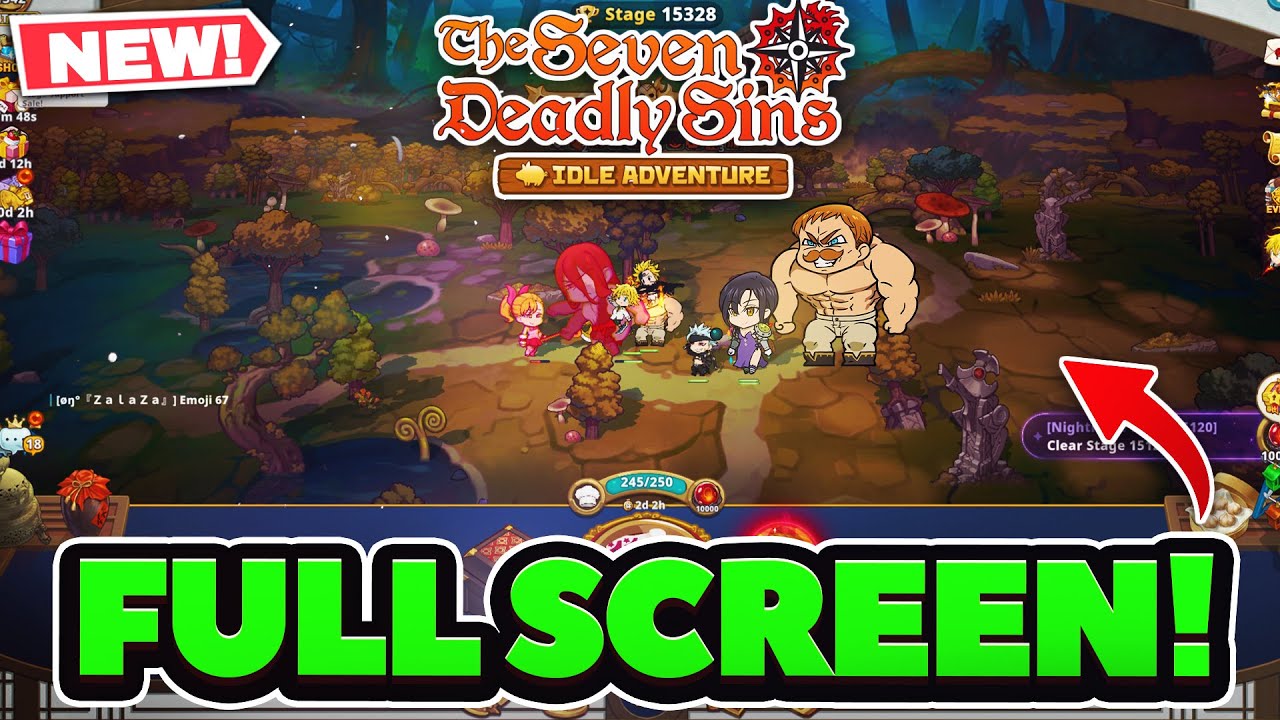
To play The Seven Deadly Sins: IDLE in true fullscreen on PC, install the game through the LDPlayer emulator, switch the emulator display profile to a widescreen tablet resolution, and enable forced landscape mode. This eliminates vertical black sidebars and expands the camera's horizontal view across the screen.
1. Configure LDPlayer Display Resolution
The Seven Deadly Sins: IDLE defaults to mobile portrait orientation. To set up a widescreen window before launching the game, adjust the display pipeline inside LDPlayer's settings:
- Click the gear icon on the right-hand utility toolbar to open Settings.
- Navigate to the Advanced tab.
- Open the Resolution drop-down menu and select Tablet.
- Choose a 16:9 aspect ratio matching your monitor, such as 1920×1080 (dpi 280) or 2560×1440 (dpi 320). If you use an ultrawide monitor, choose a custom horizontal resolution to prevent image stretching.
- Click Save Settings and restart LDPlayer to apply the buffer changes.
2. Force Landscape Mode and Toggle Fullscreen
Setting a tablet resolution creates a widescreen container, but the game will still run in a vertical window with large black bars on either side until you override its native orientation lock.
- Open LDPlayer's Settings and select the Basic tab.
- Turn on Force Landscape Mode (labeled as "Lock Landscape" in some emulator versions). This forces portrait-native code into an expanded horizontal aspect ratio.
- Launch The Seven Deadly Sins: IDLE.
- Press F11 to toggle borderless fullscreen mode.
| Configuration Element | Default Mobile Setup | Landscape PC Setup |
|---|---|---|
| Emulator Display Mode | Mobile (Portrait) | Tablet (1920×1080 or native 16:9) |
| Orientation Setting | Portrait / Auto-Rotate | Force Landscape Mode Enabled |
| Window State | Bordered Window | Fullscreen Mode (Hotkey: F11) |
| Field of View | Narrow vertical view | Expanded horizontal battlefield |
3. Allocate System Resources and Optimize Graphics
Forcing higher landscape resolutions increases system demand during dense combat stages. Verify that your hardware allocation prevents frame drops:
- CPU Allocation: In the Advanced settings tab, assign at least 4 Cores (or half of your system's physical cores) to prevent micro-stuttering during multi-character ultimate animations.
- RAM Allocation: Allocate 4096 MB (4 GB) or 8192 MB (8 GB) of memory to prevent crash errors during long AFK auto-farming runs.
- Frame Rate: Under the Model tab, enable a 90 FPS or 120 FPS profile if your monitor supports high refresh rates.
- In-Game Settings: Open the system menu inside The Seven Deadly Sins: IDLE, access graphics options, and set quality and frame rate to High.
- Driver Optimization: Ensure Graphics Card Optimization is enabled in LDPlayer's advanced settings to avoid texture flickering on chibi hero models.
4. Set Up Keyboard Shortcuts
Navigating menus and timing abilities across a widescreen monitor is faster when you map common touchpoints to keyboard inputs using LDPlayer's Keymapping tool (Ctrl + 2):
- Ultimate Skills: Map number keys (
1,2,3,4) directly over the hero burst skill buttons for manual boss fight execution. - Combat Toggles: Bind keys to the Auto-Battle and 2x Speed buttons located at the corner of the combat interface.
- Daily Routines: Place hotkeys over the Tavern, Summon, and Hero Growth menu tabs to speed up collection cycles.
- Dialog Confirmation: Map
SpacebarorEnterto confirm pop-ups and stage clear reward screens.
Troubleshooting UI Glitches in Forced Landscape
Because The Seven Deadly Sins: IDLE was designed for mobile portrait displays, forced horizontal rendering can occasionally affect static user interface elements:
- Cropped Event Banners: Limited-time pop-up art and cutscene dialogue boxes may scale unevenly or show slight cropping at the top and bottom.
- Unclickable Menu Buttons: If an in-game interface button appears off-screen or fails to register clicks following a patch, disable Force Landscape Mode in LDPlayer's basic settings or switch to portrait mode temporarily to complete the required action, then re-enable landscape mode.

Free The Seven Deadly Sins: IDLE Codes
Current active codes and how to redeem them.

Emily Johnson
Emily writes practical mobile strategy guides with a focus on resource planning, base progression, and the early decisions that shape a long-term account.
COMMUNITY
Player Comments
24 players commented on this guide.
The tips are practical and easy to follow.
I tried this today and it worked better than my old setup.
Good guide for The Seven Deadly Sins: IDLE players. The strategy part was useful.
Nice guide. I am checking the other The Seven Deadly Sins: IDLE articles next.