
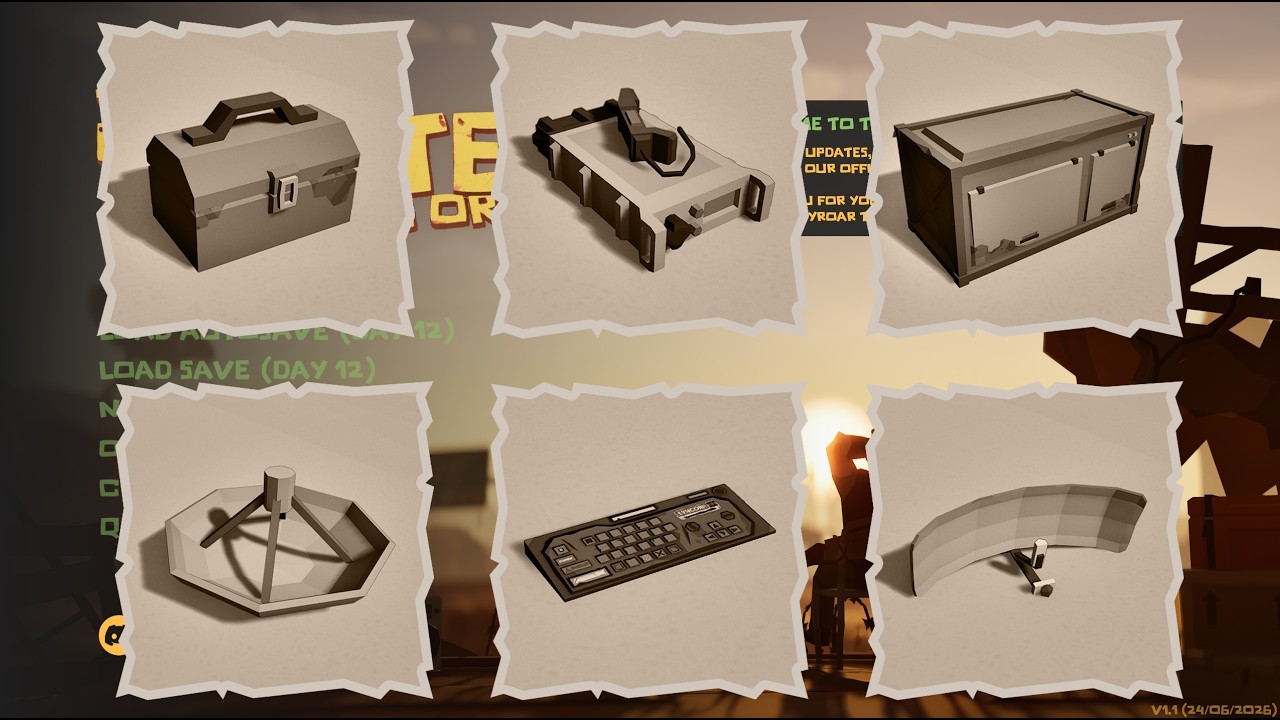
To upgrade your receiver in The Spotter: Dig or Die, you must retrieve five hardware modules from fixed landmarks across the wasteland and install them at your shelter's electronics workbench. Upgrades do not degrade, and each permanently enhances your basic metal detector with expanded range, visual tracking vectors, depth readings, item filtering, or bunker frequencies.
All Receiver Upgrades at a Glance
| Upgrade Module | Landmark Location | Key Function | Hazards & Access Requirements |
|---|---|---|---|
| Signal Range Booster | Radio Relay Mast | More than doubles passive scan diameter | Catwalk stairs; low daytime mutant presence |
| Depth Measurement Sensor | Abandoned Excavation Trench | Displays target depth in meters on HUD | Crawler mutants; heavy metal toolbox |
| Material Discrimination Filter | Power Substation | Distinguishes scrap from tech via icons and tones | Lockpick or charged battery; electrical arcs |
| Directional Visual HUD | Desert Convoy Wreckage | Adds directional tracking vectors and compass arc | Wasteland stalkers; armored vehicle interior |
| High-Frequency Decoder | Northern Radar Array Facility | Decodes frequencies for sealed bunkers | Brutes, turrets; replacement power fuse |
---
1. Signal Range Booster
- Location: Radio Relay Mast, approximately 500 meters northwest of your starting shelter atop a rocky ridge.
- Finding the Module: Climb the external metal catwalk stairs to reach the intermediate platform shack. Enter the relay cabin and open the green utility locker mounted on the back wall.
- Effect: Expands your passive scanning diameter by more than double. This allows you to detect buried items from dozens of meters away while sprinting on foot or traveling by vehicle.
- Field Tip: Daytime mutant activity around the base of the mast is light, allowing you to secure this upgrade early without heavy combat.
2. Depth Measurement Sensor
- Location: Abandoned Excavation Trench, located directly east of the main asphalt road.
- Finding the Module: Follow the dirt ramp down into the western cut of the excavation site. Head behind the collapsed drilling rig and open the heavy metal toolbox sitting on top of an oil drum.
- Effect: Displays numerical depth measurements in meters directly below active pings on your screen before you break ground.
- Field Tip: Watch for low-tier crawler mutants hiding under rusted vehicle treads. Dispatch them with a melee weapon or handgun to conserve primary ammunition.
3. Material Discrimination Filter
- Location: Substation Control Room along the southwestern edge of the Las Veganos power grid line.
- Finding the Module: Slip through the breach in the southern perimeter fence to avoid spotlight towers. Unlock the control room door using either a crafted mechanical lockpick or by slotting a charged battery cell into the auxiliary fuse box. Avoid the exposed electrical arcs inside and pick up the module from the diagnostic bench.
- Effect: Color-codes HUD pings and modifies audio frequencies. Scrap iron produces low-pitched tones, while military technology, access cards, and locked containers trigger double-chimes and cyan icons.
4. Directional Visual HUD
- Location: Desert Convoy Wreckage in the southern dunes along the highway cut.
- Finding the Module: Clear out the agile wasteland stalkers prowling between the burned vehicles by firing from the tops of shipping containers. Drop into the central armored transport and pry the module from behind the damaged dashboard console.
- Effect: Replaces audio-only triangulation with a dynamic compass arc and directional HUD arrows pointing straight to the target epicenter, functioning even through nighttime darkness and dust storms.
5. High-Frequency Decoder
- Location: Northern Radar Array Facility, a fortified complex on the northern cliff line.
- Finding the Module: Eliminate the exterior perimeter turrets and mutant brutes guarding the complex. Descend into the underground server bunker, insert a replacement power fuse to disable the magnetic security door, and grab the decoder off the main monitoring console.
- Effect: Tunes into encrypted radio frequencies and structural resonance markers, revealing access hatches for endgame underground sites like the Key Bunker and Maniac Bunker.
---
How to Install Receiver Modules
- Secure the Hardware: Retrieve the target module from its field container. Modules occupy standard inventory slots until mounted.
- Return to Shelter: Head back to your home base before nightfall to avoid high-threat horde waves.
- Interact with the Electronics Workbench: Open the crafting and upgrade menu at the base electronics station.
- Mount the Module: Select the retrieved upgrade to integrate it permanently into your receiver. No maintenance, battery replacement, or repair materials are required once installed.

Free The Spotter: Dig or Die Codes
Current active codes and how to redeem them.

James Brown
James focuses on Android gaming on PC, emulator setup, controls, performance tuning, and practical troubleshooting for longer play sessions.
COMMUNITY
Player Comments
43 players commented on this guide.
The tips are practical and easy to follow.
This guide answered the exact question I had.
This helped me understand strategy much better.
Can you add more details about strategy in a future update?