
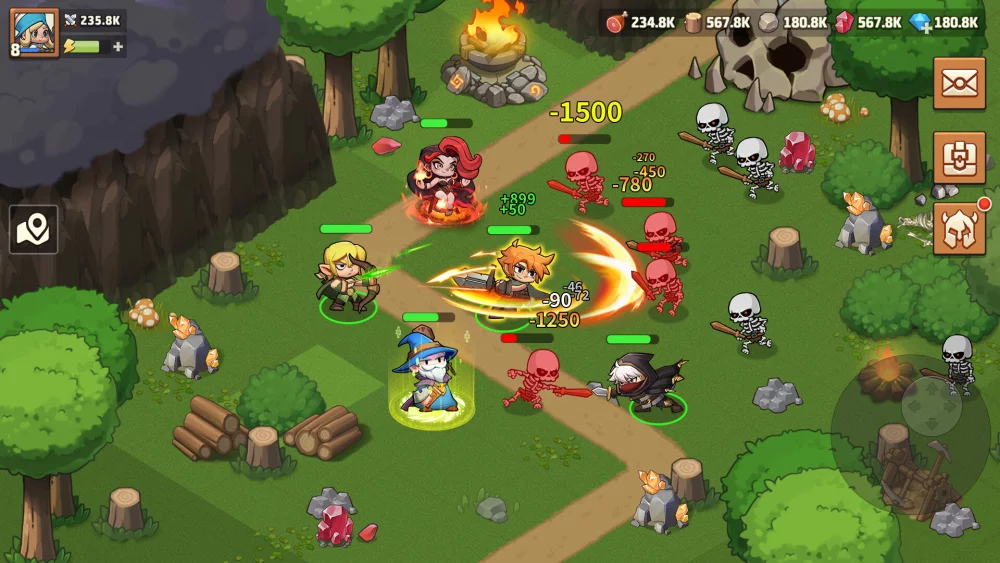
In Top Heroes, character skins do more than just change the visual appearance of your roster; they provide a fresh look for your favorite units during combat encounters. The recent addition of the "Orange Soda" skin for the Bishop has drawn attention due to its distinct color palette and unique particle effects.
For players looking to customize their squad aesthetics, understanding how these skins function and how they appear in active combat is essential for maintaining a personalized Kingdom look.
The Bishop "Orange Soda" Skin Overview
The Bishop, a staple support unit in many team compositions, receives a thematic overhaul with the Orange Soda skin. Unlike the base character model, this cosmetic variant focuses on vibrant, high-contrast colors that stand out significantly against the standard background environments of the map.
Visual and Combat Effects
When utilizing the Orange Soda skin, players will notice several specific adjustments to the Bishop’s presentation:
- Color Palette Shift: The design transitions from the traditional priestly aesthetic to a bright, soda-themed motif.
- Combat Animation Tweaks: The skin introduces subtle changes to the projectile or "shaking" animations that occur when the Bishop engages in combat. These animations are designed to be more fluid, making the hero more visually distinct during chaotic 5v5 skirmishes or large-scale battlefield events.
- Particle Effects: During skill activation, the skin displays unique particle effects that differentiate the Orange Soda variant from the default and other existing skins.
Why Cosmetic Customization Matters in Top Heroes
While skins in Top Heroes are primarily aesthetic, they play a role in the overall "Kingdom" experience for long-term players.
| Feature | Impact on Player Experience |
|---|---|
| Hero Identification | Quickly spot your specific hero units in crowded combat zones. |
| Aesthetic Progression | Showcases investment into specific hero favorites beyond just gear and level. |
| Social Flex | Distinguishes your roster during guild activities and arena displays. |
Tips for Managing Hero Skins
If you are looking to acquire or manage skins like the Orange Soda Bishop, keep the following strategies in mind:
- Monitor Limited-Time Events: Most high-quality skins are released during seasonal events or specific limited-time challenges. Check the event calendar frequently to ensure you don't miss the window for new cosmetic releases.
- Evaluate Visual Clarity: Before committing resources to a skin, observe it in a "Preview" mode if available. Ensure the new color palette doesn't hinder your ability to track the hero’s health bar or status effects during high-intensity combat.
- Check for Set Bonuses: While most skins in Top Heroes are purely visual, always double-check the event descriptions to see if a specific skin provides any minor account-bound bonuses or collection perks.
- Prioritize Your Main Roster: Since skins are specific to individual heroes, prioritize unlocking cosmetics for units that occupy permanent spots in your primary combat queue to maximize your "view time" with the new look.
By focusing on heroes like the Bishop that you use frequently, you ensure that your investment in customization is visible throughout your daily routine, whether you are gathering resources or participating in kingdom-wide conflicts.

Free Top Heroes Codes
Current active codes and how to redeem them.

Emily Johnson
Emily writes practical mobile strategy guides with a focus on resource planning, base progression, and the early decisions that shape a long-term account.
COMMUNITY
Player Comments
34 players commented on this guide.
This saved me time in the early game.
Good guide for Top Heroes players. The heroes part was useful.
I tried this today and it worked better than my old setup.
Nice guide. I am checking the other Top Heroes articles next.