
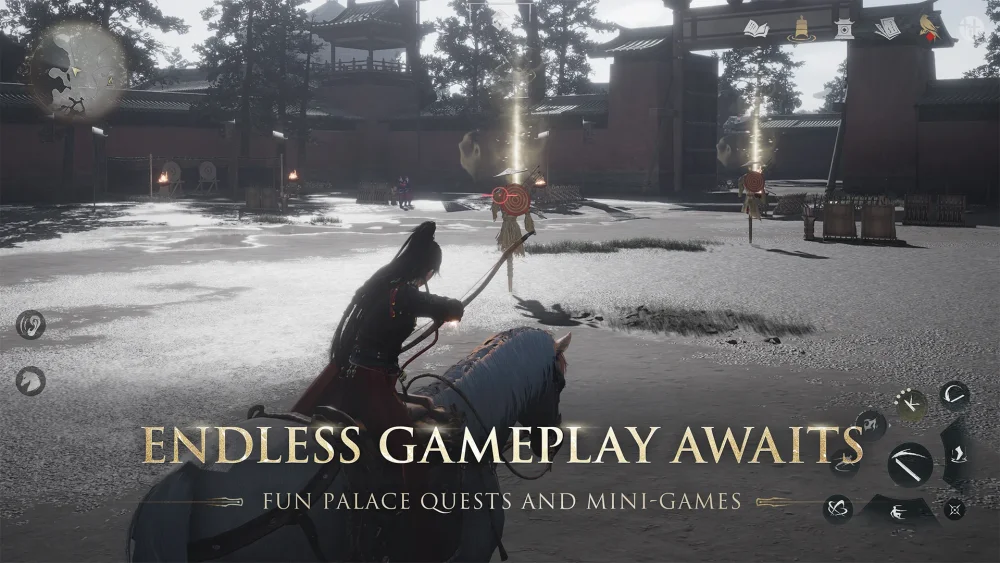
To play Where Winds Meet on Android in regions where it is omitted from the Google Play Store, sideload the client through a reputable third-party repository and install the required data assets manually. The game's authentication servers function independently of Google Play storefront availability once the base client and asset packages are installed.
How to Sideload the Base Client
When an Android account's billing region blocks the game listing, use established mobile application repositories that mirror official distribution builds with intact digital signatures.
- Install an established app repository client, such as TapTap Global, APKPure, or QooApp.
- Search for "Where Winds Meet" and confirm the listed developer is NetEase or Everstone Studio.
- Select an active test or launch build (such as the Global or Southeast Asian client).
- Download the package and keep the client open to prevent Android battery managers from terminating the transfer.
Do not use unverified forum links or modified packages offering unauthorized cheats. These files risk device security and routinely trigger anti-tampering bans during initial server handshakes.
Granting Permissions and Installing XAPK Data
Where Winds Meet distributes via split application packages containing an APK installer and large OBB asset archives. On Android 11 and newer, you must grant explicit storage and installation rights before the installer can place files into protected directories.
Required Installation Steps
- Open Android Settings > Apps > Special App Access > Install Unknown Apps.
- Select your browser, file manager, or repository app, then toggle Allow from this source to enabled.
- Launch your third-party store app or a dedicated XAPK installer utility to unpack the base file and route the OBB folder into
/Android/obb/. - Open the installed Where Winds Meet client and accept the initial storage and microphone permission prompts.
If you extract an .xapk file manually without an automated tool, verify that the OBB directory contains the asset files before booting. Missing data causes the game to freeze on a black screen or crash immediately after the opening logo screens.
Storage Requirements and Patch Download
After the base client launches, the engine contacts the content delivery network to download core game files. Ensure your device meets the following storage thresholds before starting:
| Phase | File Size | Requirement and Purpose |
|---|---|---|
| Base Package (APK/XAPK) | 2.5 GB – 4.0 GB | Storage space required for initial setup |
| Engine Asset Patch | 12.0 GB – 18.0 GB | Mandatory secondary download over Wi-Fi |
| High-Resolution Assets | 4.0 GB – 6.0 GB | Optional files for high and ultra graphics |
Reserve at least 25 GB of free internal storage to complete unpacking. Keep the display awake on a stable Wi-Fi network throughout the secondary download. If patching stalls or download speeds hit zero, route your connection through a virtual private network pointed toward an active release territory (such as Hong Kong, Singapore, or North America) to bypass content delivery routing blocks. Once file verification completes, you can test returning to a standard local connection.
Account Linking and Region Latency
When the download finishes, the title screen offers several login methods, including NetEase Mail, Google, and guest accounts.
- Avoid phone SMS verification: Verification text gateways outside official launch territories often fail to deliver shortcodes.
- Use international credentials: Link your progress to a NetEase account or an alternate Google account free of regional store locks.
- Manage connection latency: If the game displays a "Server not available in your region" prompt or high ping spikes, maintain a connection route through a nearby server node.
Playing across geographic regions raises input latency. You must trigger timing-dependent combat inputs, such as parrying and aerial recovery actions, earlier than local players to compensate for server travel time.
Free Where Winds Meet Codes
Current active codes and how to redeem them.

James Brown
James focuses on Android gaming on PC, emulator setup, controls, performance tuning, and practical troubleshooting for longer play sessions.
COMMUNITY
Player Comments
108 players commented on this guide.
This helped me understand strategy much better.
I tried this today and it worked better than my old setup.
I wish I had read this before upgrading the wrong thing.
The explanation is clear, especially for beginners.