
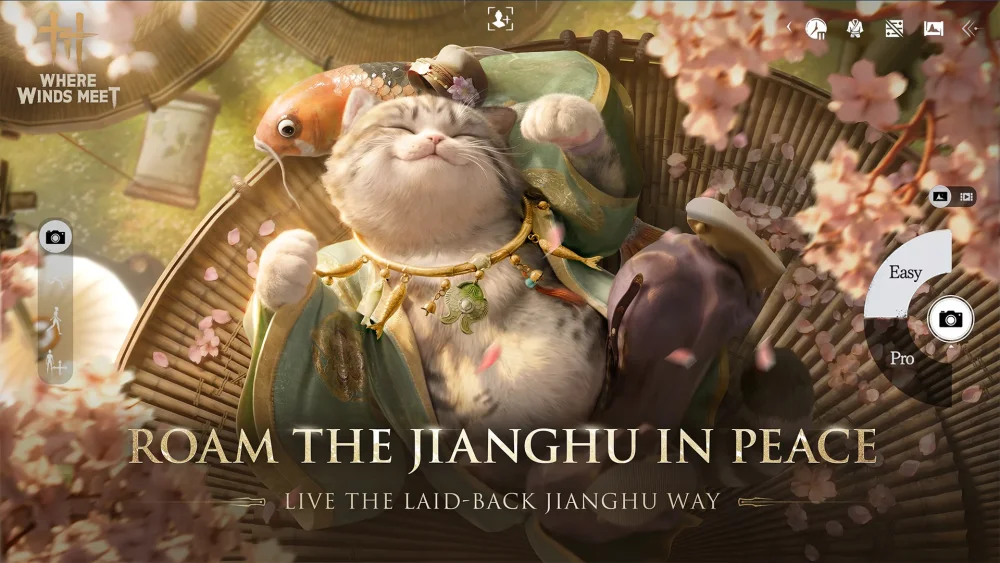
If you are attempting to download Where Winds Meet but find that it is missing or marked as "Not Available" on your local Google Play Store, it is almost certainly due to a staged regional rollout. Developers of high-fidelity titles often restrict storefront visibility to manage server stability, regulatory compliance, and localization testing. While this can be frustrating, it does not mean the game is permanently inaccessible. You can bypass these regional store limitations by utilizing reputable third-party application managers to download the client directly, allowing you to join the action ahead of your local official launch.
Understanding Regional Store Lockouts
The Google Play Store determines which applications are visible to you based on three primary factors: your account’s registered country, your current IP address, and your device’s hardware compatibility. When a developer sets a title to "staged release," they essentially hide the store page for all users outside of the designated launch territories.
It is important to understand that this is a store-level filter, not necessarily a game-level block. Even if the game is "Not Showing," the actual game servers may still be operational and capable of hosting players globally. Clearing your cache, resetting your phone, or trying different Wi-Fi networks will not resolve this, as the limitation is hard-coded into the Google Play Store’s regional metadata. To bypass this, you must step outside the official ecosystem to acquire the installer package (APK) directly.
How to Safely Access Where Winds Meet via Third-Party Stores
When the official storefront fails you, the most reliable method is to use a trusted third-party application store. These platforms host the original game installation files, which function identically to those found on the Play Store.
Step-by-Step Installation Guide
- Select a Reputable Platform: Use established, community-vetted platforms like TapTap or APKPure. These services are widely recognized in the gaming community for maintaining verified, malware-free game files.
- Search and Download: Navigate to the platform’s website or mobile app and search for Where Winds Meet. Download the installer file.
- Grant Security Permissions: Your device will likely block the installation of files from "Unknown Sources." Navigate to your phone’s Settings > Apps > Special App Access > Install Unknown Apps and toggle the permission for the browser or app store you are using.
- Install and Launch: Once the file is downloaded, tap it to initiate the installation. Once finished, you should see the Where Winds Meet icon on your home screen.
Navigating Server Connectivity and Regional Gates
Downloading the game is only half the battle. Because Where Winds Meet features complex, server-heavy gameplay—including social deduction elements and real-time combat—the developers may enforce "IP gating" at the server level.
If you successfully install the game but cannot connect to the servers, it usually means the game requires an IP address originating from an officially supported region. In this scenario, you may need to use a high-quality VPN to route your connection through a country where the game has already launched.
Expert Tip: Choose a VPN server location that matches the game's primary release region (often Southeast Asia or specific global test regions) to ensure the lowest possible latency. High ping can severely impact the responsiveness of the game’s combat mechanics, which rely on precise timing for dodges and parries.
Managing Updates and Long-Term Maintenance
A significant trade-off when using third-party stores is the loss of automatic updates. Because your phone’s operating system does not recognize the app as being managed by the Google Play Store, it will not pull patches or hotfixes automatically.
- The Manual Patching Cycle: Whenever Where Winds Meet releases a major update (such as a new chapter or expansion), you must return to the third-party store and manually download the updated APK. Failing to do so will result in "Version Mismatch" errors, which will prevent you from logging in.
- Performance Monitoring: Keep an eye on the official Where Winds Meet social media channels or Discord. When they announce a patch, check your third-party store shortly after to ensure you are running the latest version.
- Storage Management: High-fidelity games like this are resource-heavy. Ensure you have sufficient internal storage, as manual updates may temporarily require extra space to unpack files compared to the streamlined updates found on the Google Play Store.
Identifying Potential Risks and Security Best Practices
While using third-party stores is a standard practice for many enthusiasts, it does require a heightened level of digital hygiene.
- Avoid "Modded" Files: Never download versions of Where Winds Meet that claim to offer "unlimited resources," "god mode," or "free currency." These are almost always malicious files designed to compromise your account or steal personal data. Stick strictly to the official game files hosted on reputable platforms.
- Account Integrity: Since you are playing on a client that may not be officially supported in your region, be aware that you are doing so at your own risk. If the developers decide to enforce a strict regional policy in the future, your account could potentially be flagged. Use a secondary account if you are concerned about your primary gaming profile.
- Official Support Limitations: Understand that by playing outside of your region, you may have limited access to official customer support. If you encounter bugs or payment issues, the support team may be unable to assist you because your account usage deviates from their regional Terms of Service.
By following these steps, you can bypass geographical barriers and begin mastering the combat, stealth, and social deduction systems of Where Winds Meet today, regardless of your location. Stay updated, keep your client patched, and focus on your in-game progression to gain an edge as the global community continues to grow.
Free Where Winds Meet Codes
Current active codes and how to redeem them.

Sarah Williams
Sarah specializes in RPG and collection games, explaining team building, character growth, and beginner-friendly ways to avoid expensive early mistakes.
COMMUNITY
Player Comments
117 players commented on this guide.
I tried this today and it worked better than my old setup.
I wish I had read this before upgrading the wrong thing.
This saved me time in the early game.
The tips are practical and easy to follow.