
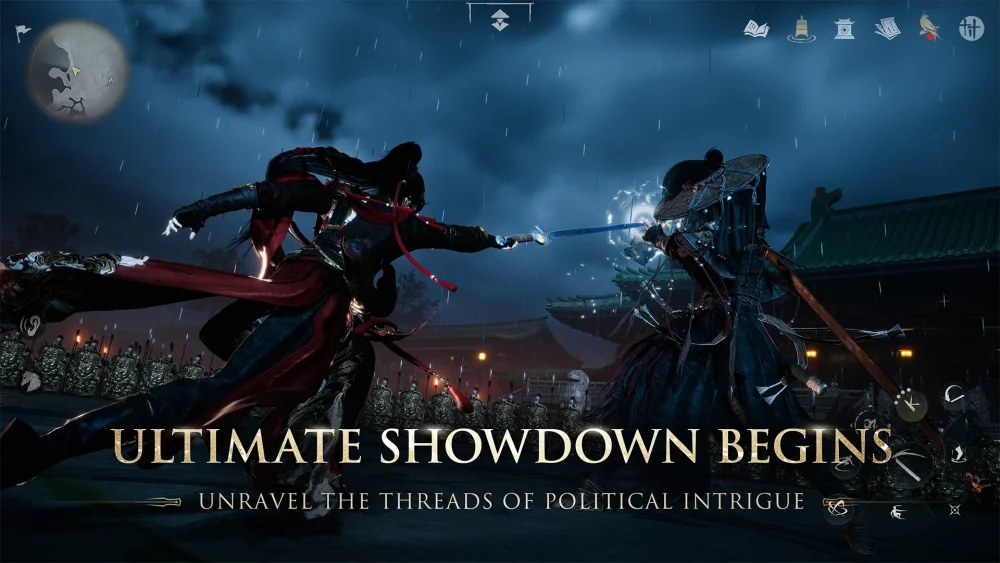
To run Where Winds Meet at a stable 60 frames per second on an Nvidia GeForce RTX 2060 6GB, set the game to 1080p resolution, apply a customized Medium graphics preset, and enable Nvidia DLSS set to Quality mode.
Because the RTX 2060 is equipped with a 6GB VRAM buffer, running native High or Ultra presets causes video memory usage to exceed 5.6 GB. In dense forests and populated settlements, native rendering at High drops performance into an erratic 35 to 48 FPS range and introduces micro-stuttering from asset streaming. Moving to 1440p triggers memory thrashing and lowers performance to 20 to 30 FPS, making 1080p the practical limit for this hardware.
Recommended Graphics Settings for 1080p
Targeting a custom Medium configuration lowers GPU render latency by over 25 percent compared to default High profiles while keeping VRAM usage under 5 GB.
| Setting | Recommended Value | Performance and Visual Impact |
|---|---|---|
| Resolution | 1920x1080 (1080p) | Keeps memory allocation within the 6GB hardware buffer. |
| Display Mode | Fullscreen Exclusive | Reduces input latency and bypasses desktop windowing overhead. |
| Texture Quality | Medium | Prevents VRAM exhaustion and asset-streaming stutter. |
| Shadow Quality | Medium | Recovers roughly 10% to 14% GPU headroom over High. |
| Volumetric Fog | Medium (or Low) | Stabilizes frame rates in misty valleys and mountain areas. |
| Foliage Density | Medium | Reduces frame drops while moving quickly through grassy fields. |
| Post-Processing | Medium | Preserves motion clarity during sudden camera movements. |
| Particle Effects | Medium | Prevents frame dips during multi-enemy combat encounters. |
DLSS Upscaling Configuration
Enabling Nvidia DLSS on the Quality profile lifts frame rates from the low 40s to a consistent 60 FPS by offloading image reconstruction to the GPU's Tensor cores.
Avoid using the DLSS Performance or Balanced presets at 1080p. On 1080p displays, those lower internal render resolutions introduce visible softness to fine foliage and distant rooftops. DLSS Quality reconstructs from a sufficiently high internal resolution to preserve edge clarity, environmental detail, and garment textures. If adjusting DLSS sharpness in the settings, keep the slider between 0.35 and 0.40 to enhance outlines without generating ringing artifacts.
Mitigating Traversal and Combat Stutter
Performance dips on the RTX 2060 typically concentrate around rapid exploration and effects-heavy combat:
- Keep environmental draw distance at Medium: Fast movement like sprinting across rooftops or gliding over rivers forces rapid asset streaming. Medium settings allow the GPU to load terrain meshes smoothly without choking memory bandwidth.
- Lock Particle and Effects Quality to Medium: Multi-target battles generate overlapping alpha particles and dust effects that trigger 1% low frame spikes on higher settings, interfering with parry and dodge timing.
- Cap frame rate at 60 FPS: Dual-fan and compact cards, such as the Zotac RTX 2060 Twin Fan, can reach core temperatures past 78°C under continuous 99% load. When thermal limits are reached, GPU core clocks drop from 1845 MHz to below 1700 MHz, creating uneven frame pacing. A 60 FPS cap or an adjusted fan curve keeps temperatures stable and prevents thermal throttling.
- Install on an NVMe SSD: Running the game from slow storage causes noticeable geometry pop-in and hitching during world transitions. Pair this with dual-channel system memory running at 3200 MHz or faster (with XMP or DOCP active) to ensure consistent asset streaming.

Free Where Winds Meet Codes
Current active codes and how to redeem them.

Sarah Williams
Sarah specializes in RPG and collection games, explaining team building, character growth, and beginner-friendly ways to avoid expensive early mistakes.
COMMUNITY
Player Comments
125 players commented on this guide.
The explanation is clear, especially for beginners.
Good guide for Where Winds Meet players. The strategy part was useful.
I wish I had read this before upgrading the wrong thing.
This saved me time in the early game.