

In Zombie Waves, bundle codes are the most efficient way to secure premium currency and rare materials without spending real money. As a survival roguelite where every piece of equipment and hero stat matters, these codes provide the critical edge needed to overcome difficulty spikes. By entering active promotional codes, players can jumpstart their progression, bypass resource bottlenecks, and significantly increase their Combat Power (CP) early on.
How to Redeem Codes in Zombie Waves
The redemption process in Zombie Waves is streamlined and accessible from the very first moment you open the game. You do not need to clear specific chapters or reach a certain level to access the system.
- Open the Main Interface: Once you are on the home screen, locate your Profile Icon or the Settings (gear) icon, typically found in the top-left corner of the screen.
- Locate the Redemption Center: Within the Settings menu, look for a tab or button labeled "Gift Code" or "Redeem."
- Input the Code: A text box will appear. Type your code exactly as it is presented.
- Confirm and Claim: After entering the code, hit the "Redeem" or "Confirm" button. If the code is valid, a notification will indicate success.
- Check Your Mailbox: Rewards do not always appear in your inventory immediately. Navigate to your in-game Mailbox (usually represented by an envelope icon on the main screen) to claim your gems, gold, or supply crates.
Expert Tip: Codes are case-sensitive. If you are manually typing them, ensure you match the capitalization provided by the source. If possible, copy and paste the codes to avoid common errors like confusing a lowercase "l" with an uppercase "I" or a "0" with an "O."
Why Bundle Codes Are Critical for Progression
In the high-stakes environment of Zombie Waves, currency management is the difference between a successful run and a swift death at the hands of a mutant horde. Gems are the premium lifeblood of the game; they are required to pull from high-tier supply crates, which contain the blueprints for top-tier weapons and hero fragments.
By utilizing codes early, you can:
- Accelerate Gear Acquisition: Get the resources needed for your first major weapon upgrade before you hit the "wall" of mid-game difficulty.
- Bypass Grinding: Save hours of repetitive runs by instantly gaining the gold or materials necessary to level up your existing gear.
- Prepare for Events: Accumulating gems through codes allows you to save for limited-time event banners, where you can secure gear that isn't available in standard loot tables.
Strategic Resource Management: Don't Waste Your Gems
Once you have redeemed your codes and received your gems, how you spend them is just as important as how you acquired them. Many new players make the mistake of using gems for minor, short-term boosts. To get the most value out of your rewards, follow this priority list:
- Permanent Power Increases: Always prioritize spending gems on items that provide a permanent boost to your stats, such as weapon blueprints or hero shards.
- Avoid Revives: Spending gems to revive during a run is generally a poor investment. Instead, use that currency to upgrade your character's base stats so you don't need to revive in the first place.
- Bundle Purchases: Look for shop bundles that offer a high value-to-gem ratio. Often, the store offers starter packs or event-specific bundles that provide more materials than buying individual items.
Troubleshooting Common Code Issues
Even if you follow the steps perfectly, you may occasionally encounter an error message. Understanding why this happens saves time and frustration:
- Expiration Dates: Promotional codes are often released for specific events or limited windows. If a code is several months old, it has likely expired.
- Usage Limits: Some codes have a "global limit," meaning they only work for the first 5,000 or 10,000 players who redeem them. Once that limit is hit, the code becomes invalid for everyone else.
- One-Time Redemption: Each code is strictly one-per-account. Attempting to use the same code on a second account or trying to bypass the limit will result in an error.
- Server Maintenance: Occasionally, during major game updates, the redemption service may be temporarily disabled. If you are certain your code is valid but it fails, wait an hour and try again.
Where to Find Authentic Codes
To ensure you aren't wasting time with fake or phishing links, always source your codes from official channels:
- The Official Discord: This is the most reliable place to receive real-time notifications about new codes.
- Official Social Media: Follow the official Zombie Waves Facebook, Twitter (X), or Instagram pages. Developers often drop codes during community milestones or holiday celebrations.
- Reputable Gaming Hubs: Stick to established gaming websites that vet their content. Avoid "code generator" sites that ask for your login credentials—these are almost always scams.
Maximize Your Gains: The "Bulk Upgrade" Strategy
A pro-level strategy for Zombie Waves players is the "Bulk Upgrade" method. Instead of claiming rewards and spending them as soon as they arrive in your mailbox, wait until you have gathered a substantial amount of currency from multiple codes.
By holding onto your rewards until you are ready for a major play session, you can perform a massive upgrade cycle. Upgrading your gear all at once often allows you to jump across several Combat Power thresholds, making the transition into higher-level chapters much smoother. Furthermore, claiming rewards from your mail during a "Power Up" event (if active) can grant you additional bonuses or milestone rewards, effectively doubling the value of the materials you earned from the codes.
By following these guidelines, you turn every bundle code into a strategic advantage, ensuring your survivor is always equipped with the best possible gear to withstand the endless waves of horrors in Zombie Waves.
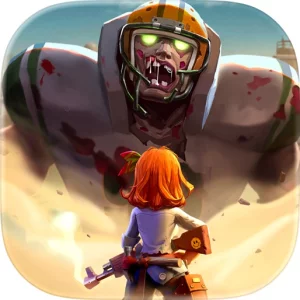
Free Zombie Waves Codes
Current active codes and how to redeem them.

Emily Johnson
Emily writes practical mobile strategy guides with a focus on resource planning, base progression, and the early decisions that shape a long-term account.
COMMUNITY
Player Comments
67 players commented on this guide.
This helped me understand early game much better.
Can you add more details about early game in a future update?
This guide answered the exact question I had.
The explanation is clear, especially for beginners.