
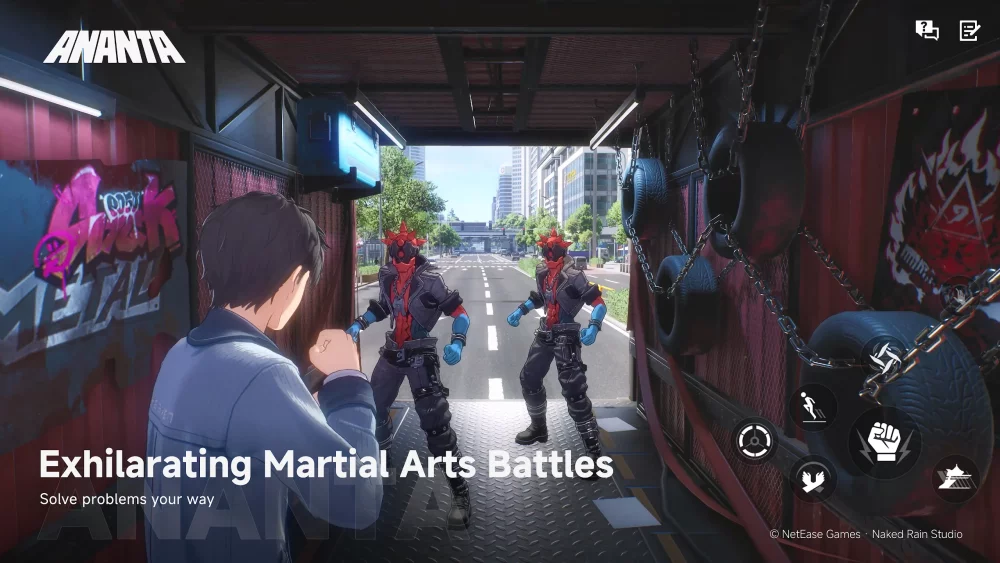
To maximize combat effectiveness in the ANANTA CBT8 developer build, monitor real-time user interface indicators for ability availability, maintain continuous movement through urban environments, and reserve high-cost abilities for staggering enemy vulnerabilities.
UI Indicators and Visual Feedback
Combat in the CBT8 developer build relies on reacting to visual changes on the interface rather than relying solely on static rotations. Processing these cues quickly allows for smoother skill transitions and better crowd management.
- Ability Cooldown Signals: Watch for icon shifts on the skill bar that indicate when an ability is ready to be re-activated.
- Combo Execution Triggers: Identify visual flashes or color shifts on the interface that signal a successful skill chain. These markers highlight optimal windows for continuous damage output.
- Environmental Interaction Cues: Pay attention to interface highlights on surrounding urban objects, which mark items that can be used for repositioning or crowd control during skirmishes.
Movement and Traversal Tactics
Traversal mechanics function directly as defensive tools during engagements. Speed and vertical positioning reduce damage taken from enemy attacks.
- Maintain Continuous Momentum: Avoid standing still during combat encounters. Stopping movement limits dodge potential and leaves your character exposed to incoming projectile attacks.
- Utilize Parkour for Elevated Line of Sight: Use climbing and jumping mechanics to reach higher geometry within urban areas. High-ground positioning grants a clearer line of sight for ranged skills and creates space from ground-level threats.
- Keep Camera Focus Locked: Maintain camera orientation toward enemy target zones while navigating complex terrain to ensure immediate offensive capability upon landing or climbing.
Skill Management and Enemy Telegraphs
Button-mashing depletes resources without securing efficient clears. The CBT8 build emphasizes targeted skill usage based on enemy action states.
- Save Ultimate Abilities for Vulnerable States: Hold high-cost or primary ultimate skills until the UI displays an explicit stagger or vulnerability state on target enemies.
- React to Telegraph Animations: Watch for distinct wind-up animations before defensive actions are taken. Use defensive cooldowns specifically to mitigate heavy enemy strikes rather than cycling them automatically.
- Separate Skill Roles: Assign dedicated roles to your abilities. Use crowd-control skills strictly to manage spacing and isolate targets, reserving high-damage skills for staggered windows.
Navigating Test-Build Performance
As an early testing environment, the CBT8 developer build contains unrefined mechanics that require tactical adjustments:
- Adjust Input Timing: If animation hitching occurs during skill execution, delay key presses slightly to account for current frame optimization.
- Focus on Core Physics Over Damage Numbers: Kit stats, damage ratios, and cooldown timers are subject to rebalancing between test phases. Prioritize mastering movement momentum and input timing, as base physics systems are more likely to persist into later updates.

Free ANANTA Codes
Current active codes and how to redeem them.

Emily Johnson
Emily writes practical mobile strategy guides with a focus on resource planning, base progression, and the early decisions that shape a long-term account.
COMMUNITY
Player Comments
37 players commented on this guide.
I wish I had read this before upgrading the wrong thing.
The explanation is clear, especially for beginners.
This saved me time in the early game.
This guide answered the exact question I had.