
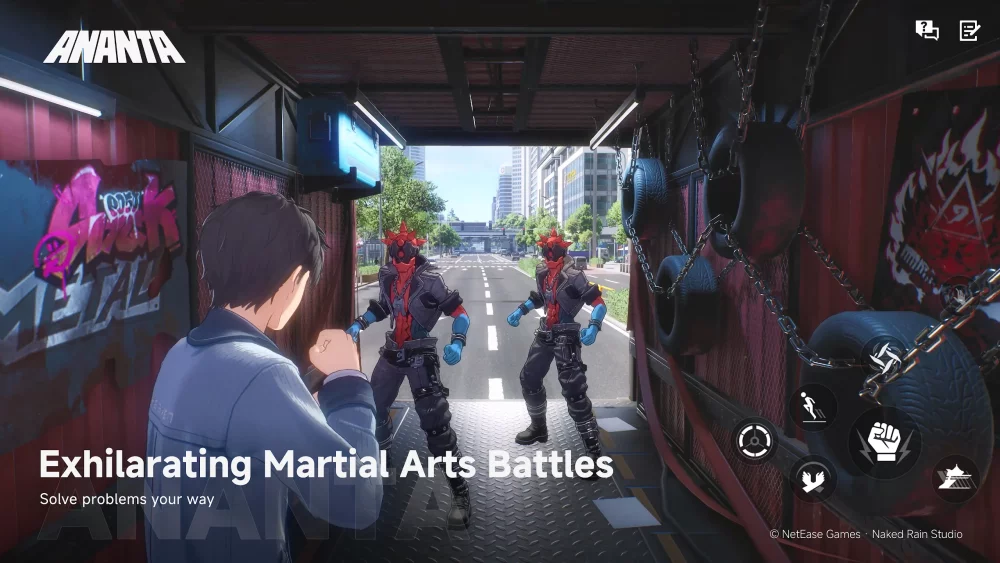
Set PC as your primary platform for playing ANANTA if you require consistent frame rates, clear graphics, and responsive input during demanding gameplay sequences. Mobile hardware offers portable convenience, but thermal throttling and touch-control limits make it better suited for low-intensity daily tasks or brief resource management.
Performance and Thermal Limits
ANANTA demands significant processing power to stream textures, render shaders, and maintain visual clarity during fast-paced movement. Playing on a PC avoids thermal throttling, ensuring your system maintains steady performance and stable frame rates throughout long gaming sessions.
On mobile devices, sustained graphical rendering rapidly heats up internal components. To lower temperatures, mobile processors automatically decrease clock speeds, leading to frame drops, visual stuttering, and input delays during high-intensity sequences.
Control Precision and User Interface
Executing precise movement and rapid skill sequences requires responsive controls with physical feedback. PC configurations support mechanical keyboards, mice, and external controllers, allowing custom key mapping that reduces input latency and hand fatigue.
Mobile touch-screen layouts compress multiple character abilities and movement buttons onto a small display. Touch controls lack tactile cues, increasing accidental inputs and obstructing visual elements on screen.
Recommended Hardware Role Split
Assign your gameplay activities according to each platform's technical strengths to optimize your progression:
| Feature | PC Setup | Mobile Device |
|---|---|---|
| Performance | Stable frame rates without heat slowdowns | Variable frame rates subject to thermal throttling |
| Control Scheme | Mouse, keyboard, or controller | Touch screen with variable latency |
| Visual Quality | Full-resolution asset and shader streaming | Compressed graphical assets for small displays |
| Optimal Tasks | High-intensity combat, boss runs, and main exploration | Daily resource collection, menus, and low-risk navigation |
If your mobile device experiences frame drops or excessive heat, transition your primary play sessions to a PC setup. If you play on mobile, attach a dedicated cooling peripheral to minimize heat degradation and limit your sessions to routine daily management.

Free ANANTA Codes
Current active codes and how to redeem them.

James Brown
James focuses on Android gaming on PC, emulator setup, controls, performance tuning, and practical troubleshooting for longer play sessions.
COMMUNITY
Player Comments
28 players commented on this guide.
The explanation is clear, especially for beginners.
I wish I had read this before upgrading the wrong thing.
I tried this today and it worked better than my old setup.
This helped me understand strategy much better.