
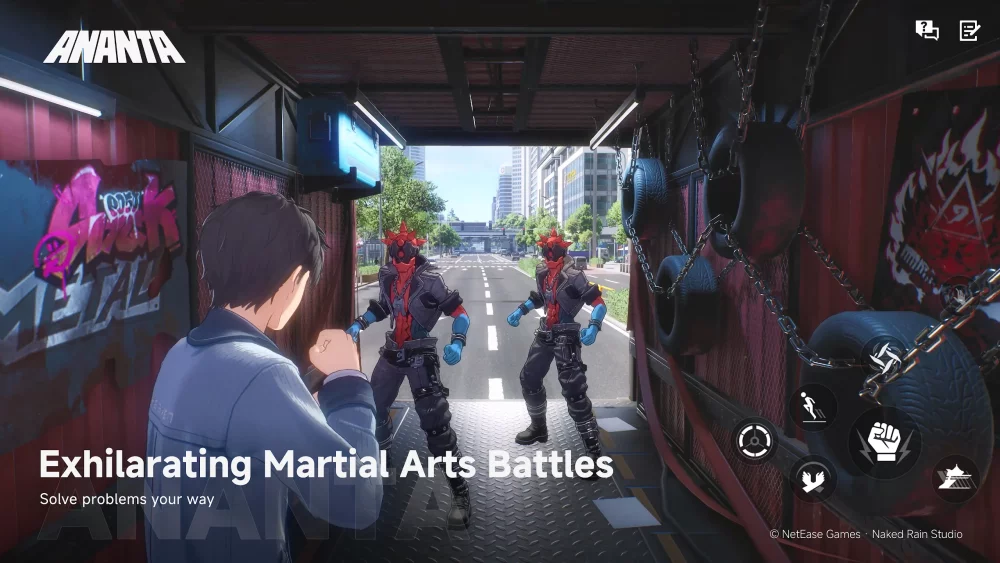
If you are preparing to step into the world of ANANTA, you have likely encountered the most significant hurdle currently facing the community: the game’s massive installation footprint. ANANTA demands a substantial amount of disk space, far exceeding standard open-world titles. This isn’t just a logistical challenge—it is a technical requirement for the game’s high-fidelity asset streaming. To avoid performance issues, stuttering, or the dreaded "insufficient space" error during critical updates, you must approach your hardware setup with the precision of a strategic simulation.
The Reality of ANANTA’s Data Footprint
ANANTA achieves its immersive, high-fidelity environments through a high density of unique, uncompressed assets. While this results in a visually stunning experience, it translates to a storage requirement that can strain even modern gaming PCs. Unlike games that utilize modular asset streaming to keep the initial download size low, ANANTA requires a substantial portion of your drive just to initialize its base environment.
For the player, this means treating your storage drive as a primary gaming component rather than a background utility. Because the game engine is built to pull high-resolution textures and complex geometry in real-time, the "weight" of the game is not just about the space it occupies on your disk—it is about how quickly your system can move that data to your GPU.
Why SSD Speed is Non-Negotiable
You may be tempted to save space on your primary NVMe drive by installing ANANTA on a secondary mechanical hard drive (HDD). We strongly advise against this. ANANTA’s open-world architecture relies on constant, rapid asset retrieval.
- Asset Streaming: As you traverse the map, the engine is constantly reading new data. A standard HDD cannot keep up with these read speeds, which will result in "texture pop-in" (where objects appear blurry before sharpening) and, in extreme cases, "hitching" or freezing as the game waits for the drive to catch up.
- Loading Benchmarks: Initial boot times and fast-travel transitions are gated by your disk’s I/O speed. On an NVMe SSD, these transitions are minimized; on an HDD, you could face load times that disrupt the flow of play.
- System Responsiveness: When a drive is pushed to its limits by a game as demanding as ANANTA, your entire OS can suffer from latency. Always prioritize keeping ANANTA on your fastest available SSD.
Strategic Drive Management for ANANTA
To maintain a competitive edge and ensure your system remains healthy, follow these professional maintenance steps before and after your installation:
- The 20% Rule: Never fill your primary SSD beyond 80% of its total capacity. If ANANTA occupies a massive slice of your drive, ensure you have enough "empty" headroom. SSDs require this space for background operations like wear leveling and garbage collection; filling a drive to 95% or higher will cause the drive controller to throttle performance, directly impacting your in-game stability.
- Partitioning for Performance: If you are a power user, consider a dedicated partition or a separate physical drive exclusively for high-demand games. This prevents your OS logs, background apps, and other software from competing with the game’s disk I/O requests.
- Audit and Purge: Before initiating the download, audit your current library. Remove titles you haven't played in the last three months. Use tools like "WinDirStat" or "WizTree" to visualize which files are taking up the most space, focusing on clearing cache folders from other launchers that may have accumulated "bloatware" over time.
Planning for Future Content Cycles
ANANTA is designed as a long-term service, meaning the initial installation is only the beginning. As developers release patches, seasonal events, and map expansions, the game’s size will inevitably grow. Players who install the game on a drive that is already at its capacity limit will find themselves trapped in a cycle of "uninstalling to update."
To solve this, look into these strategies:
- Future-Proofing: If you are currently at your storage limit, consider investing in a 2TB or 4TB NVMe drive now. The cost-per-gigabyte for high-speed storage has reached a point where upgrading is more efficient than constantly managing drive space.
- Avoid External Drives: Unless you are using a high-end external NVMe enclosure via USB 3.2 Gen 2x2 or Thunderbolt, avoid running the game from an external drive. The connection bottlenecks inherent in USB controllers will destroy the seamless nature of the open world.
Common Mistakes to Avoid
- Moving the Game Post-Installation: Do not move the installed directory from an SSD to an HDD once the game is running. The engine’s configuration files are optimized for specific hardware read speeds; shifting them can lead to registry errors, corrupted asset manifest files, and a total failure to launch.
- Ignoring Firmware Updates: Ensure your SSD’s firmware is up to date. Manufacturers frequently release updates that improve random read/write performance, which is exactly what a game like ANANTA needs to prevent stuttering.
- Overlooking Antivirus Interference: Some real-time antivirus scanners will attempt to "scan" the massive files in ANANTA’s directory every time you load a new area. If you experience performance drops, check your security software and add the ANANTA installation folder to your "Exclusion" or "Whitelist" list to prevent it from inspecting files during gameplay.
Final Verdict: Optimize Before You Play
ANANTA represents the next generation of open-world simulation, and it expects your hardware to keep pace. By treating your storage as a critical performance bottleneck rather than a simple digital storage locker, you ensure that your experience remains smooth, immersive, and ready for future content drops. Clear that space, prioritize your fastest NVMe, and prepare for the long haul—your hardware is the foundation upon which your journey in ANANTA is built.

Free ANANTA Codes
Current active codes and how to redeem them.

Emily Johnson
Emily writes practical mobile strategy guides with a focus on resource planning, base progression, and the early decisions that shape a long-term account.
COMMUNITY
Player Comments
104 players commented on this guide.
The tips are practical and easy to follow.
Nice guide. I am checking the other ANANTA articles next.
This helped me understand strategy much better.
I wish I had read this before upgrading the wrong thing.