
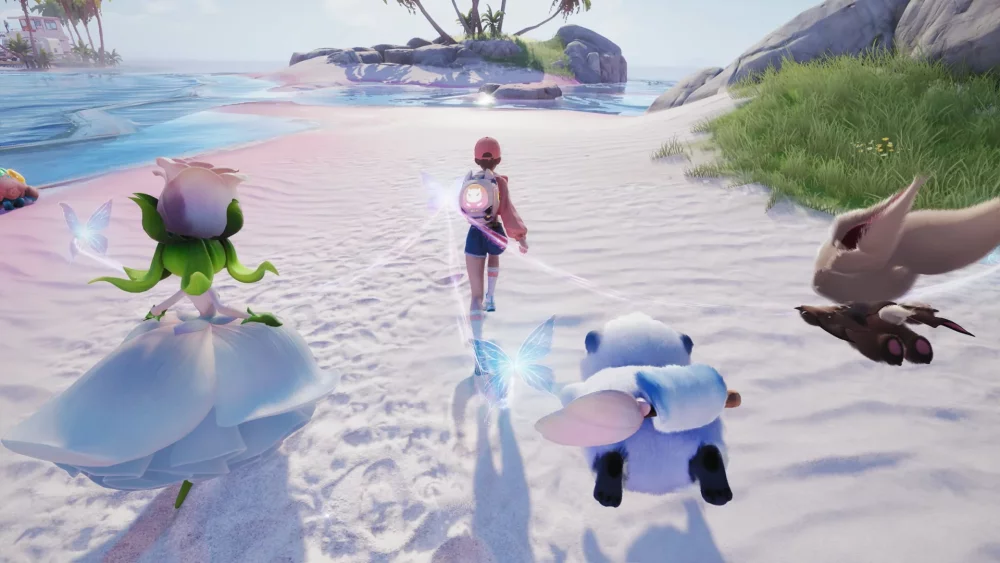
The Aniimo Global Closed Beta features a robust character creation suite that allows players to define their digital presence before entering the world. During the initial setup, you can manipulate various facial features, hairstyles, and aesthetic details to ensure your avatar stands out. Understanding how to navigate these menus efficiently is the first step toward personalizing your experience and establishing a unique look that carries throughout your journey in the Aniimo beta environment.
Navigating the Aniimo Character Creator
The character creator in Aniimo serves as your primary tool for establishing visual identity. Upon entering the creation menu, you are presented with a set of sliders and selection tabs designed to modify your avatar’s physical appearance. Focusing on these core categories early allows you to finalize your look quickly and jump directly into the exploration phase of the game.
Essential Customization Categories
While the menu is intuitive, prioritizing your choices in the following areas will streamline the creation process:
| Category | Customization Focus |
|---|---|
| Facial Structure | Adjusting eye shape, nose, and mouth presets. |
| Hairstyles | Selecting from various textures, lengths, and colors. |
| Color Palettes | Applying specific skin tones and hair pigments. |
| Final Polish | Reviewing your avatar from multiple angles before confirming. |
Tips for Avatar Personalization
To get the most out of the character creation system, test different combinations rather than settling for the default settings. Because your avatar acts as your primary representative during social interactions and world exploration, taking the time to experiment with the available presets during the beta phase can help you find a look that matches your preferred aesthetic. Remember to observe how your avatar’s animations react to these changes within the preview window.
Refining Your Visual Style
- Layering Options: Check if the game allows for overlapping hair or feature accessories to add depth to your character.
- Lighting Check: Some colors may look different depending on the environment’s lighting, so pay attention to how your chosen skin tone appears in the preview pane.
- Consistent Theme: If you plan on matching your avatar to a specific Aniimo companion later, consider choosing a color scheme or style that complements your starter creature.

Free Aniimo Codes
Current active codes and how to redeem them.

James Brown
James focuses on Android gaming on PC, emulator setup, controls, performance tuning, and practical troubleshooting for longer play sessions.
COMMUNITY
Player Comments
61 players commented on this guide.
The explanation is clear, especially for beginners.
This helped me understand heroes much better.
This saved me time in the early game.
Good guide for Aniimo players. The heroes part was useful.