
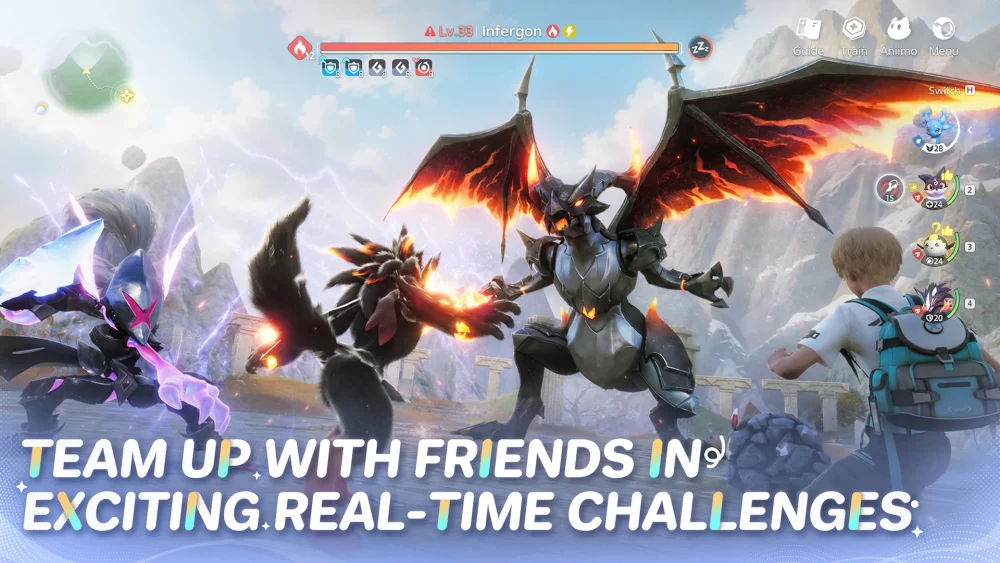
Navigating the Aniimo Closed Beta effectively requires a solid grasp of the updated interface and the specific progression milestones available during the current testing phase. By focusing on menu shortcuts and observational exploration, players can maximize their limited time in the world. This guide highlights essential UI tips and structural observations gathered from the latest summer testing build to help you streamline your interactions and improve your overall efficiency while exploring the environment.
Leveraging Beta UI Navigation Shortcuts
The most efficient way to navigate the Aniimo interface is by utilizing the dedicated shortcut keys for inventory and creature management menus. During the Closed Beta, players often lose time by manually clicking through sub-menus. Instead, prioritize learning the primary hotkeys for the Aniilog and your storage pack. This allows you to quickly check creature stats or toggle environmental tracking without breaking your movement momentum in the field.
Essential Interface Tips
- Menu Toggling: Keep your main menu bound to an easily accessible key to swap between map views and creature lists instantly.
- Tracking Markers: Utilize the UI markers for objective-based navigation to avoid getting disoriented in dense biomes.
- Interaction Prompts: Pay attention to the dynamic UI overlay that appears when you are near interactable flora or fauna, as these prompts change based on your proximity.
Optimizing Early Progression Milestones
Progression in the Aniimo Closed Beta is best achieved by balancing creature interaction with environmental collection tasks. Rather than rushing through zones, focus on completing the specific regional objectives that yield the most experience. Testing builds often prioritize specific loop cycles; identify which creatures are currently spawning in your vicinity to ensure you are meeting the collection requirements for that specific biome before moving on to higher-difficulty areas.
| Progression Focus | Benefit for Beta Testers |
|---|---|
| Creature Documentation | Unlocks additional lore and potential capture bonuses. |
| Resource Gathering | Essential for crafting basic survival and collection tools. |
| Zone Clearing | Opens up fast-travel points for easier map traversal. |
Managing Environmental Interactions
Effective exploration in Aniimo depends on understanding how your character interacts with the world's physics and textures. In the current beta build, certain environmental surfaces react to specific movement inputs. Testing these interactions early helps you identify which paths are traversable and which are intended to be blocked or reserved for later progression stages. When approaching new terrain, observe how your character's animation changes, as this is often a visual cue for successful interaction zones.

Free Aniimo Codes
Current active codes and how to redeem them.

James Brown
James focuses on Android gaming on PC, emulator setup, controls, performance tuning, and practical troubleshooting for longer play sessions.
COMMUNITY
Player Comments
47 players commented on this guide.
Can you add more details about resources in a future update?
The explanation is clear, especially for beginners.
Good guide for Aniimo players. The resources part was useful.
Nice guide. I am checking the other Aniimo articles next.