
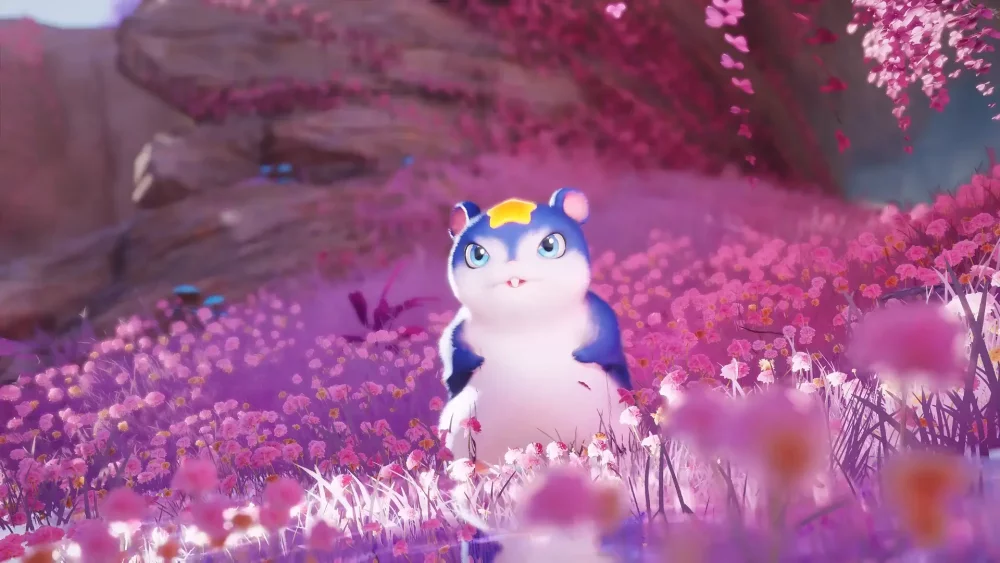
Refining your character’s social presence in Aniimo relies on mastering the nuanced system of expressive poses and interactive animation loops. By utilizing the character-focused customization tools, players can trigger specific reactions—such as ear movements or specialized sleep states—that define their avatar's personality. These expressive mechanics are essential for players looking to stand out in social hubs, ensuring your character remains visually distinct and responsive during interactions with other players and the environment.
Activating Character Expressive Poses
Consistent engagement with the expression menu is the most effective way to manage your avatar's visual feedback. Unlike standard movement, these animations are designed to reflect your character's current state, ranging from idle curiosity to active social signals.
- Accessing the Menu: Open your social radial menu to view available character animations and poses.
- Triggering Reactions: Select specific expressions to initiate loops. These loops will persist until you input a movement command or switch to a different emote.
- Environmental Cues: Some poses may trigger unique environmental interactions, such as sitting on specific assets or reacting to nearby creature encounters.
Customizing Creature and Avatar Interactions
Aniimo emphasizes a high degree of connection between players and their companions. You can tailor your character's physical responsiveness to maximize the effectiveness of social loops.
| Interaction Type | Primary Benefit | Input Method |
|---|---|---|
| Ear Movements | Enhanced expressiveness | Character Settings Menu |
| Sleep States | Visual relaxation/AFK signaling | Emote Radial |
| Social Poses | Improved aesthetic in hubs | Preset Animation Slots |
Managing Animation Loops
To maintain a polished appearance in public spaces, focus on layering your animations. When performing a social pose, ensure your character is positioned on level terrain to avoid clipping errors. If you find your character defaulting to a standard idle stance, re-select the pose from your radial menu; this forces the animation engine to prioritize your chosen expression over the default idle cycle.
Social Signaling and Community Engagement
Effective use of these tools goes beyond mere aesthetics; it serves as a non-verbal communication layer within the Aniimo community. Using distinct poses helps other players recognize your intent, whether you are signaling that you are open to trading, looking for group activities, or simply showcasing your character's unique customization. Always check for new expression updates in the settings tab, as developers frequently expand the variety of available poses.

Free Aniimo Codes
Current active codes and how to redeem them.

Emily Johnson
Emily writes practical mobile strategy guides with a focus on resource planning, base progression, and the early decisions that shape a long-term account.
COMMUNITY
Player Comments
94 players commented on this guide.
This saved me time in the early game.
I wish I had read this before upgrading the wrong thing.
The tips are practical and easy to follow.
This guide answered the exact question I had.