
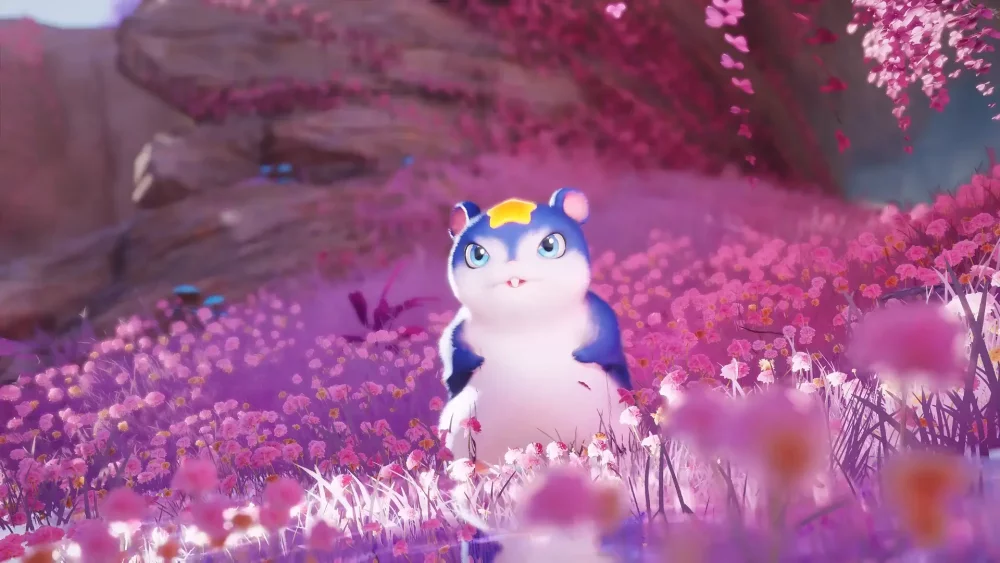
In Aniimo, character expression goes beyond simple social interaction; it is a core feature that allows players to perform dynamic, meme-worthy animations in the open world. By mastering the timing and selection of these character poses, you can replicate iconic cinematic moments or engage in expressive communication with other players. Whether you are aiming to capture a funny screenshot or simply add personality to your avatar, understanding how to trigger these animations effectively is essential for social engagement.
Utilizing Character Emotes for Expressive Interaction
The most effective way to engage with the social ecosystem in Aniimo is by utilizing the built-in emote system. These animations are designed to reflect the personality of your custom character and serve as the foundation for creative storytelling within the game world.
- Accessing the Emote Wheel: Open your social menu to view the available library of character animations. Familiarizing yourself with the wheel's layout allows for quicker activation during spontaneous player encounters.
- Layering Animations: Experiment with combining character poses and movement inputs. While some animations are static, others allow for minor camera adjustments, which are perfect for capturing cinematic-style angles.
- Environmental Context: Certain emotes interact differently with the environment. For example, sitting or performing idle animations near specific terrain features can create unique visual compositions that stand out in social sharing.
Creating Memorable Social Content
For players looking to create content inspired by pop culture or community trends, the animation system offers significant creative freedom. The key to successful "meme" creation in Aniimo lies in aligning your character's posture with recognizable visual tropes.
Tips for Cinematic Framing
- Adjusting the Camera: Use the free-camera tools to zoom in or pan during your animation loop to capture the "perfect" frame.
- Timing Your Emotes: Many animations have a "loop" phase. Wait for the peak of the movement—such as a dramatic point or a specific facial expression—before capturing your image.
- Collaborative Posing: Coordinate with friends or other players in the same zone to perform synchronized animations. This adds a layer of depth to your interactions and is the most common method for staging humorous, meme-styled scenarios within the open world.
Recommended Social Animation Workflow
| Action | Objective | Best Practice |
|---|---|---|
| Quick Emote | Immediate reaction | Map your most-used emote to a hotkey if available. |
| Cinematic Mode | High-quality capture | Hide the UI before starting the animation sequence. |
| Group Sync | Staged interactions | Count down via chat to ensure all players start the animation simultaneously. |
By focusing on the fluidity of these animations and the specific timing of each emote, you can maximize your social footprint in Aniimo. Whether you are roleplaying or simply exploring the world with others, these tools provide the necessary depth to keep your player interactions fresh and entertaining.

Free Aniimo Codes
Current active codes and how to redeem them.

Michael Smith
Michael covers live-service games, events, reward systems, and efficient daily routines, turning frequent updates into clear actions for players.
COMMUNITY
Player Comments
99 players commented on this guide.
This helped me understand heroes much better.
Nice guide. I am checking the other Aniimo articles next.
The tips are practical and easy to follow.
This guide answered the exact question I had.