
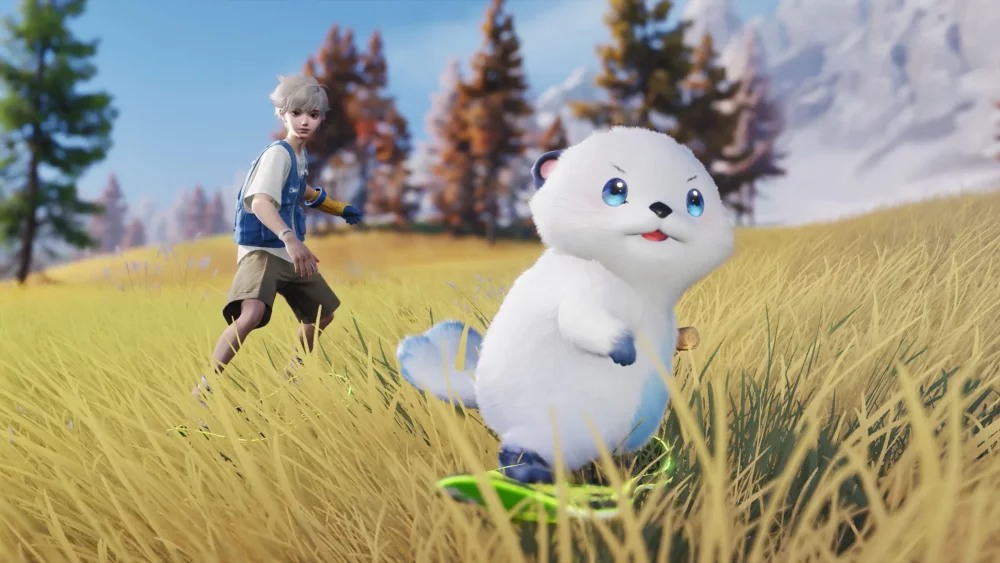
In Aniimo, mastering your character’s expressive animations is a key component of social interaction and personal branding. Whether you are aiming to capture the perfect social media-style screenshot or simply want to communicate more effectively with other players in the world, understanding how to trigger and refine your character’s poses is essential. This guide covers how to utilize these movement tools to ensure your avatar stands out while navigating the game's social hubs and exploration zones.
Utilizing Expressive Poses for Social Interaction
Expressive poses in Aniimo function as a primary method for player communication and aesthetic presentation. By accessing the animation menu, you can trigger specific movements that convey personality and intent without needing to type in the chat box.
- Social Hub Presence: Use unique poses when congregating in towns to signal that you are open to trading or team-up requests.
- Screenshot Optimization: Many poses include transition frames that can be captured to create dynamic, high-quality images for sharing within the community.
- Non-Verbal Cues: Use situational animations, such as waving or sitting, to establish a friendly atmosphere when approaching new players during your adventures.
Customizing Your Avatar's Animation Style
Beyond default poses, Aniimo allows for a degree of personalization in how your character holds themselves. To get the most out of your character’s presentation, focus on the following animation management tactics:
Timing Your Animation Transitions
Transitions between standing and posing are not instant. Players should account for the "wind-up" animation time when attempting to capture specific frames. If you are trying to coordinate a pose with a friend for a group shot, initiate the animation a few seconds early to ensure both characters sync their movements correctly before the camera focus settles.
Selecting Poses Based on Environment
Not all poses are suitable for every environment in Aniimo. Consider the terrain and current weather effects when selecting your animation:
- Flat Terrain: Best for standing, rigid poses that require a stable base to look natural.
- Elevated Platforms: Use sitting or leaning animations to make your character appear integrated into the game world’s architecture.
- Dynamic Environments: Utilize active, movement-based poses when in high-traffic or vibrant areas to draw attention to your character’s unique customization items.
Improving Your Social Visibility
To maximize the impact of your character’s animations, keep your visual identity distinct. Players who consistently use unique, high-effort poses often find it easier to attract potential partners for co-op missions or creature trading. Always keep an eye on your emote and animation wheel to ensure you have your most frequently used expressions equipped for quick access during social encounters.

Free Aniimo Codes
Current active codes and how to redeem them.

James Brown
James focuses on Android gaming on PC, emulator setup, controls, performance tuning, and practical troubleshooting for longer play sessions.
COMMUNITY
Player Comments
147 players commented on this guide.
Good guide for Aniimo players. The heroes part was useful.
This guide answered the exact question I had.
Nice guide. I am checking the other Aniimo articles next.
Can you add more details about heroes in a future update?