
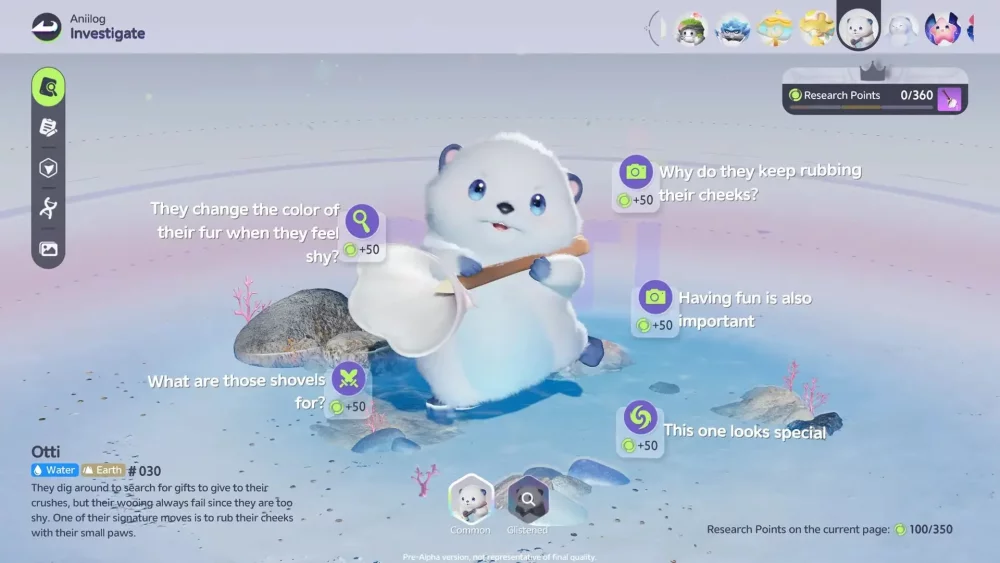
Successfully navigating the Aniimo Closed Beta Test requires a firm grasp of the creature interaction menus and the dynamic UI layout. By prioritizing familiarization with the interaction prompt systems and creature behavior triggers, players can quickly optimize their resource gathering and combat efficiency. During the early stages of the beta, focusing on these interface elements helps reduce menu-related friction and allows for a smoother transition into the game’s core exploration and collection mechanics.
Mastering the Interaction Interface
Interaction is the cornerstone of the Aniimo experience, and the UI provides specific visual cues for when a player can engage with the environment or creatures.
- Proximity Cues: Always watch for the interaction prompt icon that appears when you are within range of a creature or harvestable object.
- Contextual Menus: Different creatures trigger unique interaction wheels. Quickly identifying which icon corresponds to "Bond" versus "Capture" is vital for preventing accidental combat initiation.
- Input Responsiveness: During the CBT, ensure your input mapping is configured to prioritize "Interaction" keys to avoid mis-clicking during high-stakes encounters in the open world.
Optimizing UI Navigation for Efficiency
The Aniimo UI is designed to minimize screen clutter while keeping vital information accessible. Navigating the sub-menus efficiently is essential for long-term progression.
| UI Element | Primary Function | Tip for Efficiency |
|---|---|---|
| Creature Menu | Stats and Bonding | Check this frequently after combat to track bond growth. |
| World Map | Navigation | Use the filter toggles to hide completed gathering spots. |
| Quick-Slot Bar | Item Usage | Assign high-utility items like taming tools to your easiest-to-reach keys. |
| Quest Tracker | Objective Tracking | Pin your current priority quest to keep the map markers active. |
Managing Creature Behaviors
Understanding how the UI reports creature states is a critical skill for any player. If a creature appears agitated or displays specific warning icons in the UI, it often indicates a need for a specific interaction item or a change in your approach strategy. Pay attention to:
- State Indicators: Look for color-coded status icons near the creature's health or bond bar.
- Response Time: Some creatures have a "cooldown" on interactions; avoid spamming commands, as this can negatively impact the bond progress.
- Environmental Cues: If the UI suggests an area is "unstable," prioritize creature safety before attempting to initiate a capture or bonding sequence.

Free Aniimo Codes
Current active codes and how to redeem them.

Michael Smith
Michael covers live-service games, events, reward systems, and efficient daily routines, turning frequent updates into clear actions for players.
COMMUNITY
Player Comments
115 players commented on this guide.
Nice guide. I am checking the other Aniimo articles next.
I tried this today and it worked better than my old setup.
I wish I had read this before upgrading the wrong thing.
The explanation is clear, especially for beginners.