
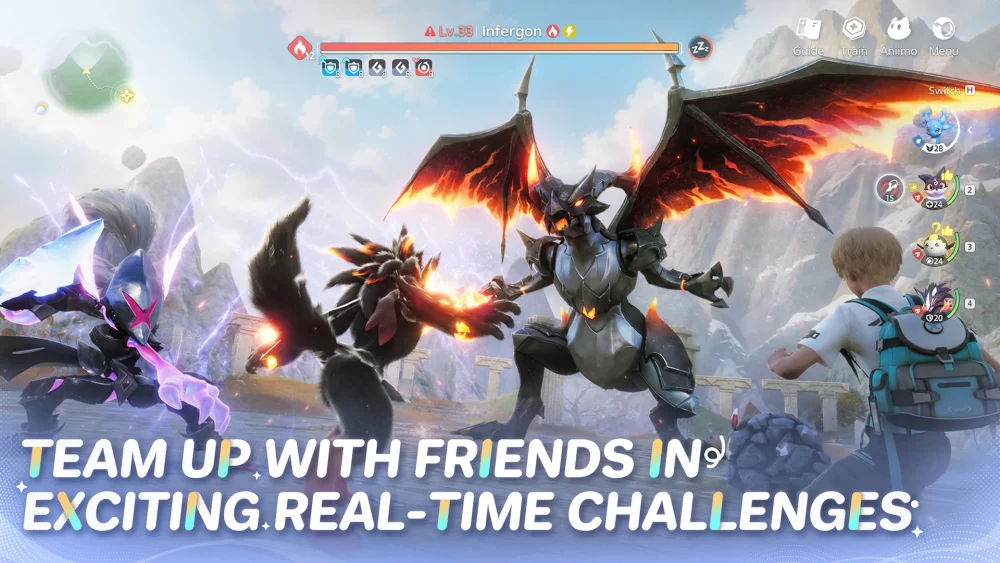
Securing access to the Aniimo Paw-Shake Test requires players to monitor official social channels and account notifications for qualification status. As an exclusive, time-limited event, the test focuses on specific creature interaction mechanics and system stability. If you have been granted access, ensure your client is updated to the latest build to experience the current testing features, which emphasize creature-to-player engagement and initial feedback loops for the development team.
Understanding Paw-Shake Test Access
The Paw-Shake Test serves as a targeted phase for Aniimo developers to evaluate specific interaction systems before wider releases. Access is not guaranteed for all players and is generally tied to specific testing windows.
- Account Qualification: Check your registered email or official game portal notifications for "Paw-Shake Test" eligibility markers.
- Version Requirements: Ensure you are running the specific build version assigned to testing participants to avoid connection errors or missing content.
- Regional Limitations: Some testing phases are restricted by server location; confirm your account region matches the current active testing zone.
Key Interaction Features in the Test
The primary focus of this testing phase is the "Paw-Shake" mechanic, which deepens the bond between the player and their creatures. Understanding how to trigger and execute these interactions is essential for testers.
| Interaction Type | Primary Purpose | Player Benefit |
|---|---|---|
| Basic Paw-Shake | Establish rapport | Increased creature trust levels |
| Advanced Bonding | Unlock social animations | Unique environmental reactions |
| Stability Testing | Bug reporting | Helping developers refine AI behavior |
Troubleshooting Common Access Issues
If you have been notified of your eligibility but cannot access the test, follow these steps to resolve common technical roadblocks.
Clearing Cache and Re-logging
Often, the game client may fail to update the "Test" flag on your account after you have been granted access. Logging out completely and restarting the launcher forces the client to re-sync your permissions with the server.
Verifying File Integrity
If the game crashes upon attempting to enter the test-specific zones, use the launcher’s "Repair" or "Verify Files" function. This ensures that the new assets required for the Paw-Shake animations are correctly installed and not corrupted by previous version patches.
Reporting Feedback
Testers are encouraged to document bugs during this phase. If you encounter clipping issues or unresponsive creatures while attempting to initiate a Paw-Shake, capture a screenshot or short clip to provide clear context for your feedback report to the developers.

Free Aniimo Codes
Current active codes and how to redeem them.

Sarah Williams
Sarah specializes in RPG and collection games, explaining team building, character growth, and beginner-friendly ways to avoid expensive early mistakes.
COMMUNITY
Player Comments
157 players commented on this guide.
I wish I had read this before upgrading the wrong thing.
This helped me understand strategy much better.
Nice guide. I am checking the other Aniimo articles next.
This guide answered the exact question I had.