
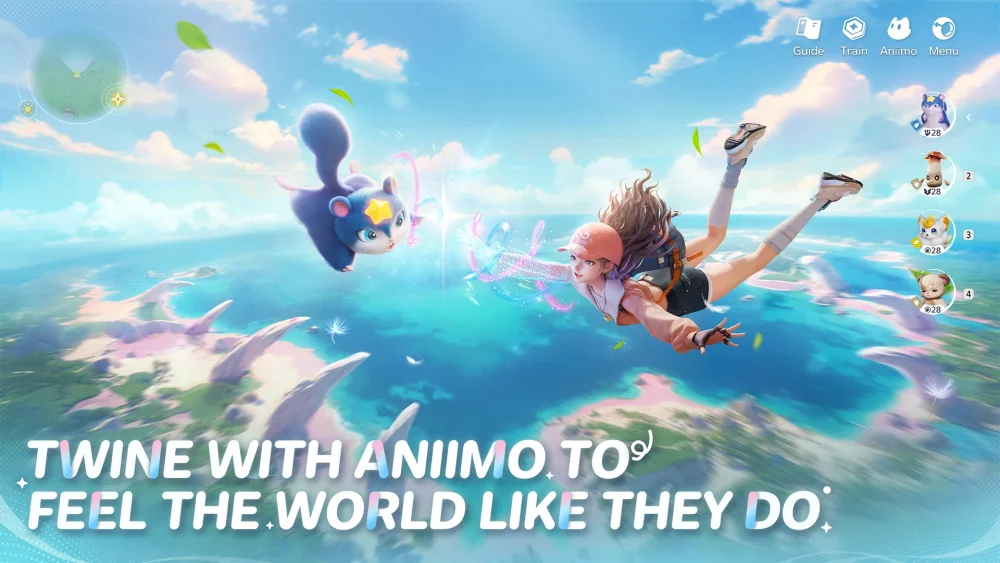
Play Aniimo on the PC client when exploring the open world, hunting specific creatures, or tackling challenging encounters. While the core art style remains identical across platforms, the PC version provides sharper textures, dynamic lighting, stable framerates, and significantly greater draw distances. Reserve the mobile client as a companion tool for quick daily logins, dispatch collections, and simple resource farming.
Key Visual and Hardware Differences
| Feature | PC Client | Mobile Client |
|---|---|---|
| Texture Detail | High-resolution surfaces with clean anisotropic filtering | Compressed textures prone to dynamic downsampling |
| Lighting & Shadows | Real-time directional sun, ambient occlusion, and reflections | Simplified contact blobs and flat ambient lighting |
| Draw Distance | Extended rendering for wild creatures, nodes, and terrain | Aggressive culling with noticeable foliage and monster pop-in |
| Performance Stability | Consistent framerates managed by dedicated active cooling | Susceptible to thermal throttling during longer play sessions |
| Controls | Direct mouse aiming and customizable keyboard keybinds | On-screen virtual touch controls |
Draw Distance and Creature Spotting
The most practical gameplay difference between platforms is rendering distance. On PC, wild Aniimo models, resource nodes, and regional landmarks load far across the horizon. You can spot distinct creature silhouettes from elevated bluffs well before entering their detection range, letting you plan efficient capture routes across the open world.
Mobile hardware relies on aggressive culling and close fog planes to preserve memory:
- Creature Culling: Distant wild spawns either do not appear or render as low-detail place markers until you sprint into medium range, making target scouting slower.
- Foliage Pop-In: Grass fields and bushes load only in your immediate perimeter, creating visible asset popping across open plains.
- Structure Stepping: Distant ruins use low-polygon geometry that snaps into full detail only after you cross close proximity triggers.
Texture Resolution and Lighting Fidelity
The PC build retains fine material detail across character outfits, creature scales, and stone structures, supported by dedicated anti-aliasing that eliminates jagged outlines. Water surfaces display active geometric reflections, while sunlight casts dynamic shadows through tree canopies and along canyon walls, adding realistic environmental depth.
Mobile devices downsample internal rendering resolutions to balance heat and battery consumption. This scaling softens character contours, blurs fabric patterns, and simplifies environmental shadows into circular contact patches. While the game's stylized visual direction prevents the mobile build from becoming unreadable, landscape environments appear noticeably flatter.
Performance and Hardware Demands
Extended play sessions reveal substantial differences in hardware stability:
- PC Client: Desktop systems with dedicated graphics cards easily maintain steady 60-frame-per-second output at native 1080p or 4K. Input timing stays consistent during visually intensive, multi-target creature battles.
- Mobile Client: Phones and tablets run smoothly in short bursts, but prolonged gameplay generates heat that triggers operating system thermal throttling. As clock speeds drop, players face sudden frame stutters and increased touch latency during combat rotations.
Choosing the Best Platform for Your Goals
Because Aniimo supports cross-platform account progression, divide your playtime based on your current task:
- Use PC for Core Progression: Keep story quests, major boss battles, and large-scale exploration on PC to take advantage of wider view distances, precise inputs, and uninterrupted framerates.
- Use Mobile for Maintenance: Shift routine upkeep to handheld play. Collecting daily login rewards, checking dispatch timers, clearing easy resource nodes, or burning stamina in simple domains requires minimal visual precision and fits mobile play well.

Free Aniimo Codes
Current active codes and how to redeem them.

Emily Johnson
Emily writes practical mobile strategy guides with a focus on resource planning, base progression, and the early decisions that shape a long-term account.
COMMUNITY
Player Comments
51 players commented on this guide.
The tips are practical and easy to follow.
I tried this today and it worked better than my old setup.
This helped me understand strategy much better.
Nice guide. I am checking the other Aniimo articles next.