
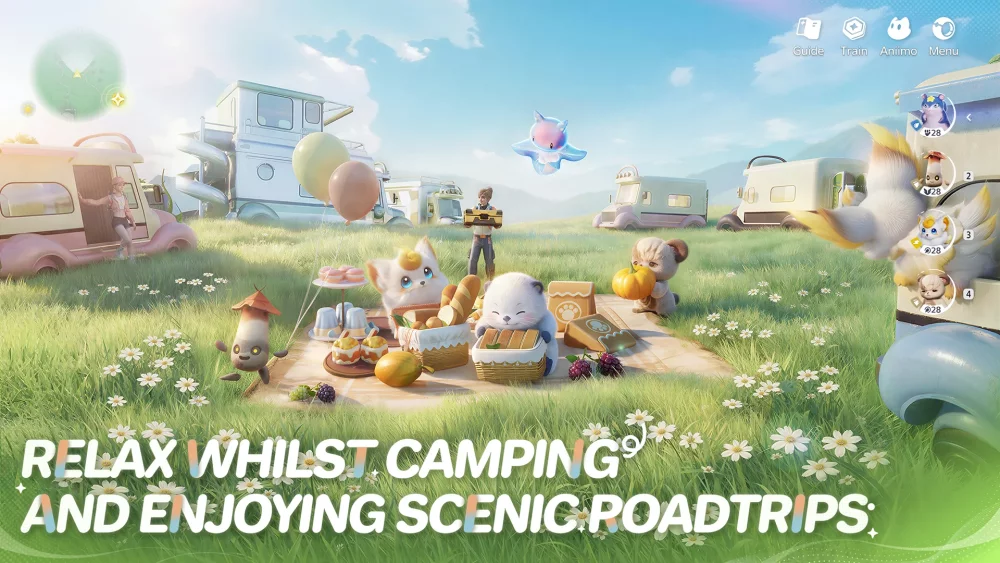
In Aniimo, the Twine mechanic links your character's awareness with a creature companion, giving you specialized movement abilities and altered sensory modes to navigate environmental hazards on Idyll. To sync successfully, position your character near a traversable zone without taking damage or getting staggered, then disengage the link before your Harmony Gauge runs out to avoid Sync Fatigue penalties.
How to Initiate Twine Synchronization
Twine transforms your character and your selected creature companion into a merged entity. Activating the sync alters your field of vision and physical movement to mirror the companion's traits, enabling traversal options that your base character cannot perform alone.
To trigger the synchronization properly:
- Watch for UI Indicators: Approach an obstacle or traversable zone until the on-screen Twine resonance prompt lights up.
- Secure Stability: Ensure your character is stationary and clear of incoming enemy strikes or hazard knockbacks. Taking a hit while attempting to link interrupts the stability window and resets your sync meter.
- Confirm the Link: Engage the prompt once stable to shift into your companion's control set and visual mode.
Sensory Modes and Locomotion Abilities
Synchronizing with different creature types grants distinct visual filters and physical movement options suited for specific environmental obstacles.
Visual and Environmental Perspectives
- Thermal and Aura Tracking: Highlights heat signatures of hidden creatures and energy trails left near ancient ruins.
- Echo-Location Mapping: Outlines cave layouts, subterranean paths, and hidden floor pressure plates in total darkness.
- Vertigo Vision: Exposes stable handholds and climbing routes on mountainous cliffs that are hidden by heavy fog or distance.
Movement Skills by Species Type
- Avian Species: Enables extended aerial gliding to cross deep canyons and reach isolated floating landmasses.
- Quadrupedal Species: Grants short-burst sprint dashes across unstable ground, letting you pass crumbling bridges or toxic bogs before taking damage.
- Aquatic and Amphibious Species: Provides rapid underwater propulsion to traverse flooded caverns and strong currents.
Managing the Harmony Gauge and Cooldowns
Maintaining a Twine link continuously drains your Harmony Gauge. Exhausting the meter fully without manually breaking the bond inflicts a Sync Fatigue penalty, which disables the Twine mechanic for a short duration and leaves your character unassisted in hazardous areas.
Follow this sequence to conserve your gauge during exploration:
- Activate on Approach: Trigger Twine only after identifying a specific obstacle, gap, or cliff edge.
- Disengage Manually: Break the synchronization immediately after landing safely on stable ground to preserve remaining gauge energy.
- Recharge at Rest Points: Stand still in safe zones or let idle animations play out to allow the Harmony Gauge to restore to full capacity before moving to the next obstacle.
Regional Companion Squad Setup
Match your squad composition to the primary terrain challenges of the region you intend to explore before leaving your base setup:
| Region Features | Companion Affinity Required | Traversal Advantage |
|---|---|---|
| High cliffs, canyons, strong winds | Avian / Gliding traits | Crosses vertical gaps and resists wind pushes |
| Caves, ruins, low visibility | Sonar / Echo-location | Identifies hidden plates and maps dark passages |
| Waterways, swamps, marshes | Amphibious / Dash traits | Crosses hazardous water and collapsing surfaces |

Free Aniimo Codes
Current active codes and how to redeem them.

Emily Johnson
Emily writes practical mobile strategy guides with a focus on resource planning, base progression, and the early decisions that shape a long-term account.
COMMUNITY
Player Comments
26 players commented on this guide.
The tips are practical and easy to follow.
This saved me time in the early game.
The explanation is clear, especially for beginners.
Can you add more details about heroes in a future update?