

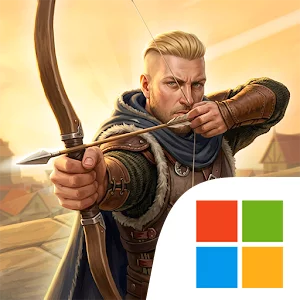
Play Archer Knight: The Savior on Windows PC
Download the official Archer Knight: The Savior Windows PC client and learn how to install and play the game on PC, with controls, system requirements, and practical tips.

Download Archer Knight: The Savior Official Windows PC Client
Official Windows PC client provided by LDPlayer.
About the Official Archer Knight: The Savior PC Client
Developer: Tribom Games
The central gameplay loop is clear and focused. Enter a mission, study the area, move through guarded routes, stay hidden, and use perfectly aimed arrows to remove threats or complete tactical objectives. Some enemies patrol their surroundings, while others protect key locations and attack on sight, so rushing forward can expose the Archer Knight and turn a careful approach into an intense battle. You will need to judge when to sneak behind obstacles, where to stand for a clean shot, and how to move through enemy territory without giving away your position. The precision bow shooting mechanics make each attack part of the wider plan rather than a simple button press, while dangerous warriors, different enemy types, and powerful bosses provide increasingly demanding encounters.
Mission progression carries the adventure across a range of locations, each offering a different setting for stealth and combat. Ancient castles and enemy strongholds suggest tightly guarded routes and important objectives, while dense forests, mountain paths, and hidden camps give you new spaces in which to find cover and plan an approach. Dark caves add another distinct environment to the journey as you pursue the story and confront the forces threatening the kingdom. The variety of locations supports the game’s mission-based structure without moving away from its main focus: explore the area, identify the danger, and use archery and positioning to overcome it. Completing dangerous missions, helping the kingdom’s key figures, and defeating powerful enemies gradually establishes the Archer Knight as the realm’s silent protector.
A larger PC display is especially useful when reading the battlefield at a glance. Wider, clearer screen space can make it easier to identify obstacles, follow the shape of a route through a castle or forest, notice guarded locations, and keep track of patrol movement before committing to an attack. Keyboard-and-mouse controls also suit the game’s emphasis on precise aiming and deliberate movement. Mouse control can help you place bow shots accurately, while keyboard input makes it practical to move, adjust your position, and repeat stealth actions without losing control of the encounter. These advantages matter most when several enemies occupy the same area or when a mission requires you to approach a target through a guarded section rather than relying on direct combat.
With its story-driven missions, multiple environments, stealth encounters, bosses, and offline playable experience, Archer Knight: The Savior offers a focused adventure for players who enjoy tactical archery over straightforward action. The goal is not simply to defeat everything in front of you, but to become the kingdom’s greatest silent archer by observing threats, choosing the safest route, and making every arrow count.
Screenshots
How to Download and Install the Official Archer Knight: The Savior PC Client
- Download and install the official Windows client distributed by LDPlayer.
- Open the app and sign in with your Google Play account.
- Search for Archer Knight: The Savior in the app store.
- Install the game and finish the first-launch download.
- Use the same game login if account sync is available.
Why Play Archer Knight: The Savior on PC?
Menus, maps, resources, and combat details are easier to read on a desktop display.
Keyboard and mouse input makes repeated actions and long sessions more comfortable.
Desktop play avoids phone battery drain during longer farming sessions.
Keep guides, codes, and notes open alongside the game on PC.
Controls and Performance
These three settings solve most common issues when playing on PC.
Map navigation, skill use, and repeated resource actions first.
Lower resolution or graphics quality if crowded scenes lose frames.
Link your account before switching devices so progress can be restored safely.
Archer Knight: The Savior Official PC Client FAQ
Can I play Archer Knight: The Savior on PC?
Yes. Download the official Windows PC client distributed by LDPlayer and play with a larger screen, keyboard, and mouse controls.
Is Archer Knight: The Savior better on PC than mobile?
Playing on PC can make longer sessions, detailed menus, and resource management more comfortable, while mobile is still convenient for quick check-ins.
Will my Archer Knight: The Savior progress sync on PC?
Progress depends on the sign-in options supported by the game. Use the same linked Google, Facebook, Apple, or game account on both devices.
Why does Archer Knight: The Savior lag on PC?
Lag can be caused by limited RAM, demanding graphics settings, outdated client files, or background apps. Lower the graphics settings and keep the PC client up to date.
DOWNLOAD STARTED
Your download is starting
Check your browser Downloads if it does not appear.
Official PC client for Windows, distributed by LDPlayer.
Download again