

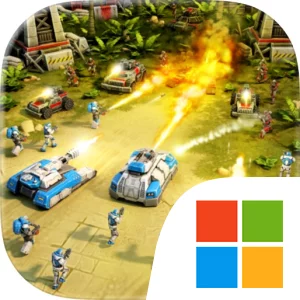
Play Art Of War 3:RTS Strategy Game on Windows PC
Download the official Art Of War 3:RTS Strategy Game Windows PC client and learn how to install and play the game on PC, with controls, system requirements, and practical tips.

Download Art Of War 3:RTS Strategy Game Official Windows PC Client
Official Windows PC client provided by LDPlayer.
About the Official Art Of War 3:RTS Strategy Game PC Client
Developer: GEAR GAMES GLOBAL FZE
The core loop combines base development, unit production, direct control, and tactical execution. You can train infantry, manufacture assault tanks and armored vehicles, and deploy warplanes and warships as you develop an army suited to the situation. The direct-control system lets you control each unit yourself, giving individual movement and positioning an important role during combat. A variety of tactical abilities and superweapons adds further choices when you need to break an enemy position or turn around a dangerous engagement. Upgrades for units and buildings provide a longer-term progression path, allowing you to shape a more specialized army while improving the tools available to your chosen faction. The game also includes a large campaign for each faction, with dozens of hours of content for commanders who want structured objectives and a way to learn the setting and military systems. Outside the campaign, epic PvP and cooperative battles put those systems into competition with other players, while the continuous World War allows clans to fight for global domination. Joining a clan with friends adds a social and strategic layer, especially when coordinated players must work together against rival clans.
On PC, a larger display makes it easier to follow multiple areas of a battlefield at once, which is useful when directing infantry in one engagement while monitoring assault tanks, armored vehicles, or naval units elsewhere. It also gives you more room to read combat information, identify the position of enemy forces, and assess the relationship between your base, production buildings, and active front lines without losing sight of important details. Keyboard-and-mouse input suits the game’s direct-control design: selecting individual units, issuing movement commands, organizing attacks, and reacting to threats can feel more precise when every decision has to be made in real time. That control is particularly valuable when managing different branches of your force, such as coordinating warplanes with ground units or sending warships into a separate approach. The PC version is therefore best suited to players who want to engage closely with the game’s command systems, whether they are developing strategies in the faction campaigns, testing upgrades in PvP, coordinating cooperative battles, or helping their clan compete in the ongoing World War. A constant, stable internet connection is required for the online experience.
Screenshots
How to Download and Install the Official Art Of War 3:RTS Strategy Game PC Client
- Download and install the official Windows client distributed by LDPlayer.
- Open the app and sign in with your Google Play account.
- Search for Art Of War 3:RTS Strategy Game in the app store.
- Install the game and finish the first-launch download.
- Use the same game login if account sync is available.
Why Play Art Of War 3:RTS Strategy Game on PC?
Menus, maps, resources, and combat details are easier to read on a desktop display.
Keyboard and mouse input makes repeated actions and long sessions more comfortable.
Desktop play avoids phone battery drain during longer farming sessions.
Keep guides, codes, and notes open alongside the game on PC.
Controls and Performance
These three settings solve most common issues when playing on PC.
Map navigation, skill use, and repeated resource actions first.
Lower resolution or graphics quality if crowded scenes lose frames.
Link your account before switching devices so progress can be restored safely.
Art Of War 3:RTS Strategy Game Official PC Client FAQ
Can I play Art Of War 3:RTS Strategy Game on PC?
Yes. Download the official Windows PC client distributed by LDPlayer and play with a larger screen, keyboard, and mouse controls.
Is Art Of War 3:RTS Strategy Game better on PC than mobile?
Playing on PC can make longer sessions, detailed menus, and resource management more comfortable, while mobile is still convenient for quick check-ins.
Will my Art Of War 3:RTS Strategy Game progress sync on PC?
Progress depends on the sign-in options supported by the game. Use the same linked Google, Facebook, Apple, or game account on both devices.
Why does Art Of War 3:RTS Strategy Game lag on PC?
Lag can be caused by limited RAM, demanding graphics settings, outdated client files, or background apps. Lower the graphics settings and keep the PC client up to date.
DOWNLOAD STARTED
Your download is starting
Check your browser Downloads if it does not appear.
Official PC client for Windows, distributed by LDPlayer.
Download again