

Play ASMR Keyboard: Tower Climb on Windows PC
Download the official ASMR Keyboard: Tower Climb Windows PC client and learn how to install and play the game on PC, with controls, system requirements, and practical tips.

Download ASMR Keyboard: Tower Climb Official Windows PC Client
Official Windows PC client provided by LDPlayer.
About the Official ASMR Keyboard: Tower Climb PC Client
Developer: Tuyen Tran
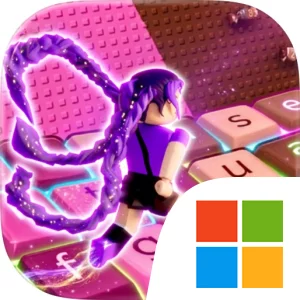
The game’s defining feature is its True ASMR Experience, centered on premium mechanical keyboard soundscapes that are designed to make every action feel satisfying to the ears. On PC, that emphasis pairs naturally with a physical keyboard: repeated movement inputs for jumps, climbs, and speed runs can feel more deliberate when they are accompanied by the sound and tactile response of the keys. A larger display also gives the sweet obstacles more room to read at a glance, which can help you judge when to commit to a jump, when to continue climbing, and how to preserve momentum through a section. Keyboard-and-mouse controls are useful beyond movement as well. The keyboard can keep repeated parkour actions immediate during a run, while the mouse makes it easier to browse and select customization options between attempts, especially when comparing the available keycaps and arranging a preferred setup. Progression is tied to unlocking beautiful keycaps and customizing your own aesthetic setup, so collection is not separate from the game’s identity: each run contributes to the presentation of the keyboard-inspired experience as well as to the pleasure of completing the climb. Custom layouts give you another way to shape that presentation, letting the game’s visual style reflect your choices rather than locking every player into the same arrangement. Between the obstacle course, the delicious rewards, the momentum-based parkour, and the evolving collection of keycaps and layouts, ASMR Keyboard: Tower Climb offers a focused PC experience where movement, sound, and customization reinforce one another. It is less about survival or competition than about finding a comfortable rhythm, making clean progress up the tower, and turning each speed run into a relaxing mechanical performance.
Screenshots
How to Download and Install the Official ASMR Keyboard: Tower Climb PC Client
- Download and install the official Windows client distributed by LDPlayer.
- Open the app and sign in with your Google Play account.
- Search for ASMR Keyboard: Tower Climb in the app store.
- Install the game and finish the first-launch download.
- Use the same game login if account sync is available.
Why Play ASMR Keyboard: Tower Climb on PC?
Menus, maps, resources, and combat details are easier to read on a desktop display.
Keyboard and mouse input makes repeated actions and long sessions more comfortable.
Desktop play avoids phone battery drain during longer farming sessions.
Keep guides, codes, and notes open alongside the game on PC.
Controls and Performance
These three settings solve most common issues when playing on PC.
Map navigation, skill use, and repeated resource actions first.
Lower resolution or graphics quality if crowded scenes lose frames.
Link your account before switching devices so progress can be restored safely.
ASMR Keyboard: Tower Climb Official PC Client FAQ
Can I play ASMR Keyboard: Tower Climb on PC?
Yes. Download the official Windows PC client distributed by LDPlayer and play with a larger screen, keyboard, and mouse controls.
Is ASMR Keyboard: Tower Climb better on PC than mobile?
Playing on PC can make longer sessions, detailed menus, and resource management more comfortable, while mobile is still convenient for quick check-ins.
Will my ASMR Keyboard: Tower Climb progress sync on PC?
Progress depends on the sign-in options supported by the game. Use the same linked Google, Facebook, Apple, or game account on both devices.
Why does ASMR Keyboard: Tower Climb lag on PC?
Lag can be caused by limited RAM, demanding graphics settings, outdated client files, or background apps. Lower the graphics settings and keep the PC client up to date.
DOWNLOAD STARTED
Your download is starting
Check your browser Downloads if it does not appear.
Official PC client for Windows, distributed by LDPlayer.
Download again