
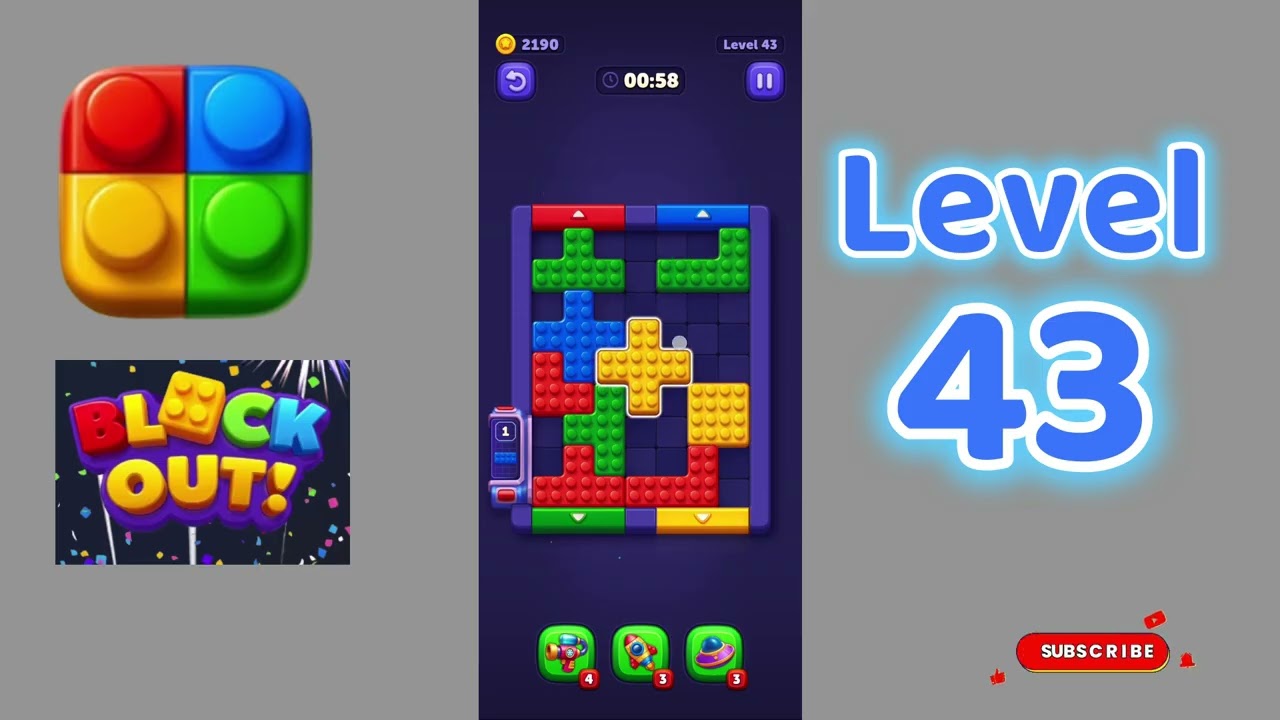
To clear Level 43 in Block Out, your first priority is emptying a single column to serve as a temporary transfer buffer. Clearing this open lane before making random matches gives you room to shuffle top pieces, dig out buried colors, and avoid an unplayable board lock.
How to Clear an Early Transfer Column
Level 43 restricts your movement by burying matching pieces beneath mixed color layers across several columns. Filling every column with mismatched blocks causes an immediate deadlock because no pieces can move without a legal landing spot.
Follow this sequence at the start of the level to open a working lane:
- Find the shallowest split: Scan the board for a column holding only two color layers.
- Transfer the top blocks: Move the exposed upper blocks onto matching stacks in other columns that have available capacity.
- Empty the base layer: Shift the remaining base pieces into matching columns or temporary holding spaces to clear the column entirely.
- Protect the open slot: Keep the emptied column vacant as an active transit bay rather than parking random blocks in it.
Sorting Sequence by Phase
Once you secure an open buffer lane, sort one dominant color at a time to reduce board clutter and uncover blocked layers.
| Stage | Board Objective | Key Constraint |
|---|---|---|
| Opening | Clear one complete column to create a buffer | Do not park mismatched blocks in the empty slot |
| Mid-Game | Assemble the color with the most exposed top pieces | Keep at least one transfer lane open at all times |
| Endgame | Route uncovered lower-tier blocks into finished stacks | Track column height limits to avoid overfilling |
Consolidating Colors and Uncovering Hidden Layers
Target the color that displays the most exposed pieces across the top of the board. Stacking these matching blocks together immediately clears visual space and reveals the second-tier blocks trapped beneath them.
Whenever moving a top block uncovers a piece that matches an ongoing stack, transfer it immediately. Chaining these transitions clears deeper layers without occupying extra space in your transfer lane.
How to Recover from a Board Bottleneck
A gridlock usually occurs when players distribute partial color sets across multiple columns, leaving no empty space to maneuver. If your board stalls and no direct top-layer matches remain:
- Locate a column that contains a single stray block resting on top of a solid, uniform color base.
- Move that stray block into your open transfer slot to expose the uniform base.
- Route matching blocks from other mixed columns directly onto that exposed base until the stack is finished.
- Move the stray block out of your transfer buffer and into its corresponding color column to restore your open lane.

Free Block Out Codes
Current active codes and how to redeem them.

Michael Smith
Michael covers live-service games, events, reward systems, and efficient daily routines, turning frequent updates into clear actions for players.
COMMUNITY
Player Comments
78 players commented on this guide.
This guide answered the exact question I had.
Nice guide. I am checking the other Block Out articles next.
I tried this today and it worked better than my old setup.
The tips are practical and easy to follow.