

Play Block Smash: City Destruction on Windows PC
Download the official Block Smash: City Destruction Windows PC client and learn how to install and play the game on PC, with controls, system requirements, and practical tips.

Download Block Smash: City Destruction Official Windows PC Client
Official Windows PC client provided by LDPlayer.
About the Official Block Smash: City Destruction PC Client
Developer: Skill Knight Studios
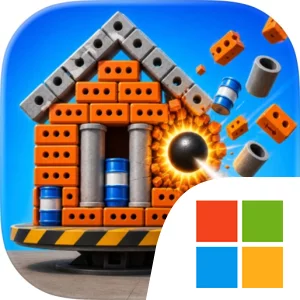
The gameplay loop is deliberately compact. You begin a level, study the tower, aim the cannon, and spend one of your limited balls on an attempt. If the impact reaches the right structural weakness, bricks, concrete, and steel explode outward and the whole tower comes crashing down. If it does not, the limited-shot rule makes the result meaningful: every ball has to count, so success depends on choosing a useful angle rather than simply firing repeatedly. The store description promises hundreds of towers, with each one becoming tougher than the last, giving the game a clear progression from approachable demolition puzzles to more demanding tests of placement and timing. Since no two collapses happen quite the same way, the destruction itself is also part of the feedback loop. Watching a successful chain reaction spread through the building, followed by the heavy, chunky sound of the collapse, reinforces whether your plan worked.
A larger PC display is especially useful when you are examining the tower for its weak point. More screen space makes it easier to read the arrangement of the structure, judge the cannon’s angle, and follow the chain reaction once bricks, concrete, and steel begin moving in different directions. Keyboard-and-mouse input also suits the game’s repeated precision decisions: the mouse provides a direct way to line up the cannon and fire, while the keyboard-and-mouse setup keeps quick, one-action play comfortable across many short attempts without requiring a complicated control scheme. That matters when a level seems close but still needs another carefully considered shot. The PC format also works well for the game’s stress-melting rhythm. You can focus on a single tower, make a fast attempt, and return to the next puzzle without the commitment of a long session. With offline play supported, Block Smash: City Destruction on PC is structured around accessible destruction, limited-ball strategy, and the satisfaction of finding the one shot that brings an entire city block down.
Screenshots
How to Download and Install the Official Block Smash: City Destruction PC Client
- Download and install the official Windows client distributed by LDPlayer.
- Open the app and sign in with your Google Play account.
- Search for Block Smash: City Destruction in the app store.
- Install the game and finish the first-launch download.
- Use the same game login if account sync is available.
Why Play Block Smash: City Destruction on PC?
Menus, maps, resources, and combat details are easier to read on a desktop display.
Keyboard and mouse input makes repeated actions and long sessions more comfortable.
Desktop play avoids phone battery drain during longer farming sessions.
Keep guides, codes, and notes open alongside the game on PC.
Controls and Performance
These three settings solve most common issues when playing on PC.
Map navigation, skill use, and repeated resource actions first.
Lower resolution or graphics quality if crowded scenes lose frames.
Link your account before switching devices so progress can be restored safely.
Block Smash: City Destruction Official PC Client FAQ
Can I play Block Smash: City Destruction on PC?
Yes. Download the official Windows PC client distributed by LDPlayer and play with a larger screen, keyboard, and mouse controls.
Is Block Smash: City Destruction better on PC than mobile?
Playing on PC can make longer sessions, detailed menus, and resource management more comfortable, while mobile is still convenient for quick check-ins.
Will my Block Smash: City Destruction progress sync on PC?
Progress depends on the sign-in options supported by the game. Use the same linked Google, Facebook, Apple, or game account on both devices.
Why does Block Smash: City Destruction lag on PC?
Lag can be caused by limited RAM, demanding graphics settings, outdated client files, or background apps. Lower the graphics settings and keep the PC client up to date.
DOWNLOAD STARTED
Your download is starting
Check your browser Downloads if it does not appear.
Official PC client for Windows, distributed by LDPlayer.
Download again