
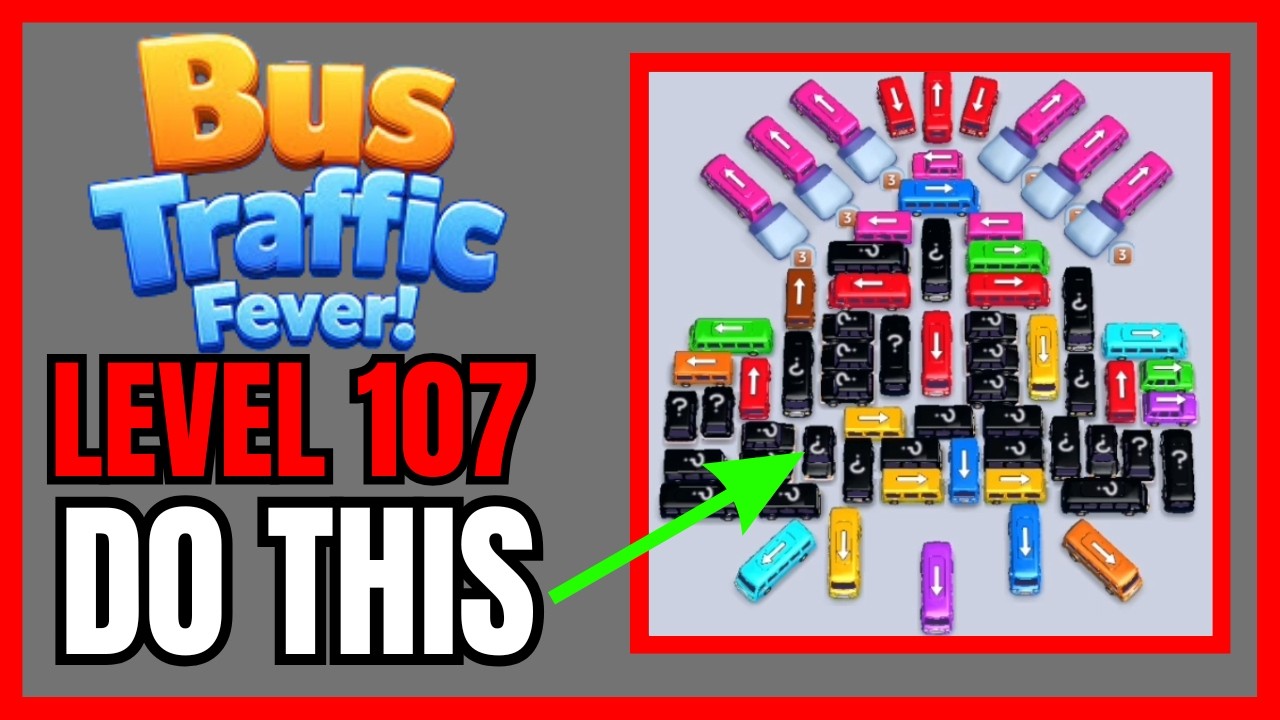
To clear Level 107 in Bus Traffic Fever! without hints or boosters, only tap buses whose colors directly match the passengers waiting at the front of the queue, and always keep at least one loading dock bay empty. Level 107 creates gridlock through an interlocking parking grid where interior buses are blocked by angled perimeter vehicles. Dispatching a bus that cannot fully load will lock your dock bays and end the run.
Managing Loading Bays and Queue Alignment
Every bus requires a full complement of passengers before it leaves the loading dock and frees up its bay. If you send a bus into the dock when only one matching passenger is near the front of the line, that vehicle remains parked until the rest of its color appears in the queue. If all loading bays become occupied by incomplete buses, you trigger an immediate gridlock failure.
Keep these dispatch rules in mind when deciding whether to tap an unblocked bus:
| Board Situation | Queue Status | Recommended Action | Bay Risk Level |
|---|---|---|---|
| Exit path is open | Matches 3+ passengers at the front of the line | Dispatch immediately to fill seats and cycle the bay | Low: Instant departure |
| Blocks an interior route | Matches upcoming passengers behind current queue | Dispatch only if two or more bays remain empty | Moderate: Temporary bay hold |
| Exit path is open | Matching passengers are buried deep in the queue | Leave in place until front passengers clear | High: Indefinite dock stall |
Never fill your final loading bay unless that arriving bus will collect its final passenger and leave immediately upon arrival. Treating one bay as an emergency buffer prevents stalls when clearing intermediate blockers.
Step-by-Step Clearing Sequence
Buses only drive forward in the direction their front bumper and roof arrow point. Tapping a vehicle whose path is blocked by another bumper causes it to vibrate and stay in place. Clear Level 107 in three systematic phases:
- Clear outer matching vehicles: Check the front of the passenger queue and find matching buses along the outer boundary whose forward paths point directly off the board. Tap these first to earn rapid clearances and create maneuvering room.
- Remove angled lane blockers: Several perimeter vehicles sit crosswise across the main interior corridors. As initial passengers board and new colors step forward in the queue, dispatch these crosswise blockers to open straight exit paths for the central lot.
- Extract the center cluster: The central lot contains the densest vehicle formation. Once the crosswise blockers are removed, these interior buses have direct lines to the exit. Match them in order with the final passenger waves to complete the level.
Recovery Tactics for Stalled Bays
If you miscalculate and fill your loading docks with partially loaded buses, stop tapping vehicles and check the queue line:
- Advance the queue with partial loads: If an open vehicle on the lot matches the first passenger in line, dispatch it even if it only takes one person, provided you have an open bay. Absorbing that commuter advances the line to the colors currently stuck in your docks.
- Trace the unblocking chain: Before tapping any vehicle to free another bus, verify that the newly freed bus actually matches the passengers who will step forward next. Moving a blocker without a matching follow-up simply transfers the congestion from the lot to the loading dock.

Free Bus Traffic Fever! Codes
Current active codes and how to redeem them.

Michael Smith
Michael covers live-service games, events, reward systems, and efficient daily routines, turning frequent updates into clear actions for players.
COMMUNITY
Player Comments
39 players commented on this guide.
This guide answered the exact question I had.
This helped me understand strategy much better.
This saved me time in the early game.
I wish I had read this before upgrading the wrong thing.