
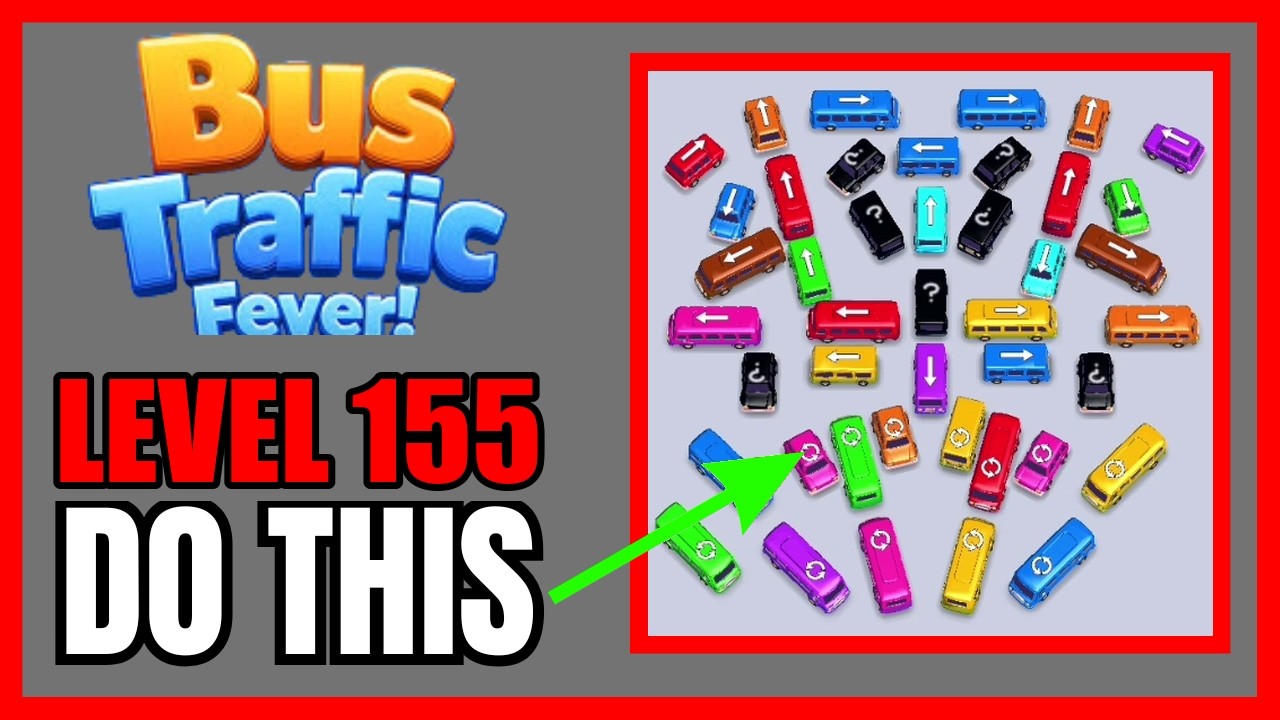
To beat Level 155 in Bus Traffic Fever! on your first try without hints or boosters, clear the outward-facing perimeter buses first and match their departures directly to the front passengers in line. Pulling interior vehicles too early blocks exit corridors and fills your staging bays with mismatched buses, triggering a gridlock game over.
Managing the Gridlock and Exit Lanes
Level 155 features a dense parking grid where vehicles face inward toward a central junction, pinning smaller buses against boundaries and road dividers. Moving a vehicle forward often cuts off intersecting paths.
Before moving any bus, evaluate the board with these priorities:
- Identify Unblocked Perimeter Units: Locate outward-facing buses along the lot borders that have a direct, unobstructed runway toward the exit.
- Locate Keystone Blockers: Pinpoint single vehicles that trap multiple neighboring units. Clearing one horizontal bus along the upper tier typically frees two vertical buses positioned directly beneath it.
- Prioritize Double-Length Buses: Larger buses occupy only a single staging slot when parked, but removing them frees up double the physical road space on the board.
Passenger Queue Coordination
Buses cannot depart until they collect their matching color group from the passenger line. If your staging slots fill with buses whose passengers are trapped behind other colors in the queue, you run out of moves. Always maintain at least one empty staging slot to serve as a pivot point for multi-step extractions.
| Passenger Queue Status | Immediate Action | Risk Level |
|---|---|---|
| Matching bus has a clear exit | Dispatch the bus directly to the loading lane | None; cycles passengers immediately |
| Matching bus is blocked by one unit | Send the blocking unit to a staging slot, then release the matching bus | Low; occupies one temporary slot |
| Matching bus is buried in the center | Clear adjacent perimeter vehicles to open lateral space | Moderate; staging slots must remain open |
| No matching buses are reachable | Target secondary colors positioned immediately behind the front line | High; stalls progress if queue cannot advance |
Step-by-Step Route Execution
Dismantle the board in three distinct phases to avoid filling the staging area:
- Peel the Outer Layer: Dispatch only boundary buses that have open exits and match the active front passenger colors. Do not move an off-color bus into a staging slot during this opening phase.
- Extract Keystone Vehicles: Move a non-matching blocking vehicle into a staging bay only when doing so immediately exposes the exact color needed to clear the current passenger queue. Clear the matching bus right away so the newly revealed queue passengers board the bus waiting in your staging slot.
- Flush the Central Grid: With the outer borders cleared, drive the remaining interior vehicles straight to the main road in sequence with the passenger line to finish the stage.

Free Bus Traffic Fever! Codes
Current active codes and how to redeem them.

Sarah Williams
Sarah specializes in RPG and collection games, explaining team building, character growth, and beginner-friendly ways to avoid expensive early mistakes.
COMMUNITY
Player Comments
158 players commented on this guide.
This helped me understand strategy much better.
The tips are practical and easy to follow.
Can you add more details about strategy in a future update?
This saved me time in the early game.