
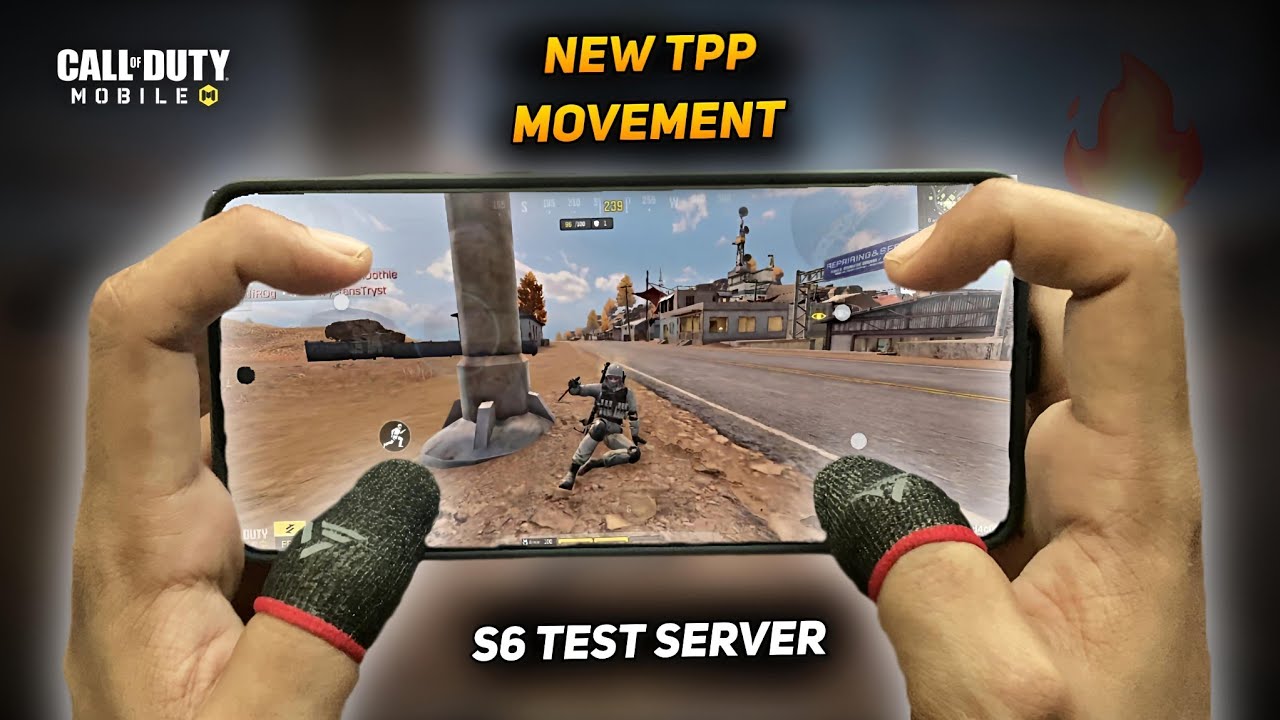
To handle the Third-Person Perspective (TPP) movement updates introduced in the Call of Duty®: Mobile Season 6 test server, build momentum to full sprint speed before initiating a slide, jump halfway through the slide animation to extend forward travel, and space out your slides to avoid internal fatigue penalties. Navigating these animation and momentum adjustments effectively requires separating your movement, camera, and firing controls across a multi-finger claw layout.
How to Chain Slide-Jumps and Directional Cuts
The Season 6 test server build refines character skeletal blending, allowing momentum to carry seamlessly from a dead sprint into a crouch-slide without abrupt camera hitches. Chaining this movement across maps like Isolated and Blackout requires precise input timing rather than rapid button tapping:
- Reach Maximum Sprint: Push the movement joystick forward until your operator reaches top sprint speed. Tapping crouch too early results in a short, low-momentum slide.
- Initiate the Slide: Tap the crouch button while maintaining your forward or diagonal trajectory.
- Jump at Midpoint: Press the jump button midway through the slide duration. This leap carries your ground velocity into the air, allowing you to glide over uneven terrain or clear low obstacles.
- Execute 45-Degree Cuts: To evade enemy fire during a slide, pull your movement joystick 45 degrees diagonally while swiping the right screen area to keep your crosshair centered on the opponent. This desynchronizes your character model's slide direction from your aim, throwing off incoming tracking fire.
Multi-Finger Claw Layout for TPP Controls
Executing fluid evasions while tracking targets requires separating competing actions from a single thumb zone. Handcam demonstrations show that a four-finger or five-finger claw layout prevents input bottlenecks during fast-paced gunfights.
| Input Role | Suggested Finger | Screen Placement | Tactical Function |
|---|---|---|---|
| Slide / Crouch | Left Index | Upper-left display | Triggers momentum slides without releasing the movement joystick. |
| Movement Joystick | Left Thumb | Lower-left display | Manages directional strafing, diagonal cuts, and sprint activation. |
| Jump / Vault | Right Index | Upper-right display | Extends slide distance into airborne hops and clears obstacles. |
| Aim / Camera | Right Thumb | Lower-right display | Controls crosshair tracking, recoil management, and 180-degree turnarounds. |
| Hip-Fire / ADS Fire | Left or Right Index | Upper screen edge | Allows instantaneous firing during active slide and jump animations. |
For camera calibration, adjust your TPP sensitivity so that one full, comfortable swipe across the right side of the screen turns your perspective approximately 180 degrees. This provides rapid environmental scanning without degrading fine-aim stability at medium range.
Combat Transitions and Movement Fatigue
The updated movement animations shorten the transition delay between sliding and firing, but overusing evasion mechanics carries strict penalties:
- Slide-to-Hip-Fire: When sliding directly toward or past an enemy, activate hip-fire immediately. This bypasses the aim-down-sights (ADS) transition penalty, landing initial shots while maintaining your model's strafing speed.
- Cover Plating and Weapon Swaps: Initiate a slide-jump into low terrain depressions or behind compound walls to mask your hitbox. This creates the window needed to swap to a secondary weapon or insert armor plates while maintaining evasive momentum.
- Fatigue Cooldowns: Call of Duty®: Mobile imposes an internal cooldown on consecutive slides. Sliding three times in rapid succession without resetting your sprint triggers a dead slide, forcing your character into a slow, stationary crouch that leaves you vulnerable in open fields.
- Third-Person Perspective Discipline: While the TPP camera allows you to observe enemy positions safely behind ridges and fences, aggressive jumping over crests can expose your position to distant squads. Limit continuous slide-jump chains to immediate firefights, vehicle evasions, or rapid rotations between hard cover.

Free Call of Duty®: Mobile Codes
Current active codes and how to redeem them.

Sarah Williams
Sarah specializes in RPG and collection games, explaining team building, character growth, and beginner-friendly ways to avoid expensive early mistakes.
COMMUNITY
Player Comments
34 players commented on this guide.
Can you add more details about strategy in a future update?
This helped me understand strategy much better.
The tips are practical and easy to follow.
The explanation is clear, especially for beginners.