
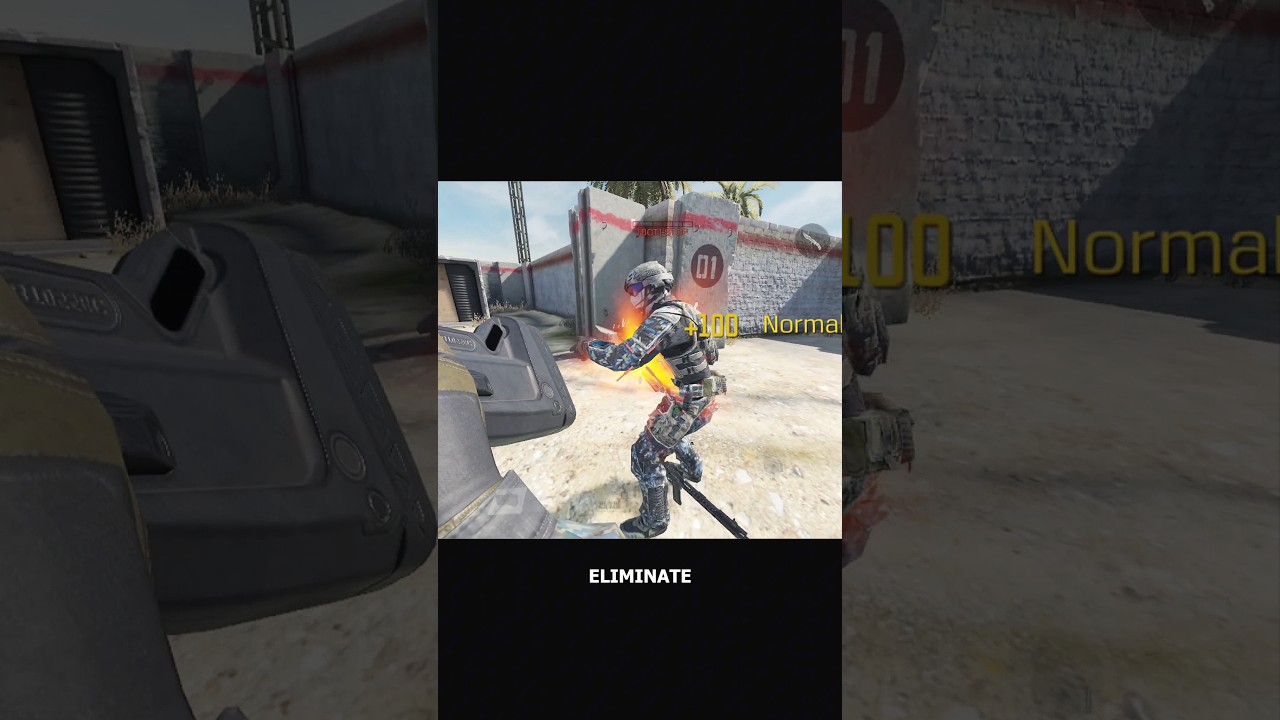
To perform an execution in Call of Duty®: Mobile, approach an enemy from behind within a two-meter distance and press the execution prompt. Finishing moves instantly eliminate unaware opponents, but you must first configure the mechanic in your settings to use it reliably in Multiplayer and Battle Royale matches.
How to Enable and Position the Execution Button
Executions do not require you to hold down your default melee key if you activate the dedicated control toggle introduced in the Season 6 update.
- Open the Settings menu from the main lobby.
- Navigate to the Controls tab and select Basic Settings.
- Locate the execution toggle and choose between an independent button or a long-press merge with the standard knife action.
- Select the dedicated button option to avoid input delay during close-quarters encounters.
- Open the custom HUD layout editor to position the new icon. Place it within easy reach of your right thumb near the crouch or slide buttons, without overlapping your primary fire or weapon-switch controls.
- Set the button scale to roughly 110% to 120% and lower opacity to around 60% so the prompt remains visible without blocking your screen.
The execution icon lights up automatically when your crosshair centers on the back of an opponent within two meters, regardless of whether the target is standing, crouching, or prone.
Execution Mechanics and Vulnerability
Triggering an execution locks your operator into an uncancelable third-person animation. Finishing moves eliminate targets instantly once the sequence ends, but they carry severe tactical risks:
- No Damage Protection: Your operator receives no bonus armor or invincibility frames during the cinematic.
- Movement Lock: You cannot shoot, slide, jump, or cancel the sequence once it begins.
- Interruption on Death: If an enemy kills you before the blow lands, the animation stops immediately. The targeted opponent takes no damage and regains full character control.
- Friendly Kill-Stealing: Squadmates can shoot and eliminate the captured enemy during the animation, denying you the kill credit while leaving you stuck in the motion.
Because of this vulnerability, reserve executions for isolated targets such as stationary snipers, objective defenders facing away from entry routes, or the final defuser in Search and Destroy.
| Combat Factor | Standard Melee Strike | Season 6 Finishing Move |
|---|---|---|
| Trigger Arc | Front, side, or rear proximity | Strict rear arc within 2 meters |
| Animation Time | Near-instantaneous (under 0.5s) | Prolonged (roughly 2.5–4.0s) |
| Vulnerability | Minimal; immediate weapon readiness | High; locked in third-person view |
| Interruption Risk | Very low | High (enemy fire cancels takedown) |
| Combat Role | High-speed panic reaction | Stealth ambush on isolated enemies |
Recommended Stealth Perks
Closing the two-meter gap behind an opponent requires dampening audio and radar cues. Use the following perks in your Multiplayer loadout to set up flank routes:
- Dead Silence (Blue Perk): Silences your footsteps so attentive players cannot hear your sprint as you close into trigger range.
- Ghost (Green Perk): Keeps your position hidden from active enemy UAV sweeps while you flank spawn anchors or objective perches.
If an opponent is actively rotating with teammates nearby, skip the execution and take the immediate firearm or standard melee kill instead.
Season 6 Weapon Inspection and Practice Range Updates
The Season 6 update also introduces mobility upgrades for weapon inspections and expanded target customization in the Practice Range.
Inspecting Weapons on the Move
Weapon inspections no longer force your operator to slow down or halt. You can inspect firearms—such as the Grau 5.56—as well as specialized melee weapons like the Karambit, Boxing Gloves, and Kali Sticks while maintaining full sprint and slide momentum. However, inspect animations partially cover the center-right portion of your screen and obstruct your iron sights. Avoid triggering the inspect wheel when rounding tight corners or entering contested capture zones.
Practice Range Target Controls
The updated Practice Range interface lets you test damage falloff and attachment recoil against dynamic targets:
- Distance Intervals: Spawn training dummies at specific markers between 5 meters and 40 meters to benchmark damage thresholds for assault rifles and submachine guns.
- Lateral Strafing: Enable target movement to practice tracking opponents running high-mobility setups.
- Infinite Ammo: Toggle continuous firing to practice recoil compensation curves without reloading interruptions.
Free Call of Duty®: Mobile Codes
Current active codes and how to redeem them.

Michael Smith
Michael covers live-service games, events, reward systems, and efficient daily routines, turning frequent updates into clear actions for players.
COMMUNITY
Player Comments
115 players commented on this guide.
Nice guide. I am checking the other Call of Duty®: Mobile articles next.
This guide answered the exact question I had.
I wish I had read this before upgrading the wrong thing.
The explanation is clear, especially for beginners.