

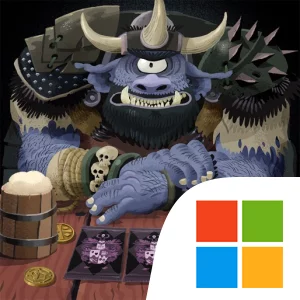
Play Card Crawl Adventure on Windows PC
Download the official Card Crawl Adventure Windows PC client and learn how to install and play the game on PC, with controls, system requirements, and practical tips.

Download Card Crawl Adventure Official Windows PC Client
Official Windows PC client provided by LDPlayer.
About the Official Card Crawl Adventure PC Client
Developer: Arnold Rauers
Progression comes through collecting and improving cards, equipping powerful items, and refining a strategy that fits the character you are using. Each character has its own cards and effects, so learning how one character’s tools interact with a tavern’s obstacles is part of the challenge. A successful run is therefore not just about winning individual encounters; it is also about understanding which combinations create stronger attacks or spells, when to spend an advantage, and how to preserve enough flexibility to deal with the next randomly generated situation. The roguelike deckbuilding structure gives those choices lasting importance across an adventure, while the short, engaging format makes individual sessions easy to approach without reducing the need for careful planning. The Weekly Tavern Crawl adds a recurring competitive mode, inviting players around the world to tackle a unique journey through the taverns and compare their results with other adventurers. On PC, a larger display can make the card layout and available paths easier to inspect at a glance, which is useful when several cards, items, monsters, and effects compete for attention. Keyboard-and-mouse input can also make repeated card selection and path drawing feel more deliberate, especially when you are tracing a route through a crowded layout or comparing the consequences of different combinations before committing to an attack or magical spell. For players who enjoy puzzle-like combat, variable runs, collectible card progression, and weekly challenges, Card Crawl Adventure offers a focused tactical loop: enter a tavern, read the cards, draw the best path, defeat monsters, claim treasures, improve your options, and test a more refined strategy on the next adventure.
Screenshots
How to Download and Install the Official Card Crawl Adventure PC Client
- Download and install the official Windows client distributed by LDPlayer.
- Open the app and sign in with your Google Play account.
- Search for Card Crawl Adventure in the app store.
- Install the game and finish the first-launch download.
- Use the same game login if account sync is available.
Why Play Card Crawl Adventure on PC?
Menus, maps, resources, and combat details are easier to read on a desktop display.
Keyboard and mouse input makes repeated actions and long sessions more comfortable.
Desktop play avoids phone battery drain during longer farming sessions.
Keep guides, codes, and notes open alongside the game on PC.
Controls and Performance
These three settings solve most common issues when playing on PC.
Map navigation, skill use, and repeated resource actions first.
Lower resolution or graphics quality if crowded scenes lose frames.
Link your account before switching devices so progress can be restored safely.
Card Crawl Adventure Official PC Client FAQ
Can I play Card Crawl Adventure on PC?
Yes. Download the official Windows PC client distributed by LDPlayer and play with a larger screen, keyboard, and mouse controls.
Is Card Crawl Adventure better on PC than mobile?
Playing on PC can make longer sessions, detailed menus, and resource management more comfortable, while mobile is still convenient for quick check-ins.
Will my Card Crawl Adventure progress sync on PC?
Progress depends on the sign-in options supported by the game. Use the same linked Google, Facebook, Apple, or game account on both devices.
Why does Card Crawl Adventure lag on PC?
Lag can be caused by limited RAM, demanding graphics settings, outdated client files, or background apps. Lower the graphics settings and keep the PC client up to date.
DOWNLOAD STARTED
Your download is starting
Check your browser Downloads if it does not appear.
Official PC client for Windows, distributed by LDPlayer.
Download again