
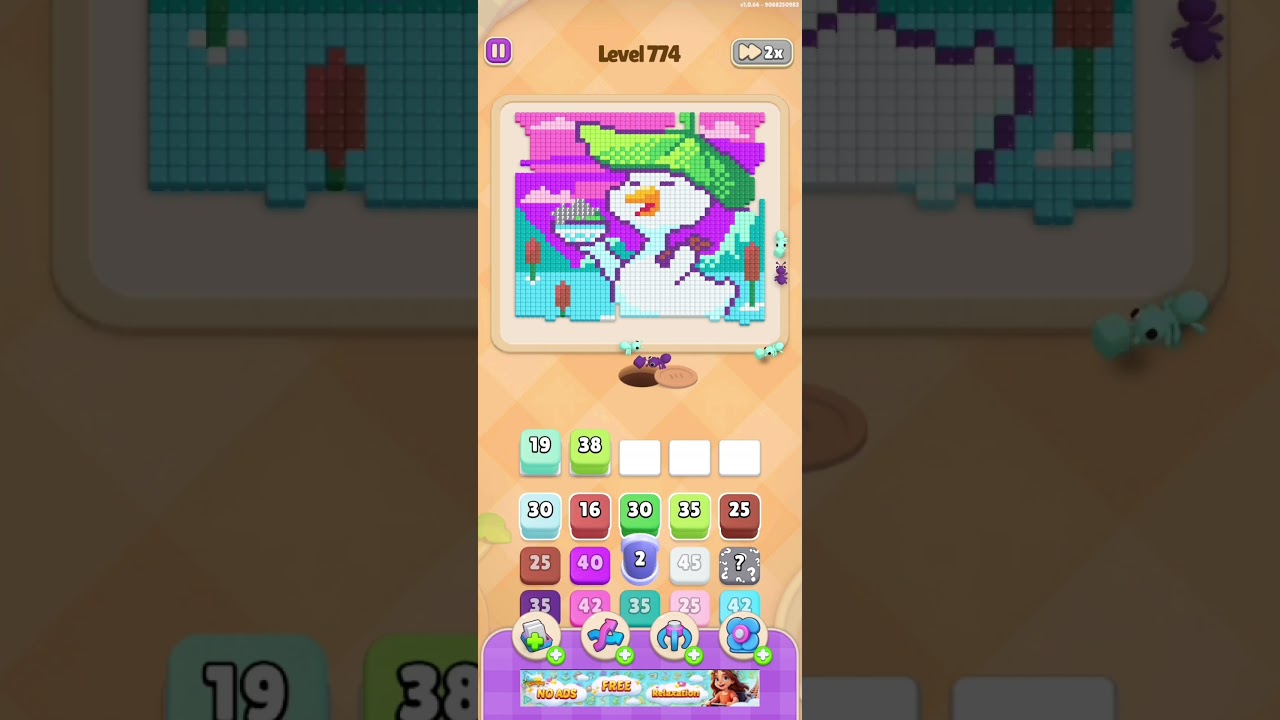
To beat Level 774 in Colony Flow!, drain open perimeter routes before tapping into the congested center, and keep at least two staging buffer slots empty at all times. Level 774 features narrow shared corridors and interlocking color paths. Moving unmatched units into your staging queue too early fills your holding bar and triggers an immediate board deadlock.
Managing Buffer Slots and Deadlock Risks
Colony Flow! provides a staging bar with five holding spaces at the bottom of the screen. Tapping a unit that cannot immediately match an active dock sends it into one of these holding slots. If all five slots fill with unmatched colors, the board jams and the stage fails.
To avoid running out of moves on Level 774:
- Maintain a two-slot reserve: Keep at least two buffer slots open to cycle obstructing units out of narrow turns.
- Commit only for immediate matches: Move an unmatched unit into the buffer only if doing so directly frees a full set for an active dock.
- Check the upcoming dock queue: Look at the next dock color displayed at the top of the screen before staging a piece. If the upcoming dock matches your staged unit, the slot clears quickly. If that color is absent from the immediate queue, the staged unit remains stuck in the buffer.
Recommended Clearing Sequence for Level 774
Tackle the board from the outside in to ensure central units have clear pathways once uncovered.
- Clear direct perimeter units: Tap outer units that have unobstructed lines to matching docks. This fulfills dock requirements without taking up buffer space.
- Remove intersection blocker pins: Identify single units that plug central junctions. Move a blocking unit into the buffer only when it instantly opens a full line behind it for an active dock.
- Empty the dominant color spine: Once the main intersection opens, clear the largest grouped color cluster to widen turning corridors for the rest of the board.
- Resolve remaining secondary colors: Route the remaining linear paths directly into active docks, clearing any leftover staged units as their matching docks appear.
Staging Decision Matrix
Use this breakdown to decide when to move a unit into the holding bar:
| Board Scenario | Buffer Cost | Action | Priority |
|---|---|---|---|
| Unit matches active dock directly | 0 slots | Send to dock immediately | Highest |
| Unit frees an immediate 3-unit dock match | 1 slot | Stage unit in buffer and flush match | High |
| Unit frees a color for the next dock in queue | 1 slot | Stage only if 3 or more slots are open | Moderate |
| Unit exposes another blocked, unmatched unit | 1 slot | Leave unit in place; seek perimeter moves | Do not move |
Recovery Options and Booster Use
If you make an error, the Undo tool is more reliable on Level 774 than the Shuffle booster. Because this stage relies on tightly aligned lanes, shuffling can disperse grouped colors across blocked corridors and create unmanageable jams. Use Undo immediately if a move leaves you with only one empty buffer slot without creating a match.
If you struggle to stay within the default five spaces, using an Extra Slot booster increases your staging capacity and provides a safer operational buffer for clearing difficult intersections.

Free Colony Flow! Codes
Current active codes and how to redeem them.

Emily Johnson
Emily writes practical mobile strategy guides with a focus on resource planning, base progression, and the early decisions that shape a long-term account.
COMMUNITY
Player Comments
119 players commented on this guide.
This helped me understand updates much better.
I wish I had read this before upgrading the wrong thing.
I tried this today and it worked better than my old setup.
Good guide for Colony Flow! players. The updates part was useful.