
Play Crownstone Survival on Windows PC
Download the official Crownstone Survival Windows PC client and learn how to install and play the game on PC, with controls, system requirements, and practical tips.

Download Crownstone Survival Official Windows PC Client
Official Windows PC client provided by LDPlayer.
About the Official Crownstone Survival PC Client
Developer: Level Infinite
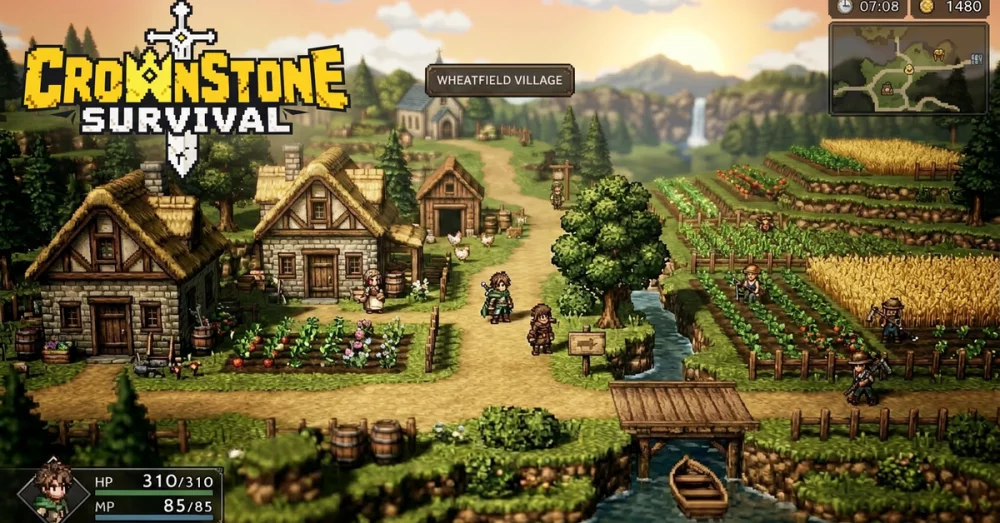
The main loop links shelter growth, survivor rescue, squad building, and exploration. In Avalon, you manage resources, assign survivors to their roles, and expand the shelter level by level. Progress is tied to the people you bring back: each companion freed from stone is both a rescued survivor and a skilled addition to the community. Outside the Wall, you push through the curse’s storm, search for relics from the old age, and piece together clues about how civilization fell. That contrast between improving a protected home and taking risks in a hostile landscape gives resource decisions practical weight: expanding Avalon supports the people and preparations needed for the next expedition, while exploration can reveal more of the world’s history and possible path to salvation.
Combat centers on assembling a squad from heroes who have slept for a thousand years. The available ranks include the Knights of the Round Table, Druids, and cursed champions; each brings skills that you can combine when preparing for powerful foes. Rather than treating every encounter as an isolated fight, the game asks you to build a team suited to the challenge and connect hero collection to the broader goal of reclaiming your homeland. The store description also points to a social strategy layer: players can form shelter alliances, fight alongside people around the world, and take part in real-time wars across the broken land. Cooperation is therefore part of the survival plan, not just a way to meet other players. The game includes in-game purchases, including random items, so its collection and progression systems are worth considering with that in mind.
On PC, a larger display can make the separate demands of Avalon management and expeditions easier to follow. When you are assigning survivors or deciding how to grow the shelter, more screen space helps you review the available information and keep resource and development choices in view. During exploration, a broad view of the landscape can also make it easier to track your route beyond the Wall while reading clues and spotting relics that may matter to the story. Keyboard-and-mouse input offers direct control for repeated management actions, such as selecting survivors, navigating shelter options, and organizing a squad before a fight. It also makes switching between heroes and their skills more deliberate when preparing for powerful enemies. Together, the PC display and controls suit a game whose progress depends on moving between several connected tasks: keep Avalon growing, bring its people back, prepare a capable team, and venture farther into the cursed world.
Screenshots
How to Download and Install the Official Crownstone Survival PC Client
- Download and install the official Windows client distributed by LDPlayer.
- Open the app and sign in with your Google Play account.
- Search for Crownstone Survival in the app store.
- Install the game and finish the first-launch download.
- Use the same game login if account sync is available.
Why Play Crownstone Survival on PC?
Menus, maps, resources, and combat details are easier to read on a desktop display.
Keyboard and mouse input makes repeated actions and long sessions more comfortable.
Desktop play avoids phone battery drain during longer farming sessions.
Keep guides, codes, and notes open alongside the game on PC.
Controls and Performance
These three settings solve most common issues when playing on PC.
Map navigation, skill use, and repeated resource actions first.
Lower resolution or graphics quality if crowded scenes lose frames.
Link your account before switching devices so progress can be restored safely.
Crownstone Survival Official PC Client FAQ
Can I play Crownstone Survival on PC?
Yes. Download the official Windows PC client distributed by LDPlayer and play with a larger screen, keyboard, and mouse controls.
Is Crownstone Survival better on PC than mobile?
Playing on PC can make longer sessions, detailed menus, and resource management more comfortable, while mobile is still convenient for quick check-ins.
Will my Crownstone Survival progress sync on PC?
Progress depends on the sign-in options supported by the game. Use the same linked Google, Facebook, Apple, or game account on both devices.
Why does Crownstone Survival lag on PC?
Lag can be caused by limited RAM, demanding graphics settings, outdated client files, or background apps. Lower the graphics settings and keep the PC client up to date.
DOWNLOAD STARTED
Your download is starting
Check your browser Downloads if it does not appear.
Official PC client for Windows, distributed by LDPlayer.
Download again