
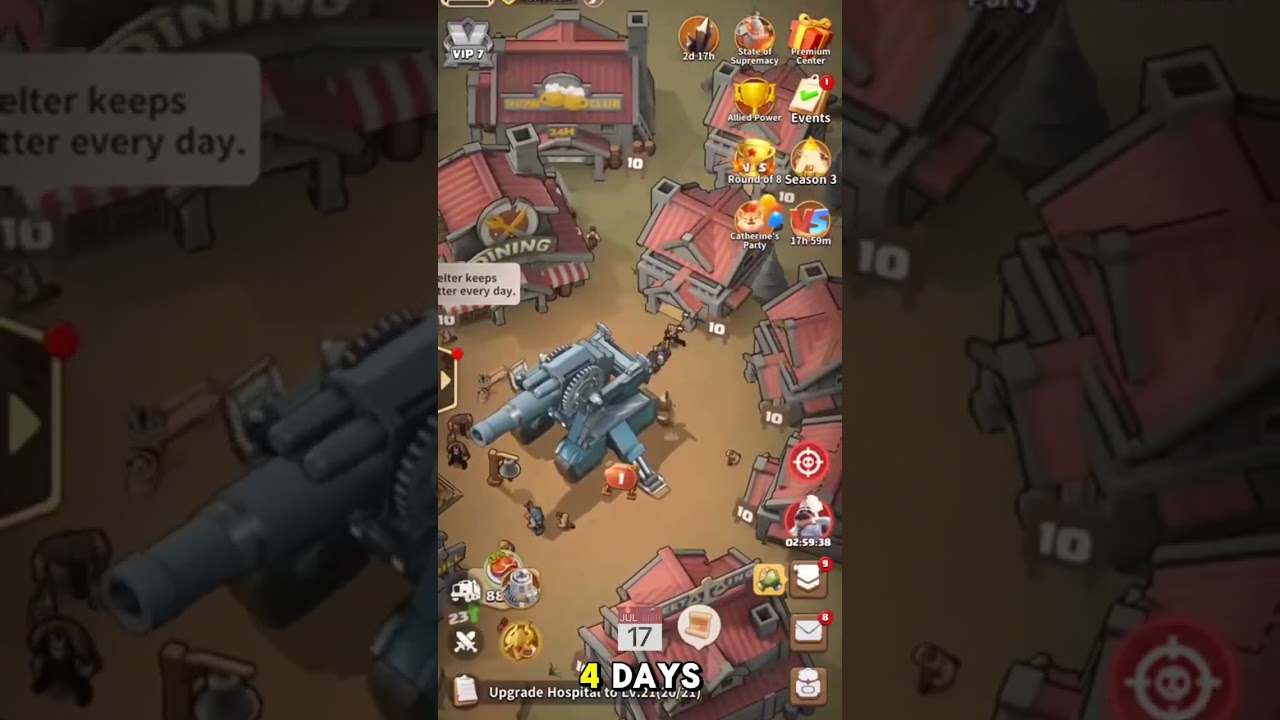
Tapping your shelter Watchtower beacon in Dark War:Survival triggers an ignition animation that awards hidden bonus resources, while leveling up the structure unlocks critical reconnaissance details on incoming hostile marches. To maximize your defense, tap the beacon periodically for free items and keep the building upgraded to identify attacker strength before enemy troops reach your gates.
How to Light the Watchtower for Hidden Loot
The Watchtower stands along your shelter perimeter wall. Interacting with it serves as an interactive touchpoint rather than just a passive menu button:
- Locate the Watchtower along your shelter wall.
- Tap its signal post to trigger the beacon ignition animation.
- Collect the dropped cache, which can include diamonds, construction speedups, and stamina items.
Check the beacon periodically, particularly after daily server resets or major base expansions, to ensure you collect these extra supplies. Similar touchpoints, such as signal fires and survivor tents, also reward exploration around your settlement perimeter.
Watchtower Reconnaissance Levels and Intel Milestones
Beyond interactive rewards, the primary function of the shelter Watchtower is threat detection. An un-upgraded Watchtower only displays a generic red screen flash during an attack. Upgrading the building strips away the fog of war and reveals specific army compositions, allowing you to distinguish between genuine rallies and low-tier decoy marches.
| Watchtower Milestone | Unlocked Reconnaissance | Tactical Advantage |
|---|---|---|
| Levels 1–10 | March arrival timer and approach direction | Gives time to recall gathering squads and prepare wall garrisons. |
| Levels 11–19 | Attacker name, alliance tag, and total troop numbers | Distinguishes solo raids from organized alliance rallies. |
| Levels 20–25 | Exact troop tiers (T7–T9) and hero star ratings | Enables targeted defensive counter-formations at your wall. |
| Levels 26+ | Detailed hero skills, gear tiers, and exact combat power | Provides complete data to decide between defending or shielding. |
Reaching intermediate milestones prevents attackers from baiting you into wasting expensive 8-hour peace shields or random teleports against harmless decoy squads.
Personal Watchtowers vs. Alliance Watchtowers
Do not confuse your personal shelter Watchtower with Alliance Watchtowers on the world map:
- Shelter Watchtower: An internal radar installation built inside your base perimeter. It detects marches targeting your shelter and provides base interaction loot. It does not expand map territory or protect resource tiles outside your walls.
- Alliance Watchtower: A large structure placed across world map sectors by alliance leadership. Connected to an Alliance Central Fortress, it claims territory, clears map fog, and grants passive combat and resource buffs to alliance members inside its boundary. If burned by enemy attacks, its territory buffs deactivate until members extinguish the fire and restore its durability.
Recommended Response When an Attack Banner Appears
When an incoming raid triggers a red alert banner across your screen, use your Watchtower intelligence to execute this defensive sequence:
- Check the incoming march tab: Review the arrival timer, total troop numbers, and attacking heroes to assess the threat level.
- Evaluate combat matchups: If your garrison holds a troop-type advantage and adequate combat power, reinforce your defenses and let the attacker hit your fortified wall.
- Shield or ghost rally against overwhelming force: If an overwhelming rally or high-tier commander approaches, activate a peace shield immediately. If no shield is available, launch an extended ghost rally against an abandoned zombie lair to keep your primary march safe outside your shelter.

Free Dark War:Survival Codes
Current active codes and how to redeem them.

Sarah Williams
Sarah specializes in RPG and collection games, explaining team building, character growth, and beginner-friendly ways to avoid expensive early mistakes.
COMMUNITY
Player Comments
145 players commented on this guide.
This saved me time in the early game.
The explanation is clear, especially for beginners.
The tips are practical and easy to follow.
I wish I had read this before upgrading the wrong thing.