

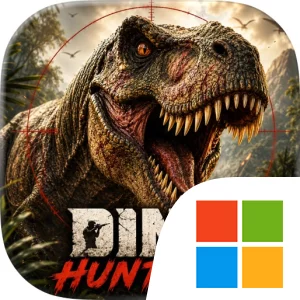
Play Dino Hunt Frontier on Windows PC
Download the official Dino Hunt Frontier Windows PC client and learn how to install and play the game on PC, with controls, system requirements, and practical tips.

Download Dino Hunt Frontier Official Windows PC Client
Official Windows PC client provided by LDPlayer.
About the Official Dino Hunt Frontier PC Client
Developer: Turbo Games LTD
The core loop begins with exploration and target tracking. You move through different environments in search of dinosaurs, encounter dangerous predators, and use careful positioning to create a worthwhile shot. Precision is essential because the game frames each hunt as a test of shooting and survival skills rather than a simple race through a series of targets. Dinosaur behavior is supported by advanced AI, so the creatures are not merely stationary collectibles; their reactions help make encounters more challenging and require you to stay alert as you pursue them. After surviving an encounter and completing missions, you can improve your weapons, develop your hunting skills, and unlock more powerful gear. This progression gives successful hunts a practical purpose, gradually preparing you for tougher missions and more intense meetings with giant creatures. On PC, the larger display is especially useful when scanning the open-world environments for movement, judging the distance to a dinosaur, and keeping track of threats in dense jungles or ancient forests. Keyboard-and-mouse controls also suit the game’s emphasis on precise aiming: mouse input can help you make finer adjustments when lining up a shot, while keyboard movement makes it easier to reposition, retreat, or maintain a safer angle during a dangerous encounter. Those advantages become particularly valuable when a target or predator appears in a broad desert space and you need both a clear view and quick control over your movement.
The game’s progression is tied directly to the hunter role. Missions provide structure to the open-world setting, while weapon and gear upgrades give you reasons to keep pursuing new objectives after your first successful hunts. Improving your hunting skills supports the same long-term goal, allowing the experience to grow from basic target tracking into a more demanding test of survival and combat awareness. The collection side of the game is represented by the range of dinosaurs you can hunt and the equipment you can unlock, with legendary dinosaurs serving as especially notable targets. Because the store description emphasizes multiple dinosaurs, challenging missions, powerful weapons, and survival gameplay, the appeal comes from adapting your approach to different encounters instead of relying on one repeated tactic. A larger PC screen also makes it easier to compare available equipment and read combat information while preparing for an expedition, helping you decide whether your current weapons and gear are ready for the next challenge. For players drawn to dinosaur games, shooting simulators, or survival adventures, Dino Hunt Frontier offers a focused loop of exploring prehistoric environments, tracking targets, surviving predator encounters, completing missions, and upgrading the tools needed to become the ultimate dinosaur hunter.
Screenshots
How to Download and Install the Official Dino Hunt Frontier PC Client
- Download and install the official Windows client distributed by LDPlayer.
- Open the app and sign in with your Google Play account.
- Search for Dino Hunt Frontier in the app store.
- Install the game and finish the first-launch download.
- Use the same game login if account sync is available.
Why Play Dino Hunt Frontier on PC?
Menus, maps, resources, and combat details are easier to read on a desktop display.
Keyboard and mouse input makes repeated actions and long sessions more comfortable.
Desktop play avoids phone battery drain during longer farming sessions.
Keep guides, codes, and notes open alongside the game on PC.
Controls and Performance
These three settings solve most common issues when playing on PC.
Map navigation, skill use, and repeated resource actions first.
Lower resolution or graphics quality if crowded scenes lose frames.
Link your account before switching devices so progress can be restored safely.
Dino Hunt Frontier Official PC Client FAQ
Can I play Dino Hunt Frontier on PC?
Yes. Download the official Windows PC client distributed by LDPlayer and play with a larger screen, keyboard, and mouse controls.
Is Dino Hunt Frontier better on PC than mobile?
Playing on PC can make longer sessions, detailed menus, and resource management more comfortable, while mobile is still convenient for quick check-ins.
Will my Dino Hunt Frontier progress sync on PC?
Progress depends on the sign-in options supported by the game. Use the same linked Google, Facebook, Apple, or game account on both devices.
Why does Dino Hunt Frontier lag on PC?
Lag can be caused by limited RAM, demanding graphics settings, outdated client files, or background apps. Lower the graphics settings and keep the PC client up to date.
DOWNLOAD STARTED
Your download is starting
Check your browser Downloads if it does not appear.
Official PC client for Windows, distributed by LDPlayer.
Download again