
Play Dungeons of Hinterberg on Windows PC
Download the official Dungeons of Hinterberg Windows PC client and learn how to install and play the game on PC, with controls, system requirements, and practical tips.

Download Dungeons of Hinterberg Official Windows PC Client
Official Windows PC client provided by LDPlayer.
About the Official Dungeons of Hinterberg PC Client
Developer: Crunchyroll, LLC
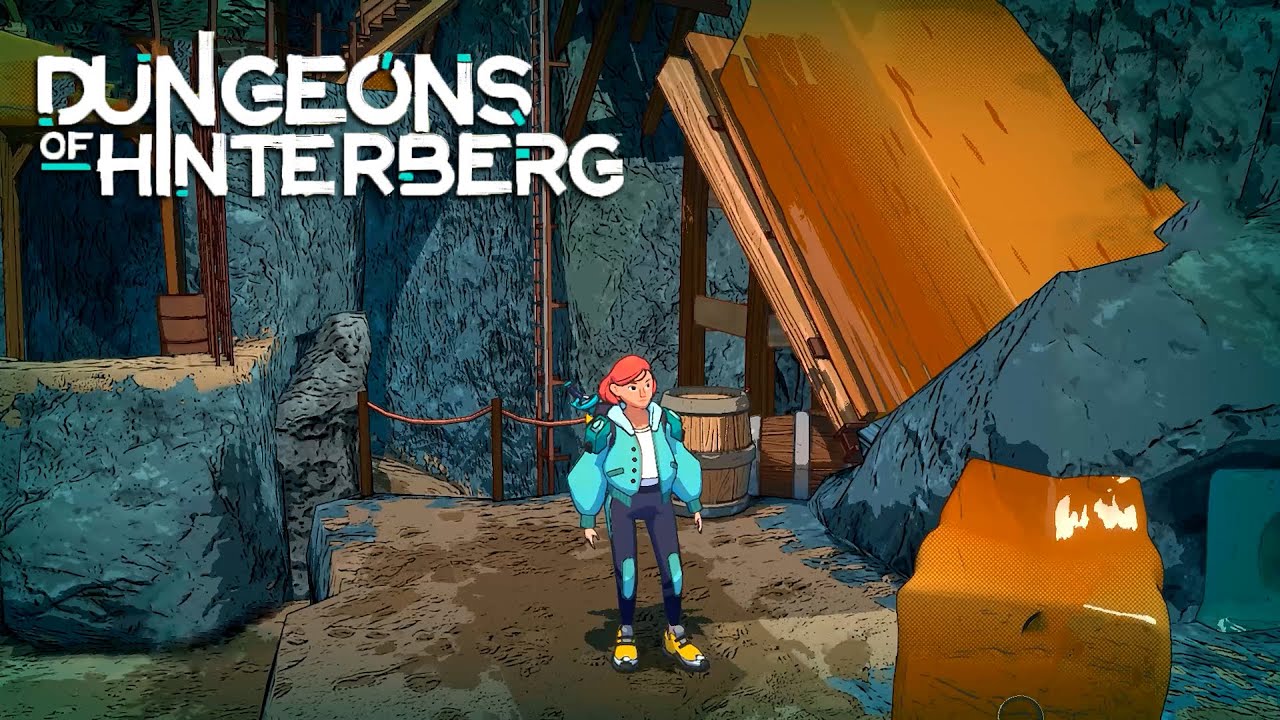
Exploration takes place across four regions with their own visual character and magical mechanics. Doberkogel’s rugged peaks and green meadows provide an introduction to the game’s movement and combat, while Hinterwald’s autumnal forest uses winding paths and ancient secrets to make discovery part of the challenge. Kolmstein is a frozen wonderland that requires a magical snowboard for traversal, and Brünneresel’s marshland setting brings a different combination of nature, magic, and navigation. Within the 25 dungeons, expect a mixture of combat, platforming, physics puzzles, and environmental riddles rather than a single repeated formula. Luisa’s magic can summon tools such as hoverboards, wrecking balls, and lightning strikes, and their usefulness changes with the situation: an ability that helps defeat an enemy in one biome may instead reveal a route or unlock a secret in another. Combat also rewards planning around your build. Charms and Outfits let you tailor Luisa toward heavy strikes, mana-regen spells, or other approaches, while the game’s mythical Alpine-inspired monsters and bosses ask you to combine brawn with creative use of magic.
The daily rhythm gives Dungeons of Hinterberg on PC a strategic layer beyond dungeon completion. At sunset, Luisa can visit locations such as the local bar, cinema, or lakeside to bond with the people she meets. These Social Links are functional parts of progression: improving relationships can provide new abilities, gear discounts, and shortcuts through dungeons, while also increasing Luisa’s stats and expanding the game’s story. That means deciding how to spend limited time is part of the wider loop. You may focus on exploring and collecting combat improvements, or take a break to deepen a relationship that could make later challenges more manageable. Leveling stats, customizing gear, and raising social standing all contribute to how prepared Luisa is for the next day’s outing.
On PC, a larger display is particularly useful when reading the game’s colorful, cell-shaded environments for visual clues, tracing winding routes through Hinterwald, or judging how a puzzle’s objects and platforms fit together. Keyboard-and-mouse controls can also make repeated combat and exploration actions easier to manage, especially when switching attention between movement, aiming magical tools, and checking enemies or environmental details during a fight. The wider view helps when comparing Charms and Outfits or planning which bonuses best match your preferred build, while quick, precise input is valuable when navigating Kolmstein with its magical snowboard or positioning Luisa around physics-based dungeon mechanisms. Multiple difficulty settings and vacation modes provide room to adjust the experience, whether you want the combat and puzzles to demand more attention or prefer to emphasize exploration, relationships, and the laid-back Alpine atmosphere.
Screenshots
How to Download and Install the Official Dungeons of Hinterberg PC Client
- Download and install the official Windows client distributed by LDPlayer.
- Open the app and sign in with your Google Play account.
- Search for Dungeons of Hinterberg in the app store.
- Install the game and finish the first-launch download.
- Use the same game login if account sync is available.
Why Play Dungeons of Hinterberg on PC?
Menus, maps, resources, and combat details are easier to read on a desktop display.
Keyboard and mouse input makes repeated actions and long sessions more comfortable.
Desktop play avoids phone battery drain during longer farming sessions.
Keep guides, codes, and notes open alongside the game on PC.
Controls and Performance
These three settings solve most common issues when playing on PC.
Map navigation, skill use, and repeated resource actions first.
Lower resolution or graphics quality if crowded scenes lose frames.
Link your account before switching devices so progress can be restored safely.
Dungeons of Hinterberg Official PC Client FAQ
Can I play Dungeons of Hinterberg on PC?
Yes. Download the official Windows PC client distributed by LDPlayer and play with a larger screen, keyboard, and mouse controls.
Is Dungeons of Hinterberg better on PC than mobile?
Playing on PC can make longer sessions, detailed menus, and resource management more comfortable, while mobile is still convenient for quick check-ins.
Will my Dungeons of Hinterberg progress sync on PC?
Progress depends on the sign-in options supported by the game. Use the same linked Google, Facebook, Apple, or game account on both devices.
Why does Dungeons of Hinterberg lag on PC?
Lag can be caused by limited RAM, demanding graphics settings, outdated client files, or background apps. Lower the graphics settings and keep the PC client up to date.
DOWNLOAD STARTED
Your download is starting
Check your browser Downloads if it does not appear.
Official PC client for Windows, distributed by LDPlayer.
Download again