
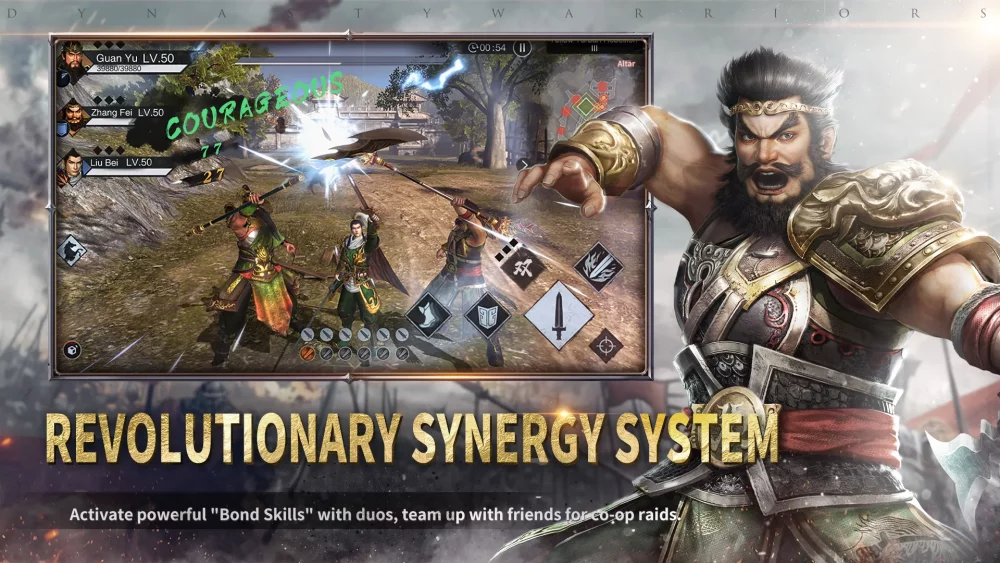
Maintaining a smooth experience in Dynasty Warriors:Overlords can be challenging, especially during intense, action-heavy encounters where screen clutter and high-fidelity effects can lead to frame rate drops. For players who refuse to sacrifice the cinematic flair of their favorite heroes, balancing graphical settings with performance stability is essential.
Identifying Performance Bottlenecks
In Dynasty Warriors:Overlords, performance issues often manifest during Musou attacks or when multiple high-tier units are engaged on screen simultaneously. If you notice stuttering or "lag" during these moments, it is rarely a lack of skill but rather a hardware-software optimization conflict.
To ensure your combat remains fluid, focus on these primary areas:
- Particle Density: High-level skills produce massive visual effects. If your device struggles, consider lowering particle quality settings to prioritize combat responsiveness.
- Resolution Scaling: Sometimes, maintaining a native resolution is the culprit for frame drops. Lowering this slightly can provide a significant boost to your frames per second (FPS) without making the game appear overly blurry.
- Background Processes: Before entering high-stakes modes, ensure no resource-heavy applications are running in the background, as these can conflict with the game's real-time rendering demands.
Balancing Visuals vs. Combat Responsiveness
The "cool factor" of Dynasty Warriors:Overlords is heavily tied to its visual presentation. Use the table below to decide which settings to prioritize based on your specific device capability.
| Setting | Impact on Performance | Visual Importance | Recommendation |
|---|---|---|---|
| Shadow Quality | High | Low | Set to 'Low' or 'Off' for stability. |
| Anti-Aliasing | Medium | Medium | Keep on 'FXAA' for a balance. |
| Texture Quality | Medium | High | Keep at 'Medium' to maintain character detail. |
| Frame Rate Cap | Very High | High | Always set to the max supported by your screen. |
Tactical Adjustments for Unstable Environments
If you are playing in an environment with fluctuating performance, avoid relying solely on reaction-time-heavy combos. Instead, pivot your strategy:
- Prioritize Skill Rotations: Use your skills strategically rather than spamming them all at once, which can trigger massive particle bursts that lead to frame skips.
- Strategic Positioning: In high-difficulty stages, utilize the camera to keep the focus on your target. Avoid wide-angle views that force the game to render more of the battlefield than necessary.
- Optimize for "Smoothness": Even if the game looks slightly less sharp, a consistent 60 FPS (or the highest stable rate for your device) is objectively better for timing your Musou attacks and dodging enemy strikes than a stuttering 30 FPS.
Managing Heat and Battery
On mobile devices, thermal throttling is the silent killer of performance. When your device gets too hot, the processor will automatically downclock to protect the hardware, leading to sudden performance drops. To mitigate this:
- Use a Cooling Accessory: If you play in long sessions, an external fan or cooling pad can prevent the thermal throttling that causes mid-match lag.
- Avoid Charging While Playing: Charging generates extra heat. If possible, ensure your device is charged before a session rather than playing while plugged in.
By adjusting these settings, you can enjoy the explosive combat of Dynasty Warriors:Overlords while ensuring that your inputs remain accurate and your performance remains consistent during critical moments of battle.

Free Dynasty Warriors:Overlords Codes
Current active codes and how to redeem them.

Emily Johnson
Emily writes practical mobile strategy guides with a focus on resource planning, base progression, and the early decisions that shape a long-term account.
COMMUNITY
Player Comments
140 players commented on this guide.
This guide answered the exact question I had.
Nice guide. I am checking the other Dynasty Warriors:Overlords articles next.
This saved me time in the early game.
The explanation is clear, especially for beginners.