

Play Flip Flop Thief Strike 3D on Windows PC
Download the official Flip Flop Thief Strike 3D Windows PC client and learn how to install and play the game on PC, with controls, system requirements, and practical tips.

Download Flip Flop Thief Strike 3D Official Windows PC Client
Official Windows PC client provided by LDPlayer.
About the Official Flip Flop Thief Strike 3D PC Client
Developer: Amima .
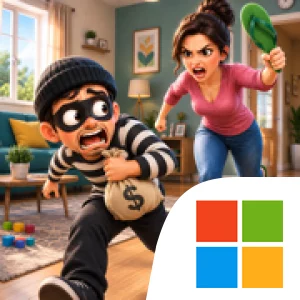
The central loop is easy to understand: inspect the situation, adjust your aim, time the throw, and watch the flip-flop fly, spin, bounce, or interact with objects in the environment. Those physics-based reactions make the surroundings part of each challenge. If the direct path is blocked, you can experiment with a different angle or use the layout to find a more creative way through. The goal remains to land the shot and stop the thief before they get away, but the changing target positions and level designs give each attempt a distinct problem to solve. The game also includes other targets, so its challenges are not limited to one identical setup.
Progress comes through increasingly challenging stages. Early levels introduce the throwing mechanic with simpler situations, while later layouts add obstacles and more demanding target positions that call for greater accuracy and timing. This creates a modest skill curve rather than a broad collection or management system: the focus is on learning how to control each throw and applying that understanding to new scenarios. There is no need to manage a squad or resources; the main decisions are spatial and immediate—where to aim, when to launch, and how the flip-flop might interact with what is in its path. Simple controls make the basic action approachable, while the changing layouts provide room to improve through experimentation. The game supports offline play, making these short, self-contained arcade challenges available without an online connection.
On PC, a larger display can make it easier to read the full arrangement of a 3D level before throwing. Seeing the thief, target area, openings, furniture, walls, and moving obstacles together helps you judge whether a direct line is possible or whether the environment suggests another route. Keyboard-and-mouse input also suits the repeated aiming-and-throwing loop: mouse movement offers a clear way to make careful adjustments to your aim, while keyboard input can make it convenient to handle controls consistently across successive attempts. Those advantages are especially relevant in levels with narrow openings or moving objects, where a small change in aim or timing can determine whether the flip-flop reaches its target. Flip Flop Thief Strike 3D is therefore best approached as a compact aim-and-timing challenge: study the setup, try a considered throw, observe how the physics play out, and adapt your next shot to the obstacles in front of you.
Screenshots
How to Download and Install the Official Flip Flop Thief Strike 3D PC Client
- Download and install the official Windows client distributed by LDPlayer.
- Open the app and sign in with your Google Play account.
- Search for Flip Flop Thief Strike 3D in the app store.
- Install the game and finish the first-launch download.
- Use the same game login if account sync is available.
Why Play Flip Flop Thief Strike 3D on PC?
Menus, maps, resources, and combat details are easier to read on a desktop display.
Keyboard and mouse input makes repeated actions and long sessions more comfortable.
Desktop play avoids phone battery drain during longer farming sessions.
Keep guides, codes, and notes open alongside the game on PC.
Controls and Performance
These three settings solve most common issues when playing on PC.
Map navigation, skill use, and repeated resource actions first.
Lower resolution or graphics quality if crowded scenes lose frames.
Link your account before switching devices so progress can be restored safely.
Flip Flop Thief Strike 3D Official PC Client FAQ
Can I play Flip Flop Thief Strike 3D on PC?
Yes. Download the official Windows PC client distributed by LDPlayer and play with a larger screen, keyboard, and mouse controls.
Is Flip Flop Thief Strike 3D better on PC than mobile?
Playing on PC can make longer sessions, detailed menus, and resource management more comfortable, while mobile is still convenient for quick check-ins.
Will my Flip Flop Thief Strike 3D progress sync on PC?
Progress depends on the sign-in options supported by the game. Use the same linked Google, Facebook, Apple, or game account on both devices.
Why does Flip Flop Thief Strike 3D lag on PC?
Lag can be caused by limited RAM, demanding graphics settings, outdated client files, or background apps. Lower the graphics settings and keep the PC client up to date.
DOWNLOAD STARTED
Your download is starting
Check your browser Downloads if it does not appear.
Official PC client for Windows, distributed by LDPlayer.
Download again