

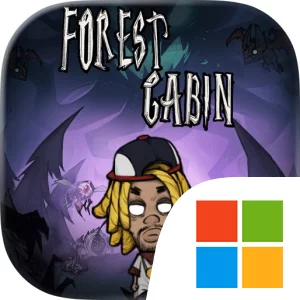
Play Forest Cabin: Survive on Windows PC
Download the official Forest Cabin: Survive Windows PC client and learn how to install and play the game on PC, with controls, system requirements, and practical tips.

Download Forest Cabin: Survive Official Windows PC Client
Official Windows PC client provided by LDPlayer.
About the Official Forest Cabin: Survive PC Client
Developer: HARVEST STAR INTERACTIVE LIMITED
The main progression loop revolves around merging and upgrading the structures that keep the cabin functioning. Beds, generators, gates, and towers can all be merged to make your territory stronger and improve your survival odds. That gives each night a practical management layer: you must decide how to develop your economy and infrastructure while preparing enough firepower to handle monsters attacking from every direction. Towers form the core of your defensive response, but the store description also emphasizes strategic Roguelike skill combos, making the choice and combination of abilities an important part of adapting to each run. You may focus on economy to build your cabin more effectively, or commit more heavily to defense when enemy pressure demands it. The right balance can change as a night develops, so a successful approach is less about following one fixed build and more about recognizing when your current priorities are no longer sufficient.
Every game is shaped by uncertainty. Random events, varied enemies, and unique bosses ensure that each night can present a different strategic problem, while hidden loot gives exploration a meaningful role beyond the immediate cabin defense. You can explore new forest zones, search for rewards, and expand your cabin amid enemy waves, but every detour also has to be weighed against the need to protect your stronghold. The path you take affects both your development and your ending, so exploration, collection, and survival are connected rather than separate activities. Special rewards such as Massive Diamonds, Precious Chest Keys, Rare Runes, and Random Quality Buildings add further collection goals, giving you additional reasons to pursue valuable finds and improve what your cabin can provide.
On PC, a larger display can make it easier to read the cabin’s defensive situation at a glance, track towers and gates while monsters approach from different directions, and inspect the available structures and upgrades before committing to a merge. Keyboard-and-mouse input is also well suited to repeated management decisions: selecting beds, generators, or towers, moving through forest zones, checking loot opportunities, and responding quickly when a random event or boss changes the immediate priority. That extra clarity matters when you are choosing between strengthening the economy and doubling down on defense, or when you need to evaluate how a Roguelike skill combo fits the threats in the current night. With its blend of merging, tower defense, exploration, and run-based adaptation, Forest Cabin: Survive is built around making limited choices under pressure and finding out whether your cabin can still be standing when dawn arrives.
Screenshots
How to Download and Install the Official Forest Cabin: Survive PC Client
- Download and install the official Windows client distributed by LDPlayer.
- Open the app and sign in with your Google Play account.
- Search for Forest Cabin: Survive in the app store.
- Install the game and finish the first-launch download.
- Use the same game login if account sync is available.
Why Play Forest Cabin: Survive on PC?
Menus, maps, resources, and combat details are easier to read on a desktop display.
Keyboard and mouse input makes repeated actions and long sessions more comfortable.
Desktop play avoids phone battery drain during longer farming sessions.
Keep guides, codes, and notes open alongside the game on PC.
Controls and Performance
These three settings solve most common issues when playing on PC.
Map navigation, skill use, and repeated resource actions first.
Lower resolution or graphics quality if crowded scenes lose frames.
Link your account before switching devices so progress can be restored safely.
Forest Cabin: Survive Official PC Client FAQ
Can I play Forest Cabin: Survive on PC?
Yes. Download the official Windows PC client distributed by LDPlayer and play with a larger screen, keyboard, and mouse controls.
Is Forest Cabin: Survive better on PC than mobile?
Playing on PC can make longer sessions, detailed menus, and resource management more comfortable, while mobile is still convenient for quick check-ins.
Will my Forest Cabin: Survive progress sync on PC?
Progress depends on the sign-in options supported by the game. Use the same linked Google, Facebook, Apple, or game account on both devices.
Why does Forest Cabin: Survive lag on PC?
Lag can be caused by limited RAM, demanding graphics settings, outdated client files, or background apps. Lower the graphics settings and keep the PC client up to date.
DOWNLOAD STARTED
Your download is starting
Check your browser Downloads if it does not appear.
Official PC client for Windows, distributed by LDPlayer.
Download again