
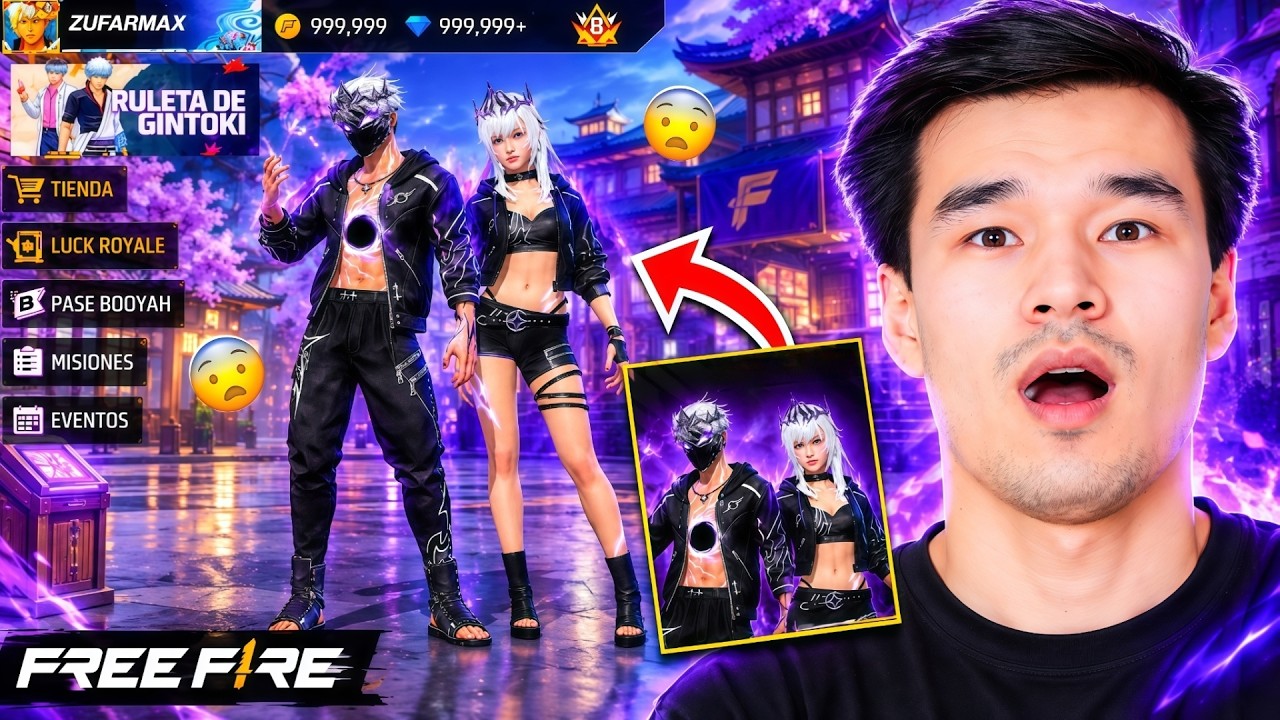
To unlock the Legendary Cosmic Bundle and featured weapon skins in Free Fire, treat loot crates as a source of exchange tokens rather than relying on direct permanent drops. Standard loot crates heavily favor temporary trial cards, but duplicate non-permanent drops reward exchange tokens that can be redeemed in the store for guaranteed permanent items.
Calculate the total tokens required for your desired bundle pieces, open crates in batches of ten to track progress at regular intervals, and stop purchasing boxes the moment your token inventory meets the redemption threshold.
Crate Drop Pools: Trial Cards Versus Permanent Unlocks
Free Fire loot crates divide their contents into rarity tiers where temporary trial licenses drop far more frequently than permanent cosmetics. Understanding how these tiers behave prevents costly spending mistakes:
- Trial Cards: Drops grant access to cosmetic items or firearm finishes for limited intervals (typically 24 hours, three days, or seven days).
- Duration Stacking: Drawing duplicate trial cards extends the active countdown timer rather than converting the item into a permanent unlock. When the timer expires, access is lost.
- Collection Progress: Temporary trial versions do not count toward permanent wardrobe or weapon collection milestones.
- Permanent Unlocks: Permanent items sit in the rarest tier with the lowest base drop probability. Because raw drop chances are low, crates must be approached as a route to collect secondary exchange tokens.
Using Exchange Tokens as a Guaranteed Safety Net
Standard crates lack a hard pity system that grants the featured jackpot after a set number of attempts. To counter this variance, non-permanent crate pulls frequently award specific event or weapon exchange tokens.
These tokens establish a fixed spending ceiling. Check the exchange shop or Armory to identify the exact token cost of the Cosmic Bundle pieces or targeted weapon skins. Divide this requirement by your average token yield per crate to determine the realistic number of boxes you need to purchase. Once you accumulate the required amount, bypass crate opening entirely and claim the permanent item directly from the redemption menu.
Opening Strategy: Single Versus Batch Openings
Opening crates individually obscures total Diamond consumption and slows down inventory processing. Batch opening provides clear pause points to verify your token count against shop requirements.
| Opening Method | Primary Advantage | Main Drawback | Recommended Use |
|---|---|---|---|
| Single Opening (1 Crate) | Allows an immediate stop if an early permanent drop occurs | Obscures total Diamond spend; tedious interface navigation | Opening fewer than five crates earned from event tasks |
| Batch Opening (10+ Crates) | Combines trial timers and tallies exchange tokens instantly | Requires higher upfront Diamond commitment | Chasing high-cost bundles or hitting token milestones |
After each multi-crate reveal, check your updated token balance before buying or unlocking the next batch. If a batch grants the remaining tokens needed, stop opening immediately to preserve remaining resources.
Minimizing Diamond Costs
Because standard crates do not guarantee featured items through spin counters, full-price Diamond purchases carry high financial risk. Reduce overall costs by combining crate purchases with game-wide discount systems:
- Store Discount Coupons: Apply percentage-off or flat-rate Diamond vouchers in the store checkout screen before purchasing crate bundles.
- Top-Up Events: Purchase Diamonds during active top-up milestones to gain extra crates, token boxes, or Diamond vouchers as secondary rewards.
- Alternative Event Formats: Check active Ring Events, Faded Wheels, or Mystery Shop rotations. If the Cosmic Bundle or featured weapon skins appear in formats with fixed pity mechanics or structured spin caps, prioritize those over raw crate purchases.
Equipping Items and Finalizing Redemptions
Items pulled from crates do not equip automatically. After finishing an opening session, organize your inventory to prevent trial expirations from disrupting your matches:
- Equip Apparel in the Vault: Navigate to the Vault from the main menu, open the Fashion tab, and locate the unlocked Cosmic Bundle components to equip the outfit.
- Review Armory Attributes: Open the Armory to inspect new weapon skins. Check for performance-altering attribute modifiers—such as modified rate of fire or armor penetration—and assign the skins to your active weapon presets.
- Check Expiration Timers: Identify which equipped weapon skins are temporary trials. Note expiration deadlines so you can swap in permanent alternatives before playing ranked matches.
- Exchange Remaining Tokens: Open the event exchange interface immediately after your batch session and redeem your tokens for the targeted items before the redemption shop closes.
Free Free Fire Codes
Current active codes and how to redeem them.

Emily Johnson
Emily writes practical mobile strategy guides with a focus on resource planning, base progression, and the early decisions that shape a long-term account.
COMMUNITY
Player Comments
25 players commented on this guide.
This helped me understand strategy much better.
This saved me time in the early game.
The explanation is clear, especially for beginners.
I wish I had read this before upgrading the wrong thing.